

Splashtop Business
com.splashtop.remote.business
by Splashtop
Screenshots
Ad slot: Top Leaderboard
About this app
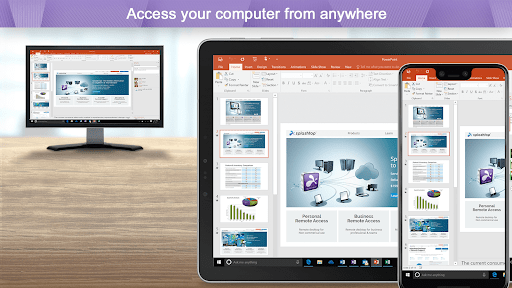
Easily provide secure remote access and support across your organization. Work from anywhere with remote desktop access to your powerful office computer from a laptop or mobile device. And IT & helpdesk teams have all the features they need to manage remote support for their entire organization.
Why Splashtop
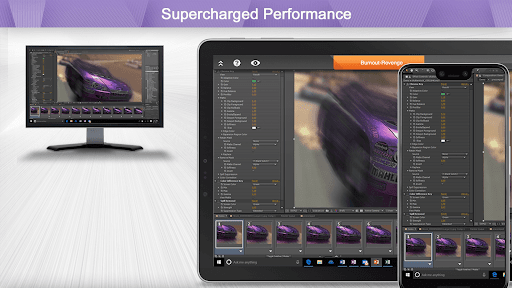
- Anytime unattended access with 4k streaming
- Simple on-demand support across all platforms
- Security you can trust to enable users to work from home
- Live support when you need it
Experience Splashtop Today – Start a Free Trial
1. Download the business app on the devices/computers you would like to connect from
2. Sign up for a free trial and create a Splashtop account
3. Download the streamer (splashtop.com/streamer) on the computer you would like to connect to
4. That’s it! Login and start your session!
*For attended access, please have your end-user download the Splashtop SOS App to their computer or mobile device.
Key Features:
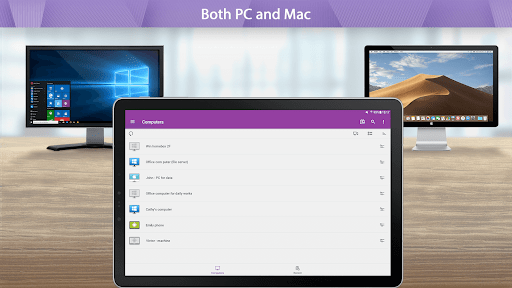
- Broad Device Support – iOS, Android, Windows, Mac, & Linux
- Cross-Platform
- File Transfer
- Multi-to-Multi Monitor
- Remote Print
- Chat
- User Management*
- Group View*
- Remote reboot and reconnect*
- Unattended Remote Control*
- Attended Remote Access and Remote Control*
- Session Recording*
- SSO**
- Remote Device Management**
*SOS and Enterprise
**Enterprise
Splashtop Products – Pick the product that is right for you!
- Splashtop Business Access (splashtop.com/business) - Unattended desktop remote access for individuals and businesses to control computers from anywhere
- Splashtop SOS (splashtop.com/sos)– Attended and unattended remote access and support for IT and Helpdesk teams
- Splashtop Enterprise (splashtop.com/enterprise) – Attended and unattended remote access and support with SSO/SAML integration, remote device management, and more!
Why Splashtop
- Anytime unattended access with 4k streaming
- Simple on-demand support across all platforms
- Security you can trust to enable users to work from home
- Live support when you need it
Experience Splashtop Today – Start a Free Trial
1. Download the business app on the devices/computers you would like to connect from
2. Sign up for a free trial and create a Splashtop account
3. Download the streamer (splashtop.com/streamer) on the computer you would like to connect to
4. That’s it! Login and start your session!
*For attended access, please have your end-user download the Splashtop SOS App to their computer or mobile device.
Key Features:
- Broad Device Support – iOS, Android, Windows, Mac, & Linux
- Cross-Platform
- File Transfer
- Multi-to-Multi Monitor
- Remote Print
- Chat
- User Management*
- Group View*
- Remote reboot and reconnect*
- Unattended Remote Control*
- Attended Remote Access and Remote Control*
- Session Recording*
- SSO**
- Remote Device Management**
*SOS and Enterprise
**Enterprise
Splashtop Products – Pick the product that is right for you!
- Splashtop Business Access (splashtop.com/business) - Unattended desktop remote access for individuals and businesses to control computers from anywhere
- Splashtop SOS (splashtop.com/sos)– Attended and unattended remote access and support for IT and Helpdesk teams
- Splashtop Enterprise (splashtop.com/enterprise) – Attended and unattended remote access and support with SSO/SAML integration, remote device management, and more!
App Information
Version Name
2.6.0.0
Version Code
72621
File Size
17.3 MB
Minimum OS
Android 5.0+
Target SDK
Android 14
Developer
Splashtop
Contact
Website
Content Rating
Everyone
Package Name
com.splashtop.remote.businessPermissions Required
This app may request the following permissions:
Recent Reviews

818 Cphone
3.0★
The product works, but it is a bit laggy. The other issue is it is difficult on a desktop to switch between computer screens, and it is almost impossible to use the keyboard or swtich between screens from a phone. Finally, event he paid business verison does not allow multiple connections to a computer or for you to shut down a different connection. So, this product needs some work; however, it is useful for accessing your computer when on the road.

Jim Blanchard
5.0★
I run IT support for 15+ clients, all with multiple endpoints and servers. I have used T.V. for years, but Splashtop beats it in every way. I am a faithful user now for the last 3 years and can say without hesitation it is a far better product. Connection speeds, functionality, management, and footprint are all so much better. If you are looking for a business solution, I cannot recommend splashtop enough.

Paul Bee
5.0★
Excellent and quite useful. Has grown to be quite a bit more reliable than the early versions. Indeed, now rates a full five stars. The ability to move the remote desktop reliably beneath a "virtual mouse pointer" in the mobile version (as opposed to moving the mouse pointer on a desktop) was a Splashtop first, far as I can tell. It's gotten better and better. Really pleased with the desktop versions as well.

Nathaniel Lee
4.0★
Very good app, but I have one important request. When I am typing I'm not able to "swipe" words and suggested words also aren't offered. Splashtop would be perfect if they had a better keyboard. If it weren't for the lack of a good keyboard, the experience would be just like using my PC while on the phone.

A Google user
5.0★
I dumped LogMeIn over 4 years ago, reason... cost!!! And been using Splashtop Business since then, without any regrets. I fully been recommending it to my work colleagues to avoid stressing out when they are away, as a great & easy tool to remotely connect to their home/office laptop or desktops. Easy and very dependable to use.
A Google user
5.0★
Great app, I've only been using this program to work between my office with my Note 9 for 1 and it works much better then Teamviewer did. Every program has a learning curve, if you start slowly and take your time to learn the different tools in this program you won't have any problems, it works seamlessly. I found Splashtop by calling in for support to another company, I asked the tech person what program was being used to connect to my system, he said splashtop with over 50 systems on line.
Ad slot: In-Content