

Lucid Launcher Pro
com.powerpoint45.launcherpro
by Lucid Dev Team
Screenshots




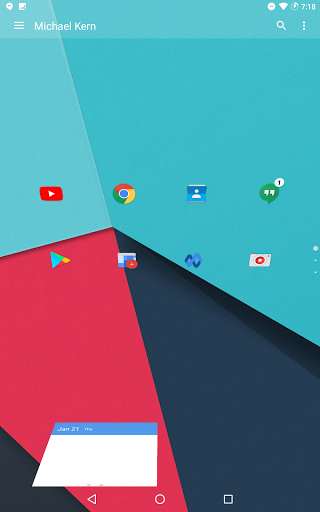
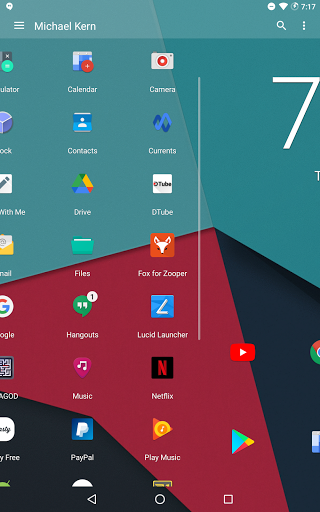
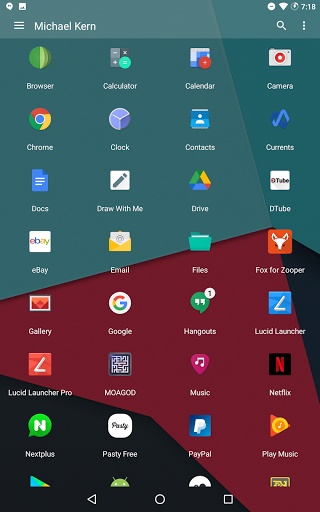
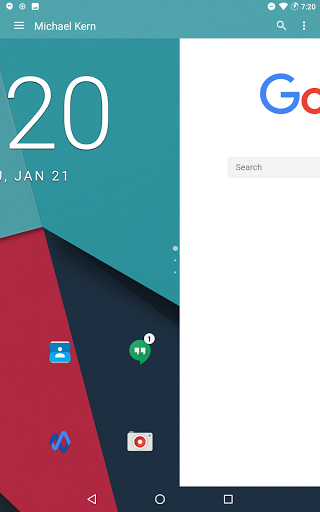
Ad slot: Top Leaderboard
About this app
Lucid Launcher Pro unlocks various features for Lucid Launcher and will also receive updates earlier than the free version. If you want to request a feature please request on our social network page or Contact us via E-mail.
Pro Version Unlocks:
★Unread Count on App Icons
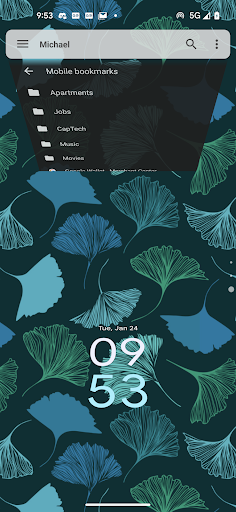
★Custom Search Text (Look at screenshots)
★Ability to hide app label in favorites bar
★More Page Transition Animations
★Vertical Page Transitions
★More Home Pages
★Custom Sidebar Theme
★Multiple other Sidebar Settings
★More Gestures
★Ability to include Hidden Apps in Search Results
★More Folder Icon Styles
★Folder Color Options
★No Ads
★Other Cool Features
Lucid launcher is a different type of launcher from all the rest. It was built from the ground up, not being based any previous launchers. Lucid launcher revolves around 3 categories (stability, features, and usability) that are constantly improving as the app evolves. Don't be fooled by the size, Lucid Launcher packs a punch while preserving lightning speed performance. Full of features this launcher allows you to do what you really want to make it your own while maintaining a great look and speed flow throughout the launcher. To get more options get Lucid Launcher Pro.
Some Features:
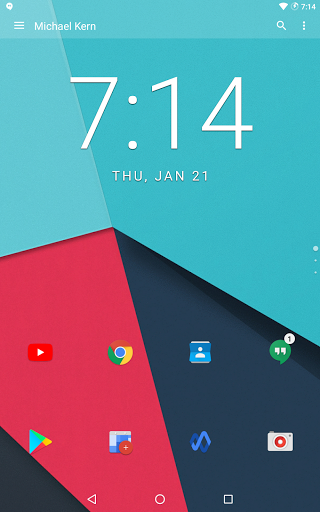
★Vertical scrolling home pages
★App Drawer as a Grid or List
★Icon theme support
★Icon editing
★Unlimited widgets
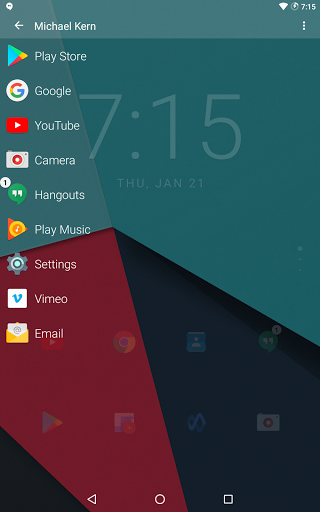
★Favorites sidebar (with intro animation)
★Search-bar (with the ability to search apps and contacts)
★Side-bar (contains your favorite apps)
★Many customization settings
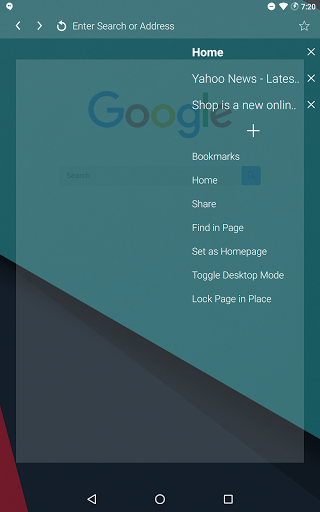
★Fully functional Web Browser inside launcher (can be disabled from "Manage Screens")
★The default search engine, Ecosia is designed to help plant trees around the world. The more you search, the more funding goes to planting
★Custom Search Text
★Widget, Folder, and Shortcut Support
★Separate landscape and portrait home page layouts
★Snap grid or free home page
★Page transitions
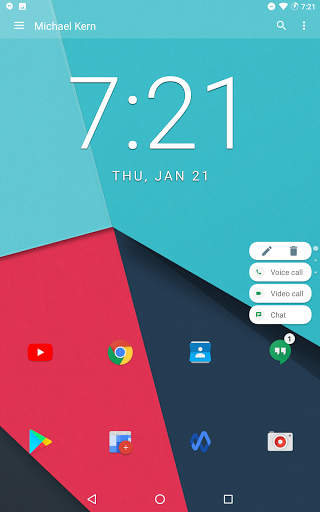
★Dynamic Shortcuts (Android 7.1+)
★Quick Scroll in App Drawer and other areas
★Spanish, Italian, French, Hungarian, Portuguese, German, Russian, and other translations.
App permissions:
Accessibility Service: accessibility is used in order to use the Recent Apps Shortcut/Gesture to open the System Recents Screen. No data is collected
Device Administrator: this app uses the device administrator permission for the purpose of setting up gestures or a shortcut to lock the screen
Contacts: this permission is used for the purpose to allow for searching contacts from the searchbar when the search contacts option is enabled. Contacts Permission is also used for contact shortcuts
Phone: this permission allows for direct dial shortcuts to work within the launcher
Photos/Media/Files: permissions in this category allow for the ability to create/overwrite backups from advanced settings and to save images from within the built in browser
Notification Access: this app uses Notification Access when Unread Count is enabled in order to get the number of new notifications to display
Other: permissions in this category allow for the app to access the internet exclusively for the built in browser, control vibration for long presses, and to expand/collapse the status bar for the use of certain gestures/shortcuts
Get involved by joining our social media groups! We are excited to hear from you!
★Discord group: https://discord.gg/DTgJxry
★Facebook group: https://www.facebook.com/groups/514438719064643/
★Telegram group: https://t.me/lucidlauncher
★Tumblr: https://luciddevteam.tumblr.com/
★Google Groups: https://groups.google.com/forum/#!forum/lucidity-beta-group
Primary Developer: Michael Kern
UI Development: Jorge Jimenez
Pro Version Unlocks:
★Unread Count on App Icons
★Custom Search Text (Look at screenshots)
★Ability to hide app label in favorites bar
★More Page Transition Animations
★Vertical Page Transitions
★More Home Pages
★Custom Sidebar Theme
★Multiple other Sidebar Settings
★More Gestures
★Ability to include Hidden Apps in Search Results
★More Folder Icon Styles
★Folder Color Options
★No Ads
★Other Cool Features
Lucid launcher is a different type of launcher from all the rest. It was built from the ground up, not being based any previous launchers. Lucid launcher revolves around 3 categories (stability, features, and usability) that are constantly improving as the app evolves. Don't be fooled by the size, Lucid Launcher packs a punch while preserving lightning speed performance. Full of features this launcher allows you to do what you really want to make it your own while maintaining a great look and speed flow throughout the launcher. To get more options get Lucid Launcher Pro.
Some Features:
★Vertical scrolling home pages
★App Drawer as a Grid or List
★Icon theme support
★Icon editing
★Unlimited widgets
★Favorites sidebar (with intro animation)
★Search-bar (with the ability to search apps and contacts)
★Side-bar (contains your favorite apps)
★Many customization settings
★Fully functional Web Browser inside launcher (can be disabled from "Manage Screens")
★The default search engine, Ecosia is designed to help plant trees around the world. The more you search, the more funding goes to planting
★Custom Search Text
★Widget, Folder, and Shortcut Support
★Separate landscape and portrait home page layouts
★Snap grid or free home page
★Page transitions
★Dynamic Shortcuts (Android 7.1+)
★Quick Scroll in App Drawer and other areas
★Spanish, Italian, French, Hungarian, Portuguese, German, Russian, and other translations.
App permissions:
Accessibility Service: accessibility is used in order to use the Recent Apps Shortcut/Gesture to open the System Recents Screen. No data is collected
Device Administrator: this app uses the device administrator permission for the purpose of setting up gestures or a shortcut to lock the screen
Contacts: this permission is used for the purpose to allow for searching contacts from the searchbar when the search contacts option is enabled. Contacts Permission is also used for contact shortcuts
Phone: this permission allows for direct dial shortcuts to work within the launcher
Photos/Media/Files: permissions in this category allow for the ability to create/overwrite backups from advanced settings and to save images from within the built in browser
Notification Access: this app uses Notification Access when Unread Count is enabled in order to get the number of new notifications to display
Other: permissions in this category allow for the app to access the internet exclusively for the built in browser, control vibration for long presses, and to expand/collapse the status bar for the use of certain gestures/shortcuts
Get involved by joining our social media groups! We are excited to hear from you!
★Discord group: https://discord.gg/DTgJxry
★Facebook group: https://www.facebook.com/groups/514438719064643/
★Telegram group: https://t.me/lucidlauncher
★Tumblr: https://luciddevteam.tumblr.com/
★Google Groups: https://groups.google.com/forum/#!forum/lucidity-beta-group
Primary Developer: Michael Kern
UI Development: Jorge Jimenez
What's New
Newer:
*API Updates
Older:
*Split Screen Support for Android 7+ (long press on app and press the split screen button to launch an app in split screen mode. (Disable from main launcher settings)
*Stability Update!
Older:
*Small UI Improvements
*API Updates, Bug fixes, general improvements
*Home screen will fade when viewing folder while in battery saver mode for better visibility while folder window blur is inactive
*API Updates
Older:
*Split Screen Support for Android 7+ (long press on app and press the split screen button to launch an app in split screen mode. (Disable from main launcher settings)
*Stability Update!
Older:
*Small UI Improvements
*API Updates, Bug fixes, general improvements
*Home screen will fade when viewing folder while in battery saver mode for better visibility while folder window blur is inactive
App Information
Version Name
V5.96
Version Code
168
File Size
2.6 MB
Minimum OS
Android 5.0+
Target SDK
Android 22
Developer
Lucid Dev Team
Contact
Website
Content Rating
Everyone
Package Name
com.powerpoint45.launcherproPermissions Required
This app may request the following permissions:
Recent Reviews

Sam Schafer
5.0★
I tried the free one for a while and was pleasantly surprised. The pro version is only 3 bucks so why not? This is a creative twist on the traditional page-based launcher. It's clean and smooth, easy to navigate, and sports an interesting layout. The search works great. It offers free-form icon placement if you feel creative. It's fast becoming one of my all-time favorite launchers. With plenty of options to customize the experience, it's a winner!

Yves Genie
1.0★
So so launcher. Glitched widget work. Glitched folder renamin work. Poor fav panel custom. The only fine thing is to hide apps in launcher. There is lotta work to improve. upd. hide search bar option is broken. bar is onscreen

Em Cee
5.0★
Love this launcher, one of the best I've used yet, easy to navigate and fully changes the stock Android UI to something really different. One small problem with my Nokia 8.3, the home button setup on this phone sometimes stops responding properly and won't go home from any screen on any app, the only remedy is a phone restart. Restarting the launcher from its settings doesn't work. Otherwise a very clean app and some nice features. Maybe a future update might fix the home button issue. Nice job.

Laurel Fitzhugh
4.0★
Well done. A learning curve for my existing muscle memory, and a bit unfinished around the edges, but it seems logically thought through from scratch. I detest the Google icons, and if I didn't need them on my home screen I wouldn't use a launcher. However this is interesting.

Jess E
5.0★
Favorite launcher, been using for years. Never had any problems or issues. I like the way its setup... app drawer on left, home page on the right. No messy, uneven or scattered icons all over the place. Had a question, dev answered it right away.

Chaz Christensen
5.0★
Really good launcher! I love using Adaptive Icon Pack application and it doesn't support this browser...... I can get the icons to use Adaptive by setting it on my regular launcher that came with phone and then they keep the look for this app but if I add any instant apps to home screen, I can't change those using Adaptive Icon Pack application. So some of my apps icons are square with no way to change it to circle, so it doesn't match.
Ad slot: In-Content