

Skype for Business for Android
com.microsoft.office.lync15
by Microsoft Corporation
Screenshots







Ad slot: Top Leaderboard
About this app
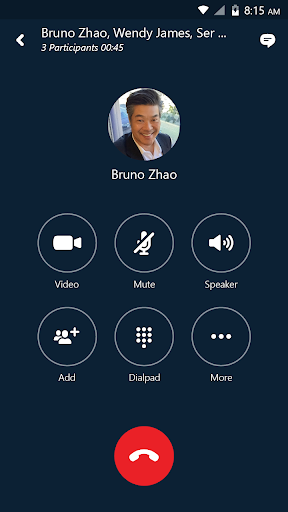
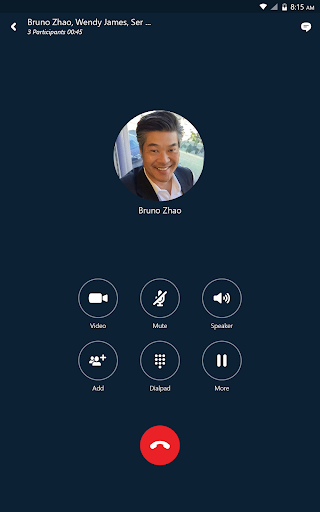
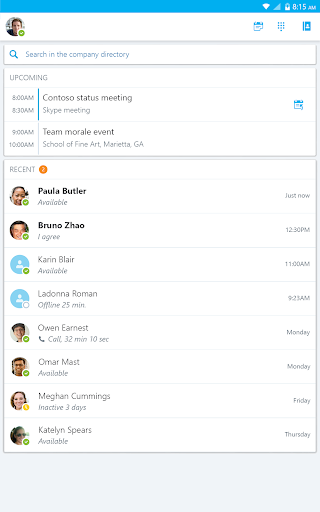
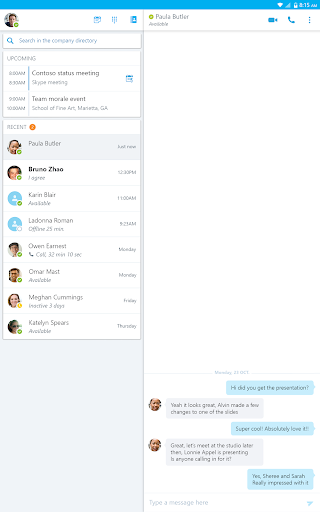
Skype for Business, formerly Lync 2013, for Android extends the power of Lync and Skype to your favorite mobile device: voice & video over wireless, rich presence, instant messaging, conferencing, and calling features from a single, easy-to-use interface.
Key Features:
-Initiate a group IM or video conversation and invite additional participants
-Join, rejoin and initiate a Skype for Business Meeting to communicate and collaborate on amazing ideas
-Share your video and view speaker's video during a conference
-Control the meeting (mute or remove attendees) and know more about participants’ modalities
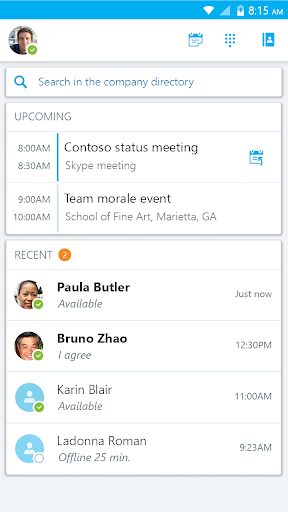
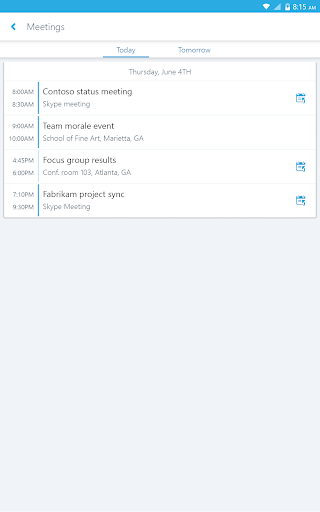
-Look at your upcoming meetings and join via one click
-Find your recent conversations and pick them up from where you left
-Search your contacts by name, email, or phone number
-Enhanced security via Active Directory Authentication Library (ADAL)
Anyone can use the Skype for Business Mobile app when invited to a Skype for Business or Lync 2013 meeting. However, you must have a Skype for Business or Lync account in order to use (and enjoy) the full capability of the Skype for Business Mobile app. Also, some functionality might require an update to Lync or Skype for Business Server or might not be available to all users. If you’re not sure about your account status, please contact your IT department
IMPORTANT: THIS SOFTWARE REQUIRES CONNECTIVITY TO VALIDLY LICENSED COPIES OF MICROSOFT LYNC OR SKYPE FOR BUSINESS SERVER OR OFFICE 365 / LYNC ONLINE / SKYPE FOR BUSINESS ONLINE AND WILL NOT WORK WITHOUT IT. UPDATES TO MICROSOFT LYNC SERVER OR SKYPE FOR BUSINESS MAY BE REQUIRED FOR PROPER PERFORMANCE. SOME FUNCTIONALITY MAY NOT BE AVAILABLE IN ALL COUNTRIES. IF YOU ARE UNSURE ABOUT YOUR COMPANY’S LICENSE TO AND/OR DEPLOYMENT OF LYNC OR SKYPE FOR BUSINESS, PLEASE CONTACT YOUR IT DEPARTMENT. SKYPE FOR BUSINESS APP IS ONLY AVAILABLE FOR Android 4.0 OR GREATER.
Key Features:
-Initiate a group IM or video conversation and invite additional participants
-Join, rejoin and initiate a Skype for Business Meeting to communicate and collaborate on amazing ideas
-Share your video and view speaker's video during a conference
-Control the meeting (mute or remove attendees) and know more about participants’ modalities
-Look at your upcoming meetings and join via one click
-Find your recent conversations and pick them up from where you left
-Search your contacts by name, email, or phone number
-Enhanced security via Active Directory Authentication Library (ADAL)
Anyone can use the Skype for Business Mobile app when invited to a Skype for Business or Lync 2013 meeting. However, you must have a Skype for Business or Lync account in order to use (and enjoy) the full capability of the Skype for Business Mobile app. Also, some functionality might require an update to Lync or Skype for Business Server or might not be available to all users. If you’re not sure about your account status, please contact your IT department
IMPORTANT: THIS SOFTWARE REQUIRES CONNECTIVITY TO VALIDLY LICENSED COPIES OF MICROSOFT LYNC OR SKYPE FOR BUSINESS SERVER OR OFFICE 365 / LYNC ONLINE / SKYPE FOR BUSINESS ONLINE AND WILL NOT WORK WITHOUT IT. UPDATES TO MICROSOFT LYNC SERVER OR SKYPE FOR BUSINESS MAY BE REQUIRED FOR PROPER PERFORMANCE. SOME FUNCTIONALITY MAY NOT BE AVAILABLE IN ALL COUNTRIES. IF YOU ARE UNSURE ABOUT YOUR COMPANY’S LICENSE TO AND/OR DEPLOYMENT OF LYNC OR SKYPE FOR BUSINESS, PLEASE CONTACT YOUR IT DEPARTMENT. SKYPE FOR BUSINESS APP IS ONLY AVAILABLE FOR Android 4.0 OR GREATER.
What's New
Bug Fixes and Improvements
App Information
Version Name
6.30.0.3
Version Code
102629379
File Size
57.4 MB
Min SDK
Android 21+
Target SDK
Android 33
Developer
Microsoft Corporation
Contact
Website
Content Rating
Everyone
Package Name
com.microsoft.office.lync15Permissions Required
This app may request the following permissions:
Recent Reviews

A Google user
2.0★
The app has become very buggy since the last couple of updates. I'm unable to join a call without logging out and logging back in at least 3 to 4 times. even then, it's not smooth sailing. if the screen fades out, I get booted from the call and can't rejoin without going through the whole routine of logging out and logging back in. since I dial in before heading out to work, it's very dangerous when the call drops and I have to reconnect while driving. MS, if it ain't broke, don't break it.
A Google user
3.0★
I have two issues with this app. 1) When you use the Skype audio, muting/un-muting is very slow and notifications keep popping up, with sounds, which is distracting. 2) I keep getting notifications that I received a message, and I can read part of it in the notification, but when I open the app, I don't see the message. I see that there is a conversation but it's blank.
A Google user
1.0★
I call this app "Skype for going out of business". the app keeps reconnecting in the middle of the call (for "reauthentication"). if you change the password, forget about quickly connecting back - it just sits there at login. you have to uninstall the app and then maybe you can get lucky and it will connect. phone call (call back) does not always connect - you may keep hearing a conversation and app's chime at the same time.
A Google user
1.0★
This program is not based on the Skype codebase. With real Skype, if someone sends me a message, it appears on every computer (including smartphones) that I am logged in with. With "Skype" for Business, it seems to try to guess which computer I am using (often incorrectly), and sends the message only to that one. Unfortunately, it's often incorrect, so I don't see the message until later. Also, if the message goes to my smartphone, I see a message preview, but if I tap it, the message isn't there. This is just another example of commercial, closed-source software working worse than free software.
A Google user
3.0★
Messages do not appear on more than one device at a time (unlike Messenger for example), such as my phone and PC. Calls sometimes appear on the phone, sometimes on the PC, and sometimes in both locations. It would be a much better application if all messages and calls appeared on all connected devices (like Messenger does).

Mike Spohn
2.0★
This app has become increasingly difficult to use as I'm not being notified of calls at random, and there will be times where no sound from my end will be sent to the caller, whether that is to cell phones, home phones, or even my co-workers who are also using Skype. It will require me to log out, quit the app, then re-open it to go through the drawn-out process of the log-in again. When I can't answer my calls in that timeframe, it's frustrating.
Ad slot: In-Content