

Smart Screen On/Off Pro
com.luutinhit.sensorsforconverpro
by LuuTinh Developer
Screenshots
Ad slot: Top Leaderboard
About this app
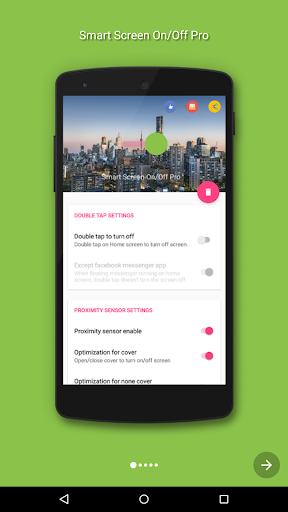
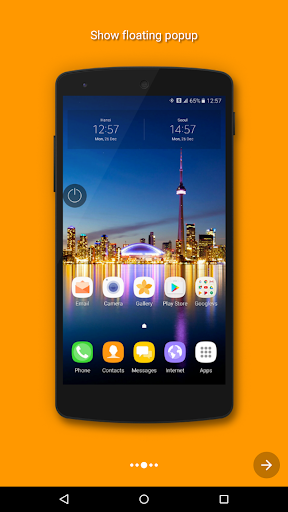
Smart Screen On Off application is simple utility to automatically On or Off screen using proximity sensor, instead of having to press the power button manually. Smart Screen On Off have a power head floating in a convenient location is also provided to quickly turn off the screen.
Sometimes difficult to press the power button, or you want to preserve the physical power button. Smart Screen On Off application and the power head floating can help you minimize the use of the power button anytime, anywhere.
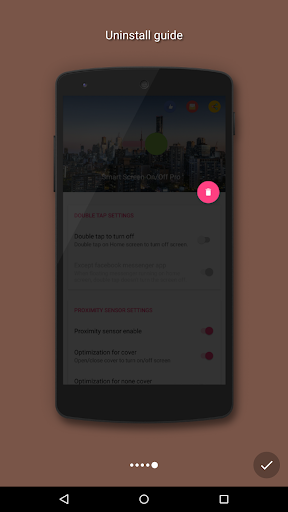
"This app uses the Device Administrator permission." It is necessary and used only for locking the device when you use feature turn off the screen. You need to enable Administration before it can be used that feature. To uninstall the app, please open my app and click the "Uninstall" button.
"This app uses Accessibility services." It is necessary and used to detect home screen.
Function have in Smart applications on/off screen auto:
- The sensor will automatically detect, and auto power on / off screen to help you.
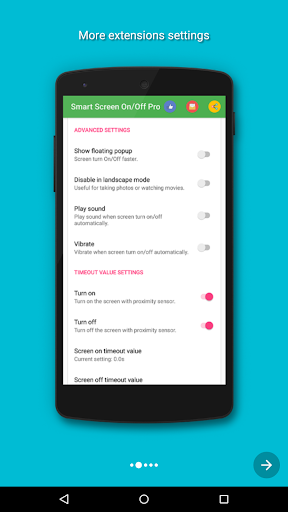
- You can disable the feature when the screen rotates horizontally.
- You can set separate delays when the screen on / off to avoid accidentally enabled.
- Support power to quickly head off the screen.
- Support for using the same cover.
- Auto screen off when put your phone into pocket.
- Add feature to fix issue with fingerprint and smart lock.
- Improve best performance. Only use a maximum of 5 MB RAM.
Sometimes difficult to press the power button, or you want to preserve the physical power button. Smart Screen On Off application and the power head floating can help you minimize the use of the power button anytime, anywhere.
"This app uses the Device Administrator permission." It is necessary and used only for locking the device when you use feature turn off the screen. You need to enable Administration before it can be used that feature. To uninstall the app, please open my app and click the "Uninstall" button.
"This app uses Accessibility services." It is necessary and used to detect home screen.
Function have in Smart applications on/off screen auto:
- The sensor will automatically detect, and auto power on / off screen to help you.
- You can disable the feature when the screen rotates horizontally.
- You can set separate delays when the screen on / off to avoid accidentally enabled.
- Support power to quickly head off the screen.
- Support for using the same cover.
- Auto screen off when put your phone into pocket.
- Add feature to fix issue with fingerprint and smart lock.
- Improve best performance. Only use a maximum of 5 MB RAM.
What's New
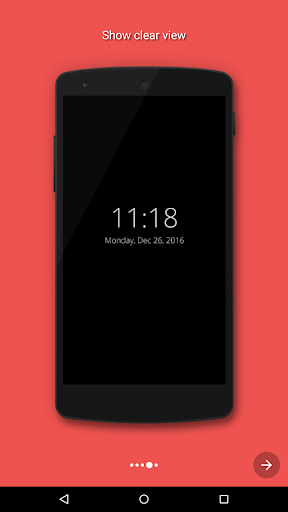
- Add feature to fix issue with Biometrics for android P above. (Settings > Utilities > Fix Biometrics issue/ Show clear view)
- Fix all issue reported by user.
If you have any problems. Please contact to me.
Thanks for using my app.
- Fix all issue reported by user.
If you have any problems. Please contact to me.
Thanks for using my app.
App Information
Version Name
3.5.8
Version Code
58
File Size
1.4 MB
Minimum OS
Android 4.0+
Target SDK
Android 22
Developer
LuuTinh Developer
Contact
Website
Content Rating
Everyone
Package Name
com.luutinhit.sensorsforconverproPermissions Required
This app may request the following permissions:
Recent Reviews

A Google user
1.0★
So close, but such a pain. This app does exactly what it says. What it doesn't say is that once it locks your phone you CANNOT use fingerprint unlock. I contacted the develop but they did not even respond! If you don't mind entering your PIN every time, it's a good buy, but for the rest of us, save your money and save time! Despite the developer's comment below, if he had replied to my email he would have known that I did do this and it still doesn't work. Moving it from a 3 star down to a 1 star for lack of customer service.
A Google user
1.0★
Whatever you have done in the update has stopped it working completely now! The double tap for screen off now doesn't work at all. I've used this app for a long time now. The fix to stop the screen going off when typing works for a short period(hours) then your typing with a double letter & the dam screen goes off. The double tap randomly stops working at the best of times - usual fix go into settings turn it off & then on again.
A Google user
2.0★
I use only double tap feature. Does not work very well. Either works or not , 50% chance. Only time it always works when I send text messages , always turns phone off when I need double letters or numbers. Pretty annoying. Looking for another one....

Katie Nguyen
1.0★
The Smart Screen On/Off Pro version does not work on Moto G Stylus 2021. Please The smart screen On/Off Pro version does NOT work on my Moto G Stylus 2021. When I click or double click on the screen, it does not turn off the screen. I have used the FREE version and On/Off/Auto version and it does work, but I don't like advertisements. That is why I decide to pay for the PRO version. Please refund. Thanks

Jim M.
5.0★
What a difference! My OnePlus 6T was always making calls or changes when I put it in my pocket. This app has completely stopped that. I am still trying to figure out how best to configure it. Yes, the screen goes off when I don't want it to, simply because my hand covered the sensor, but it's easy to get it back on.

Chris Singale
1.0★
I have tried the free one, too many ads. The best that works on note 8, but still couldn't get it work on waking up using hand waving. Update: Doesn't work at all on Note 10. Ps: the 1 star is because it doesn't work and the ads are too many.
Ad slot: In-Content