
Tracing Paper - Light Box
com.advancedweb.tracing_paper_sketching
by Csákvári Dávid
Screenshots


Ad slot: Top Leaderboard
About this app
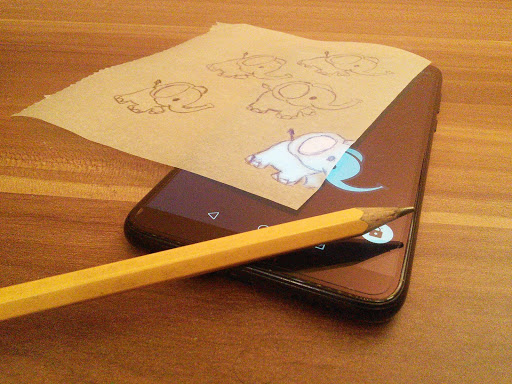
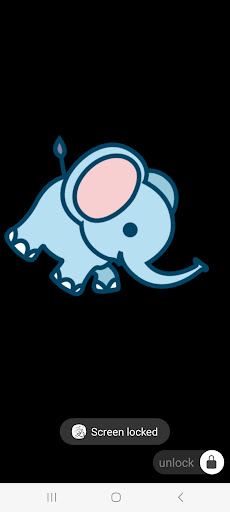
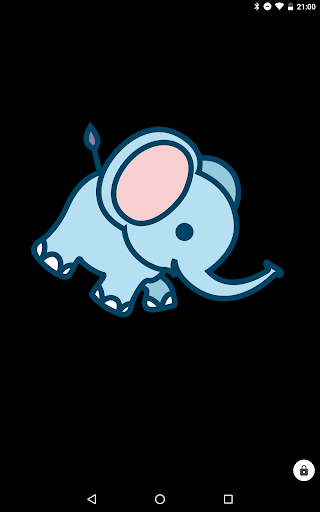
Copy an image from the screen to a physical paper. Find an image as a template. Rotate, shrink or zoom to find the perfect alignment. Lock the screen, put a paper over the display and start tracing.
Curious about the source code? Have a feature idea or found a bug? Check the app's GitHub repository here: https://github.com/dodie/tracing-paper-sketching
Curious about the source code? Have a feature idea or found a bug? Check the app's GitHub repository here: https://github.com/dodie/tracing-paper-sketching
What's New
- Redesign menu
- Enable user onboarding
- Handle back button
- Enable user onboarding
- Handle back button
App Information
Version Name
1.0.0
Version Code
16
File Size
38.6 MB
Minimum OS
Android 5.0+
Target SDK
Android 31
Developer
Csákvári Dávid
Contact
Website
Content Rating
Everyone
Package Name
com.advancedweb.tracing_paper_sketchingPermissions Required
This app may request the following permissions:
Recent Reviews

kayden “kai”
5.0★
best tracing app ever, finally my phone can stay still I'm so glad there's no ads when it comes to a certain app like this I needed to do a project and wanted to add extra stuff on my paper. I'm so happy this worked definitely recommending to people who use it to trace drawings, or just want to learn how to draw, this is the best, and first app I've ever found on tracing. (I don't use it specifically to steal other people's art. I give credit and ask for permission.)

Heather L
5.0★
This is great. I can draw free hand ok, but it takes longer. I want to skip it and get to painting. I create small art and so I like this App because I can reduce the size of the image before locking in. Another app I tried only allowed me to zoom in larger but not smaller. I like that I can flip image around and do mirror image. It is a simple app but that's what I wanted. A simple app where I can lock on my image at the size I like on my Android phone. Thank you.

Haydeez W
5.0★
Thank you! Perfect. All I wanted to do was open a picture, lock my screen, and trace something out. Exactly as described, exactly what I wanted. Amazing, props to the devs! In response to other people, OF COURSE if you enlarge a picture, it will lose definition. If you don't understand graphics enough to understand that, you probably don't need to be using an app like this for anything worthwhile lol
Sadia Amin
5.0★
I love it, it doesn't move while tracing and your screen stays still like this app said it would. I can trace so many stuff with it. I'm not a pro in drawing yet and this helps a lot. You can zoom in and out, move it or you can make a reflection of it. I literally love it so much and my drawing skills are more confident now.

Cat
5.0★
Perfect! I wanted to trace a free furry tiger template for a badge, because I'm going to a convention! But I didn't know how I could trace it. Then I found this app and it's perfect for tracing! No ads, perfect settings and it's easy to lock the screen! Great app! Five stars.

Staringback
5.0★
Woahh its really great app for tracing! It really helps me to practice drawing although, when I trace something and the image I want to trace has black bits it's really hard to see but I do turn of the lights in my house, then turning on the brightness mode I really wish there was a mode for it, but that's okey. Anyway this is a really good app I do recommend if your doing practice or just you want to draw something you could never do! Congrats to devs I really looking forward for new updates.
Ad slot: In-Content