

Dropbox: Secure Cloud Storage
com.dropbox.android
by Dropbox, Inc.
Screenshots

Ad slot: Top Leaderboard
About this app
Dropbox allows you to backup your most essential files to the cloud, where you may access them at any time and from any location! Over 700 million registered users and 600,000 teams rely on it. Simple to use, trustworthy, private, and secure!
Features:
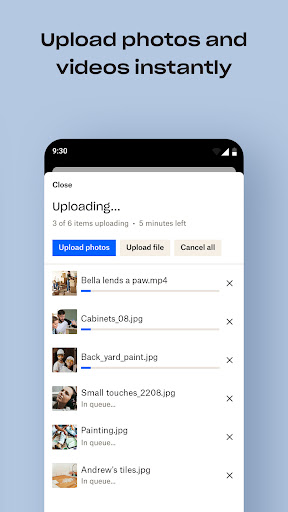
• Automatically upload photos and pictures from your camera roll to cloud photo storage for easy photo sharing ready to send anywhere.
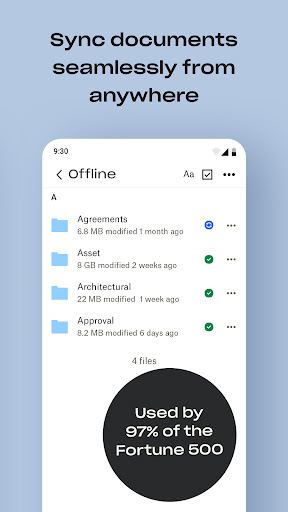
• Access any file in your account—even offline—and preview over 175 different file types with no special software required.
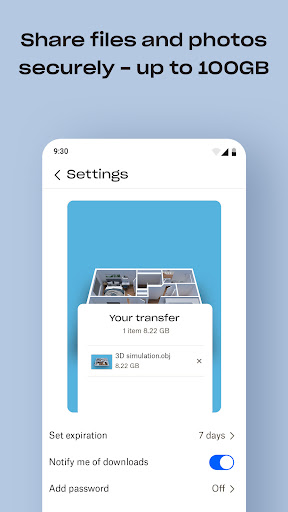
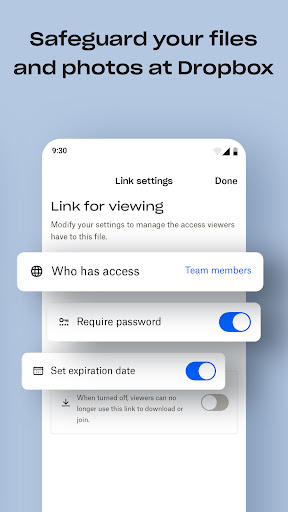
• Easily send large files by sharing a link with anyone, even if they don’t have a Dropbox account.
• Photo transfer app: easily save photos to the cloud or transfer photos from your cloud storage app.
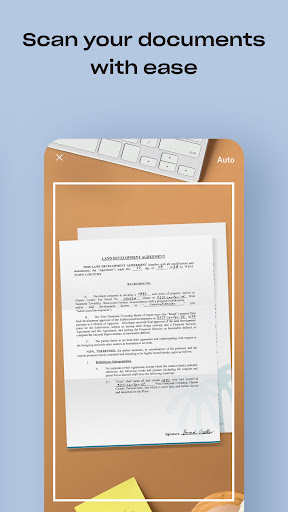
• Scan documents, receipts, IDs, photos, and more using your mobile device and transform them into high-quality PDFs, so you can view and send them anywhere.
• Sync folders on your PC or Mac to Dropbox with computer backup, and recover older versions or restore deleted files with version history and file recovery.
Cloud storage & drive photo storage gives you extra space to backup, upload, share, and scan & we transfer photos or files to the cloud for you! An easy backup and data vault with safe access to your private or shared files. Today you can easily manage and share family albums, video albums, and more.
Sign up now for your free Dropbox Plus trial. Get 2 TB (2,000 GB) of storage space!
New features on the Plus plan:
Dropbox Passwords: store and sync passwords across all your devices
Dropbox Vault: secure your most sensitive documents and photos
Dropbox Rewind: roll back any file, folder, or your entire account, for up to 30 days
Before completing payment, you’ll see the plan price. This amount will be charged to your Google Play account and will vary by plan and country. Dropbox subscriptions purchased in-app renew monthly or yearly, depending on your plan. To avoid auto-renewal, turn it off at least 24 hours before your subscription renews. You can turn off auto-renewal anytime from your Google Play account settings.
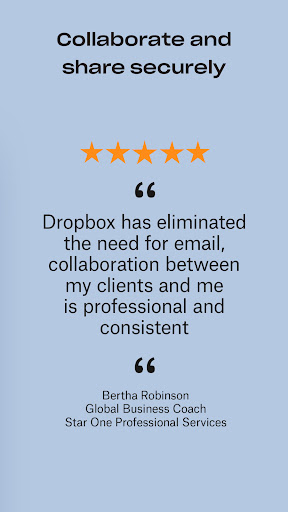
Dropbox is a secure cloud & drive solution leader trusted by Fortune 500 companies for their most sensitive data. Over 14 million paid users choose Dropbox because they know they can count on a company that’s also dedicated to their security and privacy—no matter what they do or where they are. Let Dropbox be your all-in-one file storage, file organizer, file transfer, and file sharing solution for all your devices.
We’d love to hear from you! Join the Dropbox community: https://www.dropboxforum.com
Terms of Service: https://www.dropbox.com/terms
Privacy Policy: https://www.dropbox.com/privacy
Features:
• Automatically upload photos and pictures from your camera roll to cloud photo storage for easy photo sharing ready to send anywhere.
• Access any file in your account—even offline—and preview over 175 different file types with no special software required.
• Easily send large files by sharing a link with anyone, even if they don’t have a Dropbox account.
• Photo transfer app: easily save photos to the cloud or transfer photos from your cloud storage app.
• Scan documents, receipts, IDs, photos, and more using your mobile device and transform them into high-quality PDFs, so you can view and send them anywhere.
• Sync folders on your PC or Mac to Dropbox with computer backup, and recover older versions or restore deleted files with version history and file recovery.
Cloud storage & drive photo storage gives you extra space to backup, upload, share, and scan & we transfer photos or files to the cloud for you! An easy backup and data vault with safe access to your private or shared files. Today you can easily manage and share family albums, video albums, and more.
Sign up now for your free Dropbox Plus trial. Get 2 TB (2,000 GB) of storage space!
New features on the Plus plan:
Dropbox Passwords: store and sync passwords across all your devices
Dropbox Vault: secure your most sensitive documents and photos
Dropbox Rewind: roll back any file, folder, or your entire account, for up to 30 days
Before completing payment, you’ll see the plan price. This amount will be charged to your Google Play account and will vary by plan and country. Dropbox subscriptions purchased in-app renew monthly or yearly, depending on your plan. To avoid auto-renewal, turn it off at least 24 hours before your subscription renews. You can turn off auto-renewal anytime from your Google Play account settings.
Dropbox is a secure cloud & drive solution leader trusted by Fortune 500 companies for their most sensitive data. Over 14 million paid users choose Dropbox because they know they can count on a company that’s also dedicated to their security and privacy—no matter what they do or where they are. Let Dropbox be your all-in-one file storage, file organizer, file transfer, and file sharing solution for all your devices.
We’d love to hear from you! Join the Dropbox community: https://www.dropboxforum.com
Terms of Service: https://www.dropbox.com/terms
Privacy Policy: https://www.dropbox.com/privacy
What's New
We release updates regularly and are always looking for ways to make the app better. If you have any feedback or run into issues, come find us in our forums. We’re happy to help!
App Information
Version Name
8.0.26
Version Code
802600
File Size
42.0 MB
Minimum OS
Android 9+
Target SDK
Android 23
Developer
Dropbox, Inc.
Contact
Website
Content Rating
Everyone
Package Name
com.dropbox.androidPermissions Required
This app may request the following permissions:
Recent Reviews

Baskets By Jill
1.0★
Once you reach your free storage limit, Dropbox literally locks you out, preventing you from accessing your own files! The only way to retrieve what is legally your personal data is by paying for a subscription upgrade. I was forced to, even though I did not need additional storage. Their customer service is beyond horrific. When you call, they route you to their chat feature, at which point no one is available on chat. One star is not low enough. Developer: everything you said is untrue.

Patricia C Vener
4.0★
August 2025 update: I don't use Dropbox for storage except for a few older files. I use it for the convenience of transferring large files that are too big to email. I really loathe the repetitive insistence (invitations) to A) upload/backup photos and other files, B) buy more space or subscribe. On the other hand, at least they still have the free option. Unlike another service utility I once relied on and have since left behind. Does what I need it to do. Yay! (2018)

Hamish Bower
1.0★
Updated after a long while without doing so after some crashes. Not impressed. Can't scroll through files with the banners hidden, not a helpful feature for a file viewer. Pixel art gifs are now tiny instead of expanded to fit the screen. Somehow the number of files visible on one screen in list mode is half of what it was before, and no it's not in "large list." Been with dropbox for over 5 years, but I'm exploring other options at the moment. Frankly, I'd rather you fix the app.

Dr. Clyde Mayberry
1.0★
Dropbox is a wolf in sheep's clothing. Once you store data and begin using it, they continuously attempt to get you to store other things. The reason that's a problem is that eventually, you're just paying for more storage for a need they created, not you. This isn't at all about helping you organize and access data easier. This is about selling space. That's it! I own a publishing company and we recently started using Dropbox (or as we call it "prison-box").

Nancy Smith (NancyJSmith)
3.0★
I'm really liked Dropbox at first as a solid alternative to Google Drive but now it's like a storage app in the middle of an identity crisis. It used to be so simple and straightforward. I loved how sleek & minimal it was (just straight to the files). But now there's so much that's been haphazardly added, it all seems so clunky and cluttered. (I won't even start on the frustration that is PAPER which I've tried to like many times.) I wish DB could go back to the simplicity I used to love.

Patrick Stutz
1.0★
I've never had a more difficult time canceling a paid subscription in my life. It's clear it's intentionally difficult. I cannot delete my account. It directs me to first delete my subscription but none of the how to guides apply to what I'm seeing on my app screen. There is simply not a way for me to cancel this recurring charge and it's predatory. It should NEVER be this hard to cancel a subscription!
Ad slot: In-Content