

WiFi File Explorer PRO
com.dooblou.WiFiFileExplorerPRO
by dooblou
Screenshots


Ad slot: Top Leaderboard
About this app
Now with drag-and-drop file uploads and SD card write access on Android 5.0 and above, so you can once again upload, delete, rename and move files on your SD card!
* Featured on Life Hacker, PC World & Android Central and recommended by Motorola! The ORIGINAL, best, steadiest and most popular WiFi file transfer app with now over 3 million users across all app stores worldwide! *
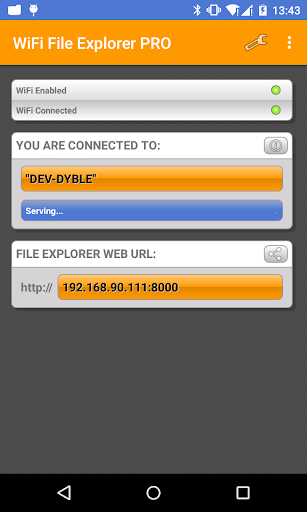
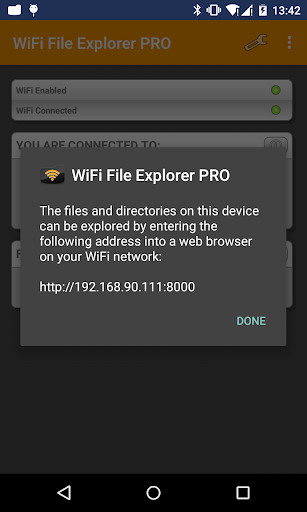
Browse, transfer, download, upload, delete, copy, rename, stream and manage files that are on your Android device, using a web browser via a WiFi connection.
No more taking your phone apart to get the SD card out or grabbing your cable to access your camera pictures and copy across your favourite MP3s.
"I wholeheartedly recommend going the wireless route with WiFi File Explorer!" - PC World review - 5 stars.
"Best couple of bucks I ever spent." - Top app of 2011 - from Android Central's Jerry Hildenbrand.
------
FEATURES
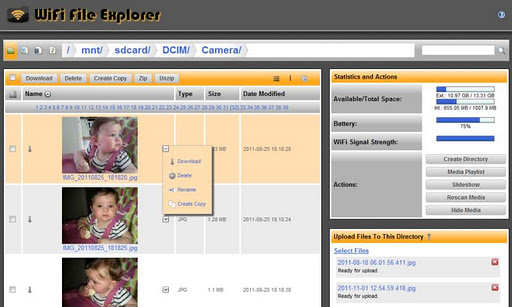
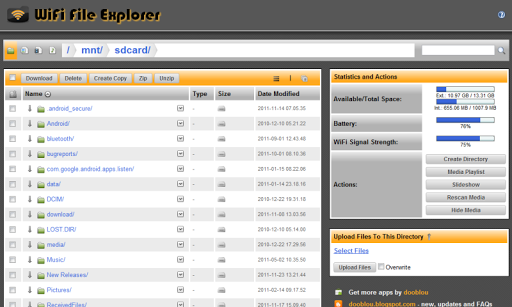
1. Using a web browser, you can browse and download all the files on your Android device without the need for a cable. Download entire directories with one click which no other similar app offers;
2. Multiple batch file uploads and downloads to save you time when transferring many files at once from your computer to your Android device or vice-versa;
3. Backup your entire SD card or just backup individual directories with one simple click – for example, backup all your photos just by downloading the Camera directory!
4. Download a streaming media playlist to allow you to quickly flick through and stream all the stored media files in a directory into a media player on your computer. This is a unique feature not offered by other apps;
5. Create brand new directories and delete/rename/copy/zip/unzip files - the perfect file manager;
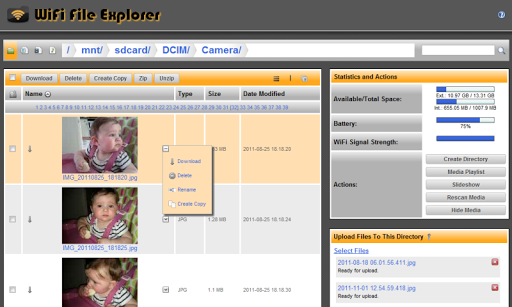
6. Use the one of a kind gallery viewer to create a slide show of all your camera pictures directly from your Android device. Simply click on a picture’s file name to launch the gallery viewer and then hit the play button to enjoy all your pictures in the web browser;
7. Search box so that you can find any file on your Android device;
8. Select between thumbnail and detail views to choose the best method to quickly browse your files. Thumbnails are supported for both pictures AND videos!
9. It is also uniquely an installer, so automatically install app files with just once click in the web browser;
10. With with one simple click you can set any audio file on your device to become your ringtone;
11. View all the camera pictures and videos or listen to all the music on your Android device streamed directly in a web browser. Use shortcut tabs to quickly view ‘All Music’, ‘All Pictures’ and ‘All Videos’ stored on your device, no matter which directory they are in;
12. Runs as a service in the background so you can use other apps while you are making transfers;
13. Simple to use with no set up or buttons – it just works!
14. Password protected to prevent unwanted access;
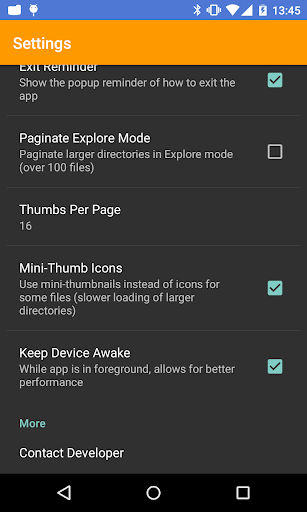
15. Ability to configure the port settings;
16. Full support for special characters in file names which competitor apps do not support;
17. Visual indicators and stats of how much free space is on your Android device as well as real-time indicators of how much battery and WiFi signal you currently have;
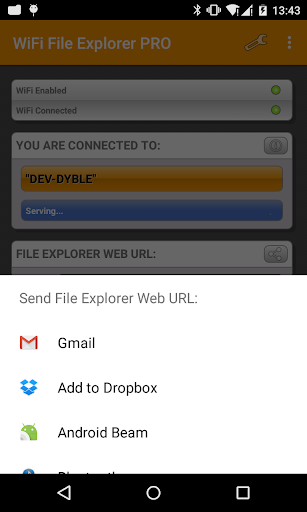
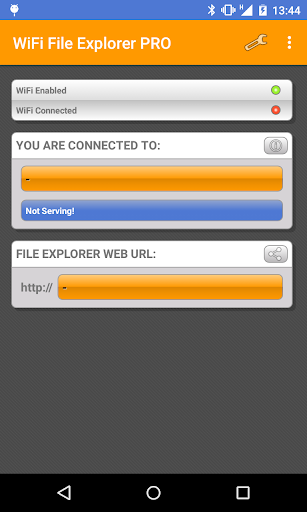
18. Send an email to the web link from the app for easy connection;
19. Special “Development Goodies” mode to enable SSL protection – email developer for details!
------
* Before emailing, check FAQs at http://dooblou.blogspot.com *
* Follow @dooblou on Twitter for all the latest news and updates as they occur *
* Find us on Facebook – Search for ‘WiFi File Explorer’ *
------
If you do have problems using this application on your WiFi network, it is most likely a configuration problem with your router/network. Please contact the developer if you have any questions and he may be able to help you ... but please don't rate low because your network isn't configured properly - that isn't the application’s fault ;)
* Featured on Life Hacker, PC World & Android Central and recommended by Motorola! The ORIGINAL, best, steadiest and most popular WiFi file transfer app with now over 3 million users across all app stores worldwide! *
Browse, transfer, download, upload, delete, copy, rename, stream and manage files that are on your Android device, using a web browser via a WiFi connection.
No more taking your phone apart to get the SD card out or grabbing your cable to access your camera pictures and copy across your favourite MP3s.
"I wholeheartedly recommend going the wireless route with WiFi File Explorer!" - PC World review - 5 stars.
"Best couple of bucks I ever spent." - Top app of 2011 - from Android Central's Jerry Hildenbrand.
------
FEATURES
1. Using a web browser, you can browse and download all the files on your Android device without the need for a cable. Download entire directories with one click which no other similar app offers;
2. Multiple batch file uploads and downloads to save you time when transferring many files at once from your computer to your Android device or vice-versa;
3. Backup your entire SD card or just backup individual directories with one simple click – for example, backup all your photos just by downloading the Camera directory!
4. Download a streaming media playlist to allow you to quickly flick through and stream all the stored media files in a directory into a media player on your computer. This is a unique feature not offered by other apps;
5. Create brand new directories and delete/rename/copy/zip/unzip files - the perfect file manager;
6. Use the one of a kind gallery viewer to create a slide show of all your camera pictures directly from your Android device. Simply click on a picture’s file name to launch the gallery viewer and then hit the play button to enjoy all your pictures in the web browser;
7. Search box so that you can find any file on your Android device;
8. Select between thumbnail and detail views to choose the best method to quickly browse your files. Thumbnails are supported for both pictures AND videos!
9. It is also uniquely an installer, so automatically install app files with just once click in the web browser;
10. With with one simple click you can set any audio file on your device to become your ringtone;
11. View all the camera pictures and videos or listen to all the music on your Android device streamed directly in a web browser. Use shortcut tabs to quickly view ‘All Music’, ‘All Pictures’ and ‘All Videos’ stored on your device, no matter which directory they are in;
12. Runs as a service in the background so you can use other apps while you are making transfers;
13. Simple to use with no set up or buttons – it just works!
14. Password protected to prevent unwanted access;
15. Ability to configure the port settings;
16. Full support for special characters in file names which competitor apps do not support;
17. Visual indicators and stats of how much free space is on your Android device as well as real-time indicators of how much battery and WiFi signal you currently have;
18. Send an email to the web link from the app for easy connection;
19. Special “Development Goodies” mode to enable SSL protection – email developer for details!
------
* Before emailing, check FAQs at http://dooblou.blogspot.com *
* Follow @dooblou on Twitter for all the latest news and updates as they occur *
* Find us on Facebook – Search for ‘WiFi File Explorer’ *
------
If you do have problems using this application on your WiFi network, it is most likely a configuration problem with your router/network. Please contact the developer if you have any questions and he may be able to help you ... but please don't rate low because your network isn't configured properly - that isn't the application’s fault ;)
What's New
Updated privacy policy in app settings and app listing.
App Information
Version Name
1.9.4
Version Code
1
File Size
5.6 MB
Minimum OS
Android 4.0+
Target SDK
Android 22
Developer
dooblou
Contact
Website
Content Rating
Everyone
Package Name
com.dooblou.WiFiFileExplorerPROPermissions Required
This app may request the following permissions:
Recent Reviews

BebéTechManiac 2018
3.0★
It would be nice to get updates... and some new features if possible. / Great app, even granting data access the app didn't tried to create external connections... just did transfer to a zip file, more than 5GB. It was stable the connection and you can get out of the app, and do other things... it really works fine even running on background.

Todd Hess
2.0★
The interface needs a lot of work. It connects fine, and works fairly well if you are copying to your phone from a PC. However, copying from your phone to a PC is a nightmare. If you have multiple files, you can only select 15 at a time or so, and can only view 15 or so. You have to click through each page to select what you want to copy or delete. Has a lot of potential, but the interface needs an overhaul.

Atlee Fernandes
4.0★
It's a great app and worth buy. It's good you have permitted 50 trials on the free version if this app. I was very pleased and hence unlocked unlimited free uploads with this app. I installed this app on my Android TV and connected my 1TB drive as well as a 32GB pen drive and both can be accessed simultaneously. Only reason for 4/5 Star is the File browser UI. I would love to give 5 Stars if: 1. The developers change the Browsing experience, making it as clean as possible or closest to Windows File Explorer 2. Copy to function is implemented. Currently only make a copy option exists and the path needs to be manually entered. Cheers!!!

Adam S
2.0★
Still no folder transfer. This app does let you access sd card which the app that lets you do whole folders doesn't. To have both would be nice. If app gets stuck on "starting" try changing ports. Port 8050 worked on my samsung phone+ tablet both which had suddenly stopped working. May help if you have same flaw. Good luck!

Eric
1.0★
I have the paid version. It worked fine for years, but now it won't work at all. When I type the url into the browser of my PC it doesn't load (and this has been my primary method of transferring to my phone for years, so it's not like I'm unfamiliar with the app and am using it wrong.. I am sure the url I'm using is correct). Also my router is working fine or I wouldn't be able to leave this review.

A Google user
5.0★
After wasting weeks with other apps such as ShareIt and WiFi File Transfer, I finally found this app. This is the first one that accesses files on my tablet SD card; and the UI is very intuitive and makes file transfers from the tablet to my PC simple. I did have one instance where it failed due to a network error after a partial transfer of several GB, so now I limit uploads to
Ad slot: In-Content