

Piktures: Gallery Manager App
com.diune.pictures
by DIUNE
Screenshots

Ad slot: Top Leaderboard
About this app
Overwhelmed by managing photos and videos across multiple apps? Meet Piktures, the ultimate gallery app that integrates your media from Google Drive Photos, Google Photos, OneDrive Photos, and offline gallery options. Whether it’s camera photos or cloud services, Piktures is your essential photo management and video management app for seamless media handling.
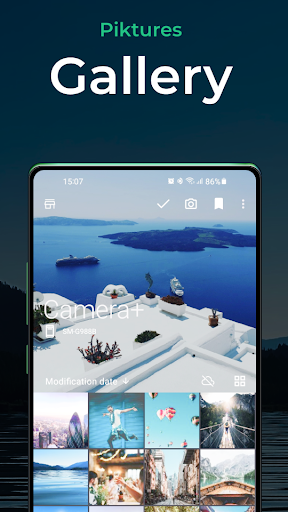
Packed with a powerful photo manager, built-in HD video player, and media sharing options, Piktures makes it easy to access photos, manage gallery content, and organize your media. Resize photos, print photos, and ensure secure photo backup—all within this simple gallery app. Experience the best in gallery management: Piktures is the only media app you'll ever need!
Key Features:
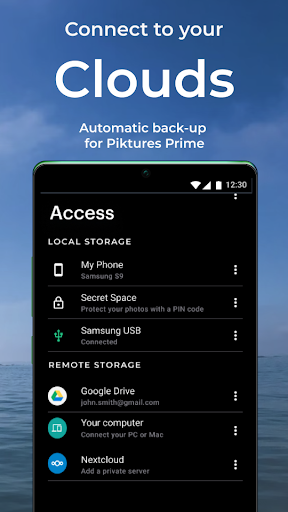
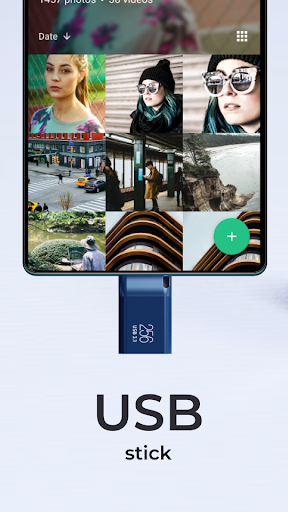
⚡ Unified Access: Easily access photos and videos from your phone, SD card, cloud storage, file manager, and USB drives, making media management effortless.
☁️ Cloud Connections: Seamlessly sync with Google Drive Photos, Google Photos, and OneDrive Photos for convenient cloud gallery management.
🔒 Gallery Vault: Keep your media secure with our gallery vault, even in offline gallery mode. Enjoy secure photo backup and cloud backup options for added peace of mind.
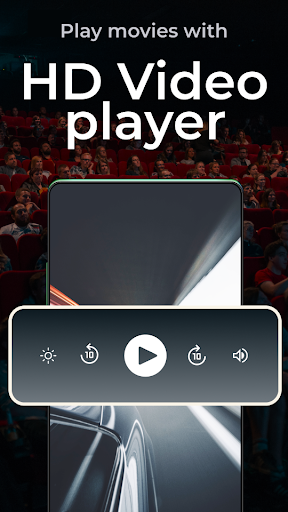
🎥 HD Video Player: Enjoy an immersive viewing experience with our HD video player, and movie player features, whether watching videos or streaming online.
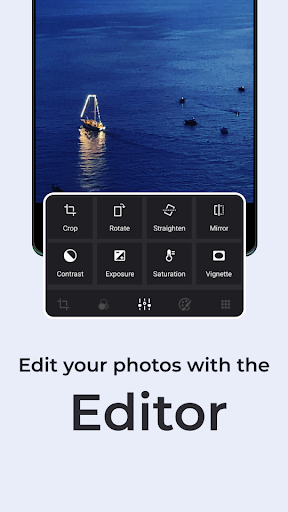
✨ Photo & Video Editor App: Edit photos, resize photos, and apply photo filters with our powerful online photo editor. Piktures acts as your all-in-one photo editor and media manager.
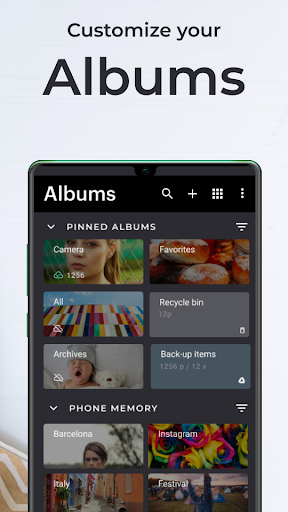
📚 Organize Media: Easily manage gallery content and keep your albums in order with the picture organizer and file manager online features.
📤 Media Sharing App: Share photos and videos effortlessly with our media sharing app. Utilize file sharing online to remove GPS data and share with nearby users.
🔍 Advanced Search: Find camera photos and videos based on places, dates, or tags. Piktures also identifies special media formats perfect for versatile media management.
🔄 Versatile File Support: Just like Aves Gallery, Piktures gallery app handles a wide range of formats, making it a top-tier video organizer app and media app.
Why Choose Piktures?
✅ Seamless Access: Organize and access photos and videos across cloud and offline gallery options with ease.
✅ Enhanced Security: Safeguard your media with the gallery vault and file backup online for security.
✅ Superior Viewing: Experience HD video player and movie player features with our video player app.
✅ Efficient Album Management: Keep your albums organized and easy to navigate with media management, manage gallery, and album management tools.
✅ Innovative Sharing: Share media easily with our photo sharing app and file sharing online options.
Piktures Versions:
𑇐 Basic Version: Access all core features of this simple gallery app, including photo sharing, gallery vault, and basic file manager tools.
𑇐 Premium Version: Unlock unlimited cloud storage, enhanced customization, and premium photo backup options.
𑇐 Prime Version: Enjoy automatic cloud backup online, ensuring your media is secure.
With a decade of development, Piktures stands as the most reliable gallery and media app for fast, simple, and powerful photo and video management.
Ready to Transform Your Media Experience?
Download Piktures today and streamline your gallery app experience!
Need Assistance? Online Help: https://help.piktures.app 🌐 Contact Us: [email protected] 📧
Designed by Diune Limited Terms of Service: https://piktures.app/terms 📜 Privacy Policy: https://piktures.app/privacy 🔐
Packed with a powerful photo manager, built-in HD video player, and media sharing options, Piktures makes it easy to access photos, manage gallery content, and organize your media. Resize photos, print photos, and ensure secure photo backup—all within this simple gallery app. Experience the best in gallery management: Piktures is the only media app you'll ever need!
Key Features:
⚡ Unified Access: Easily access photos and videos from your phone, SD card, cloud storage, file manager, and USB drives, making media management effortless.
☁️ Cloud Connections: Seamlessly sync with Google Drive Photos, Google Photos, and OneDrive Photos for convenient cloud gallery management.
🔒 Gallery Vault: Keep your media secure with our gallery vault, even in offline gallery mode. Enjoy secure photo backup and cloud backup options for added peace of mind.
🎥 HD Video Player: Enjoy an immersive viewing experience with our HD video player, and movie player features, whether watching videos or streaming online.
✨ Photo & Video Editor App: Edit photos, resize photos, and apply photo filters with our powerful online photo editor. Piktures acts as your all-in-one photo editor and media manager.
📚 Organize Media: Easily manage gallery content and keep your albums in order with the picture organizer and file manager online features.
📤 Media Sharing App: Share photos and videos effortlessly with our media sharing app. Utilize file sharing online to remove GPS data and share with nearby users.
🔍 Advanced Search: Find camera photos and videos based on places, dates, or tags. Piktures also identifies special media formats perfect for versatile media management.
🔄 Versatile File Support: Just like Aves Gallery, Piktures gallery app handles a wide range of formats, making it a top-tier video organizer app and media app.
Why Choose Piktures?
✅ Seamless Access: Organize and access photos and videos across cloud and offline gallery options with ease.
✅ Enhanced Security: Safeguard your media with the gallery vault and file backup online for security.
✅ Superior Viewing: Experience HD video player and movie player features with our video player app.
✅ Efficient Album Management: Keep your albums organized and easy to navigate with media management, manage gallery, and album management tools.
✅ Innovative Sharing: Share media easily with our photo sharing app and file sharing online options.
Piktures Versions:
𑇐 Basic Version: Access all core features of this simple gallery app, including photo sharing, gallery vault, and basic file manager tools.
𑇐 Premium Version: Unlock unlimited cloud storage, enhanced customization, and premium photo backup options.
𑇐 Prime Version: Enjoy automatic cloud backup online, ensuring your media is secure.
With a decade of development, Piktures stands as the most reliable gallery and media app for fast, simple, and powerful photo and video management.
Ready to Transform Your Media Experience?
Download Piktures today and streamline your gallery app experience!
Need Assistance? Online Help: https://help.piktures.app 🌐 Contact Us: [email protected] 📧
Designed by Diune Limited Terms of Service: https://piktures.app/terms 📜 Privacy Policy: https://piktures.app/privacy 🔐
App Information
Version Name
2.1
Version Code
310
File Size
10.5 MB
Minimum OS
Android 11+
Target SDK
Android 22
Developer
DIUNE
Contact
Website
Content Rating
Everyone
Package Name
com.diune.picturesPermissions Required
This app may request the following permissions:
Recent Reviews
Matthew Collette
1.0★
Just added ads in the gallery? I've been fine with ads in other places where I don't go often, but right there, in the gallery? That's lame :( I've used this for years as a great alternative to google photos because I don't want everything fully backed up everywhere all the time, and I want a classic gallery ... now if there's ads in the gallery I'm looking at my photos, not cool.

Sam Schafer
5.0★
The more I use this, the more I appreciate the thought that went into it. It definitely takes a different approach to controls and features than any other gallery app I've tried. It took just a little getting used to, but now I would have no other. I love the album covers, the selection of layouts (including 'mosaic'), favoriting, useful editing features, flexible sorting options, and more. All well implemented and carefully thought out. Worth every penny. Thank you for a job well done, devs!

Darrick Ingersoll
4.0★
I've loved this app for years, but the new album sorting in terms of the UI wastes so much space. Turning on that awful date separator by default, saying you can turn it off, and then providing absolutely zero instruction on HOW to turn it off is annoying. I've searched high and low in the main settings. I've tried changing it back in the sort options... Am I missing something? It doesn't feel very optional.
Cornell Chester
3.0★
I really like the sleek design and organization functionality. However, within the editing feature, I dislike the fact that you can't zoom in while cropping a photo. To me, that's a basic function of most photo editors. For this reason alone, I'm moving on to something else, but should you add that function at some point, I would certainly reinstall.

Daniel
5.0★
One of the best gallery apps I have used. Very clean look and super easy to navigate. I love that it allows you to bookmark albums to the top, and also allows you to choose any of your photo editing apps as default. One of the only gallery apps that actually has every feature that I want. I personally have not had any of the issues that I have read about in the reviews, at least as of yet. Maybe the app was patched?

GothikaGeist
2.0★
I like the overall look of the app. Decent replacement for the default Gallery app. It's a bit confusing to navigate at times. The biggest detriment is that I can't seem to move my secured photos over to an unsecured folder. The process just gets stuck on "Please wait..." indefinitely. Uploading to Dropbox just gives me a JPG that shoots out an error when opened. How xan I back up my photos that are in the secured "secret" album?
Ad slot: In-Content