
DS Speedometer & Odometer
com.discipleskies.android.speedometer
by Disciple Skies Software
Screenshots







Ad slot: Top Leaderboard
About this app
Welcome to the page for the New DS Speedometer!
DS Speedometer represents a whole new generation of speedometers with special features for the newest android devices!
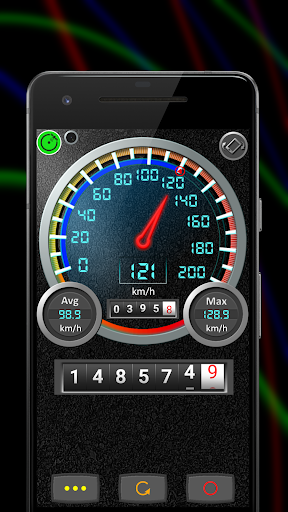
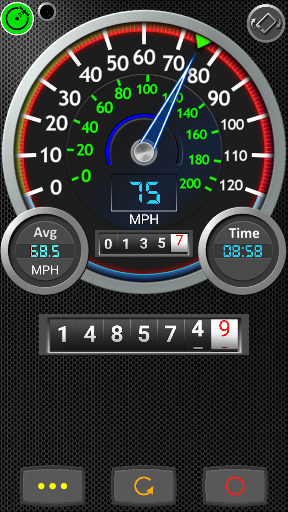
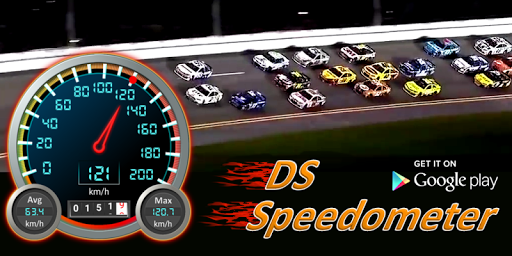
The app is an accurate high performance speedometer and odometer with digital and analog-style controls including a drum odometer that rolls the numbers, just like the one in an old car.
Use the app to replace or augment the information provided by the speedometer in you car or truck. The speedometer may also be used to check the accuracy of your vehicle's speedometer while driving at a steady speed.
In addition to keeping track of your speed and distance traveled, the speedometer also reports your average speed, maximal speed and includes a compass and clock. There are 2 odometers- One for trip and one for total distance.
Drive safely, avoid speeding tickets and keep your auto insurance rates down by using the app's speed alerts.
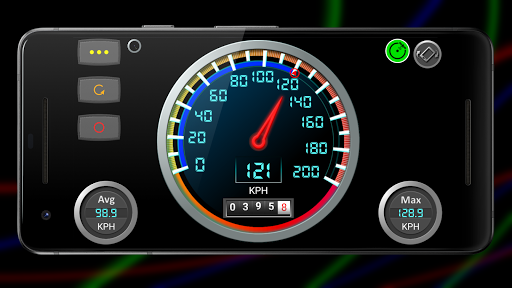
Choose from 2 different speedometers: A metric speedometer and an American speedometer.
Bike doesn't have a cycling speedometer and odometer? This is the app for you! Just be sure to mount the phone safely on your bicycle.
Also includes:
☑️ Night HUD (heads up display) mode.
☑️ Speed alarm. Avoid speeding tickets, drive safely and keep your auto insurance premiums as low as possible.
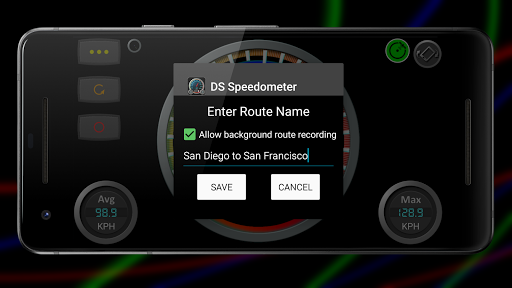
☑️ Route recorder and trip logger. Map and get statistics for all your trips. Great for business travel and vacation planning.
☑️ Background odometer to keep track of distance traveled when the app is not in the foreground.
☑️ Digital odometer and a pre-digital-era drum odometer that works like the real deal.
⍟ Note: If you are looking for a pedometer or odometer and speedometer for walking or running, please download our Walking Odometer Pro app instead. Get it on Google Play at https://play.google.com/store/apps/details?id=com.discipleskies.android.pedometer
DS Speedometer represents a whole new generation of speedometers with special features for the newest android devices!
The app is an accurate high performance speedometer and odometer with digital and analog-style controls including a drum odometer that rolls the numbers, just like the one in an old car.
Use the app to replace or augment the information provided by the speedometer in you car or truck. The speedometer may also be used to check the accuracy of your vehicle's speedometer while driving at a steady speed.
In addition to keeping track of your speed and distance traveled, the speedometer also reports your average speed, maximal speed and includes a compass and clock. There are 2 odometers- One for trip and one for total distance.
Drive safely, avoid speeding tickets and keep your auto insurance rates down by using the app's speed alerts.
Choose from 2 different speedometers: A metric speedometer and an American speedometer.
Bike doesn't have a cycling speedometer and odometer? This is the app for you! Just be sure to mount the phone safely on your bicycle.
Also includes:
☑️ Night HUD (heads up display) mode.
☑️ Speed alarm. Avoid speeding tickets, drive safely and keep your auto insurance premiums as low as possible.
☑️ Route recorder and trip logger. Map and get statistics for all your trips. Great for business travel and vacation planning.
☑️ Background odometer to keep track of distance traveled when the app is not in the foreground.
☑️ Digital odometer and a pre-digital-era drum odometer that works like the real deal.
⍟ Note: If you are looking for a pedometer or odometer and speedometer for walking or running, please download our Walking Odometer Pro app instead. Get it on Google Play at https://play.google.com/store/apps/details?id=com.discipleskies.android.pedometer
What's New
* Bug fix and stability improvements
* Large barrel odometer now holds a higher maximal value of 999,999.9
* Edge-to-edge full screen immersive mode on compatible devices
* Large barrel odometer now holds a higher maximal value of 999,999.9
* Edge-to-edge full screen immersive mode on compatible devices
App Information
Version Name
7.07
Version Code
72
File Size
8.5 MB
Minimum OS
Android 6.0+
Target SDK
Android 33
Developer
Disciple Skies Software
Contact
Website
Content Rating
Everyone
Package Name
com.discipleskies.android.speedometerPermissions Required
This app may request the following permissions:
Recent Reviews

Galen Zortman
1.0★
App is decent, but when you pay full price to get rid of the ads you still get ads. So it's not worth purchasing the program...there are better programs out there that when you pay for bo ads...YOU GET NO ADS!!!!!!!!! Update: 02-26-25 contacted support and as usual nothing! There are alot better gps speedometer that are totally free with better options like GALILEOGPS.

J V
5.0★
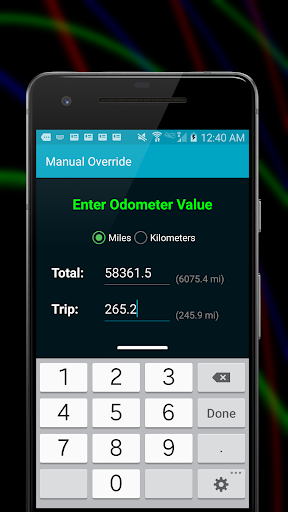
Great app. The speedometer for the car stopped working, so I downloaded the app and tried it for a week, then purchased it for the option to input the mileage from the car so as to keep track of the mileage until I can fix the car speedometer. I will keep using it just in case I have the same issue again. Awesome app, keep up the great work.

Marky Yourpath
1.0★
satellite never turns green so I'm never getting any thing for odometer or speedometer showing up. other speedometer apps work fine

Ján Florovič
4.0★
This speedometer is great 👍 I wanna give 5 stars but there's a serious bug: It's not possible to stop it running in background in any way. When I start it it always shows the message: "The GPS odometer service is running. To stop the odometer, exit the application by pressing the back button on your device" - but no matter if I exit the app or I press the back button it still keeps running in background and considerably consuming the battery. The app needs to add an explicit "stop" button! 🙏

Squidelleotious
3.0★
I would love to change my rating, but I got one problem that I wish got fixed, I was sitting at my table and my phone was on the table and it was tracking mileage when my phone wasn't moving, so I can't really say accurately that I traveled this many milages when I could be at a stop light but the app continues to track more miles, it acts more like a timer than a milage tracker, perhaps you guys can look into it and fix the issue, please and thank you

Harold Wisman
2.0★
This was, at one time, an app I enjoyed using. Now my issue is whwn I open it up, the GPS will not start. Swcond problem is the mileage. The red numbers move. When it get to 9, it starts over with out moving the white number to 1. Whwn I got back home, it should have read "6.6 miles.I am removing this app because of these issues. I suncerely hope you guys have the heart to fix these issues. Then maybe I will re-install it. This is why I have you 2 stars.
Ad slot: In-Content