
DigiLocker
com.digilocker.android
by National eGovernance Division, Government of India
Screenshots

Ad slot: Top Leaderboard
About this app
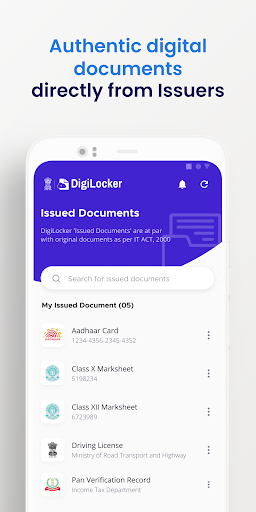
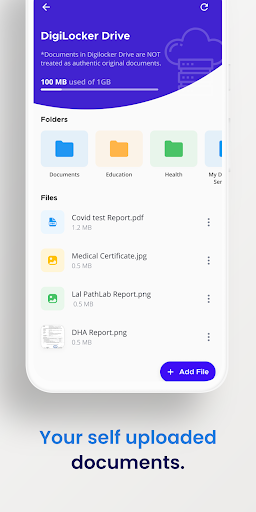
DigiLocker is a key initiative under Digital India, the Government of India's flagship program aimed at transforming India into a digitally empowered society and knowledge economy. Targeted at the idea of paperless governance, DigiLocker is a platform for issuance and verification of documents & certificates in a digital way, thus eliminating the use of physical documents. The DigiLocker website can be accessed at https://digitallocker.gov.in/.
You can now access your documents and certificates from your DigiLocker on your mobile devices.
You can now access your documents and certificates from your DigiLocker on your mobile devices.
What's New
1. Minor bug fixes
App Information
Version Name
8.0.7
Version Code
1106
File Size
84.5 MB
Minimum OS
Android 10+
Target SDK
Android 34
Developer
National eGovernance Division, Government of India
Contact
Website
Content Rating
Everyone
Package Name
com.digilocker.androidPermissions Required
This app may request the following permissions:
Recent Reviews

Sujay Ambelkar
1.0★
I didn't used the app since last 5-6months n today when I tried to open I was automatically logged out. But when I try to login it doesn't even process it properly either via phone or via aadharcard number. I tried reinstalling but after installing I reopened the app then voila the app is still loading past 30-40min. Just amazing experience. Signal strength was also good even my handset is good latest OS, light cluster area. But wow app doesn't work. Critical bug!! Ignored Swiftly. Nice testing.

Amit Mandal
1.0★
I had a very disappointing experience while trying to register on DigiLocker. The registration process is unnecessarily complicated and full of glitches. The OTPs often don’t arrive on time, and sometimes the site or app freezes midway, forcing me to start over. Even after entering all my correct details, the system repeatedly showed errors like “invalid Aadhaar” or “something went wrong.” worst

Uttaran S
1.0★
This buggy app cannot detect the correct phone number of my SIM. it displays a different number, making it a hassle to login everytime I update it. It displays my SIM number as 9866xxx388, and I have no idea who owns that number. Thankfully , I registered long back when this bug wasn't there on this app.

Tushar Rana
3.0★
It's a great initiative but this app is unreliable. It logs you out after few days of inactivity. And you'll have to setup App Lock PIN again! And if you're unlucky enough, then all issued documents might be gone. There are couple of services which are not available, but still shows up in the suggestion.

Anil Kumar
5.0★
Please add Section of Voter ID, I know that I can save it in My Files Section but this is not verified and checked by Digilocker so kindly add section of Voter ID and make its functions easier to navigate. That's not an any type of error so I can't share screenshot or any information because it is not an any type of error, I am just giving an useful and maybe needed suggestion.

Saurabh Kelkar
4.0★
The app is really good. The only issue is it keeps asking me to sign in every time I open the app. I even set up my fingerprint scanner to sign in so that the app remembers the person who's signing-in. If there's an emergency situation where I have to access my credentials and documents, should I be spending time on signing-in? Please at least add an option "Remember me" at login page so that the app remembers my phone as a trusted device.
Ad slot: In-Content