

Garmin Pilot
com.digcy.pilot
by Garmin
Screenshots
Ad slot: Top Leaderboard
About this app
** 30 Day Free Trial! **
Garmin Pilot is a comprehensive aviation application that allows pilots to plan, file, fly and log with ease.
Garmin Pilot is the most comprehensive suite of tools for Android designed specifically for general aviation and corporate pilots. Flight planning, filing, charts, interactive maps, weather briefing resources and navigation capabilities; it’s all included. The app’s intuitive interface mirrors those on the newest Garmin touchscreen avionics so you can go seamlessly from preflight to inflight. Plan, file, fly with Garmin Pilot.
Plan
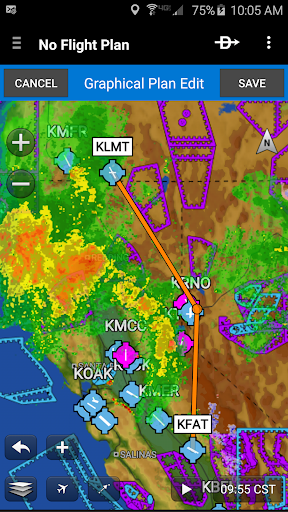
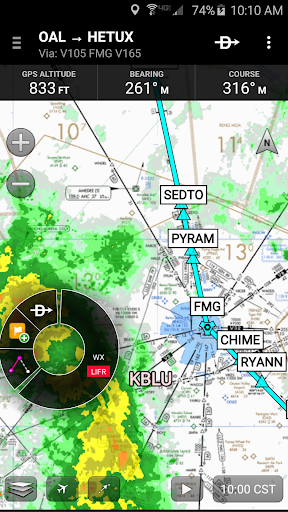
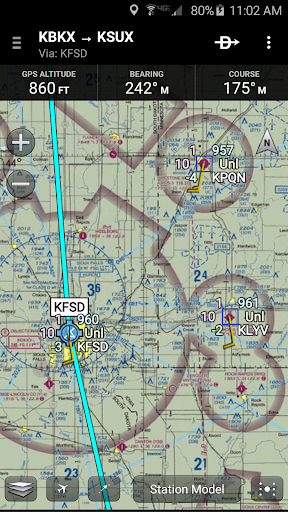
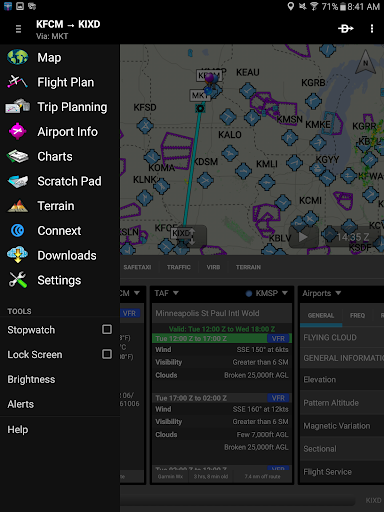
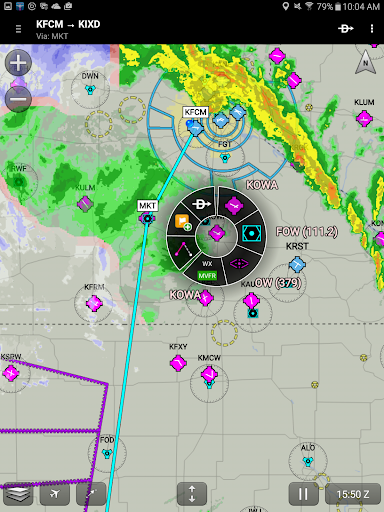
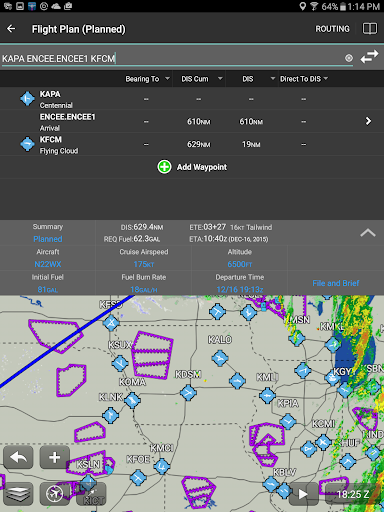
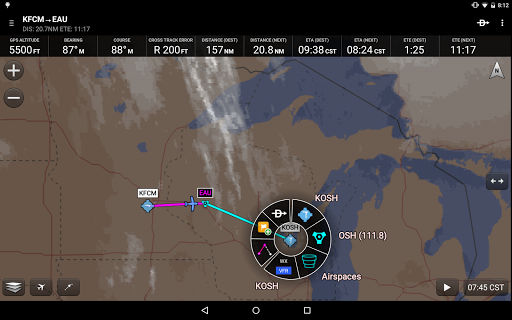
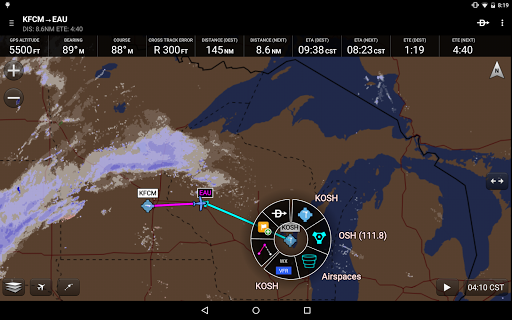
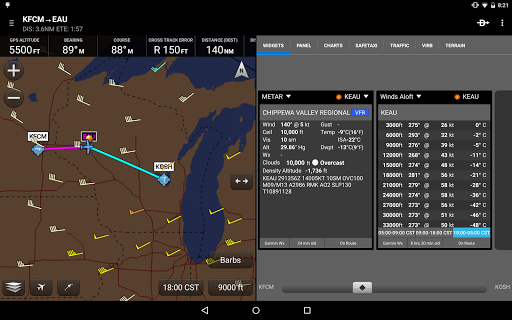
Garmin Pilot’s powerful capabilities start with pre-flight planning, providing pilots with the most comprehensive aviation weather information to make better-informed flight decisions. Pilots can check NEXRAD radar, visible and infrared cloud imagery, METARs, TAFs, AIRMETs, SIGMETs, PIREPs, NOTAMs, winds and temperature aloft, PIREPs, TFRs and lightning data. With Garmin Pilot, data can be displayed over a VFR sectional or an IFR low or high en-route chart to visualize the weather for your route. Add text-based weather widgets and use the exclusive NavTrack feature to view weather along the planned route.
File
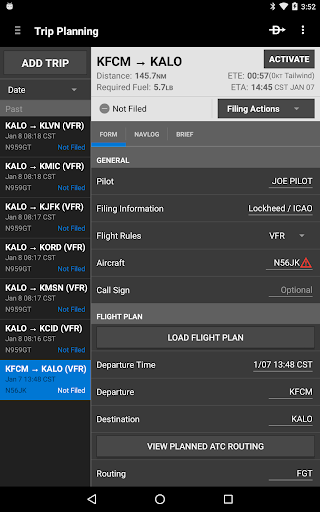
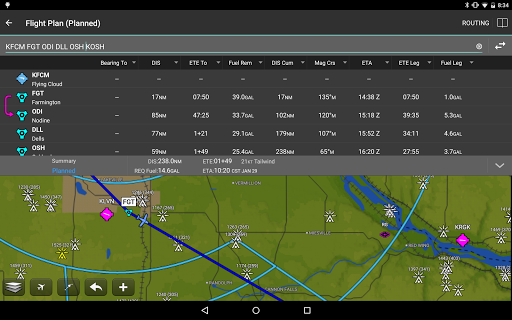
With Garmin Pilot, users can easily enter a flight plan. Pre-loaded forms make it quick to save and reuse data for frequently flown routes. And when the flight plan is ready, Garmin Pilot makes it simple to file, cancel or close the flight plan.
Fly
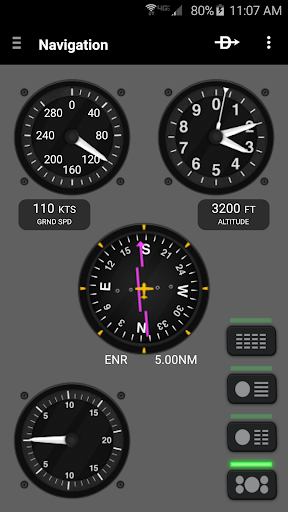
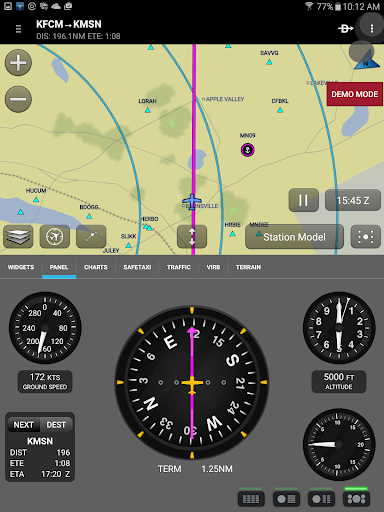
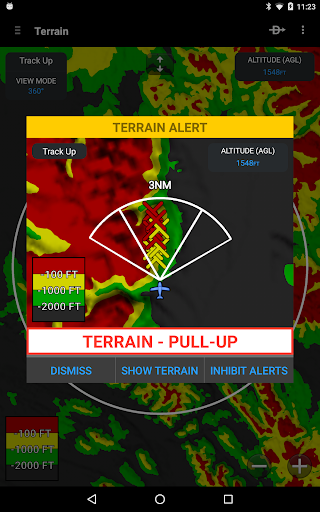
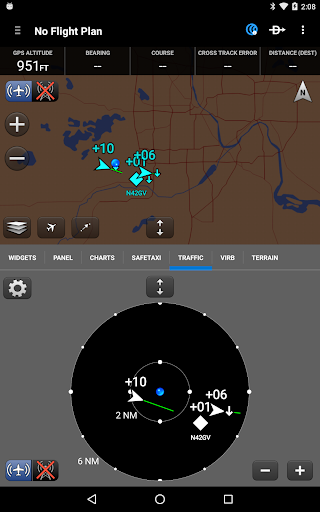
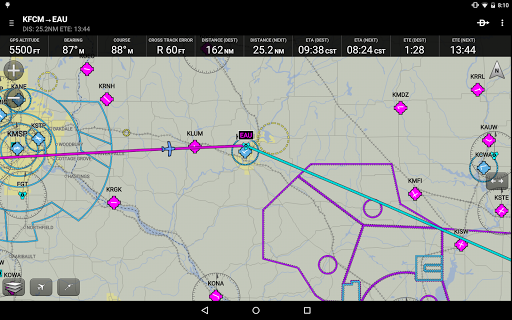
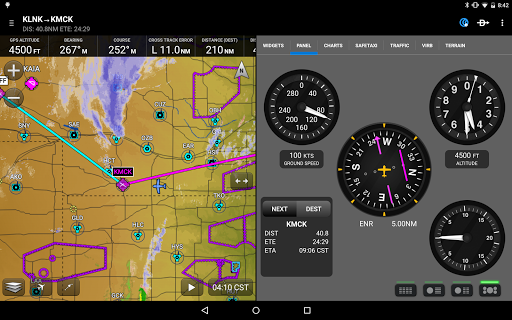
Garmin Pilot provides full en-route navigation capability on its moving map, while showing ETE, ETA, cross track error, distance to waypoint and current position.
Log
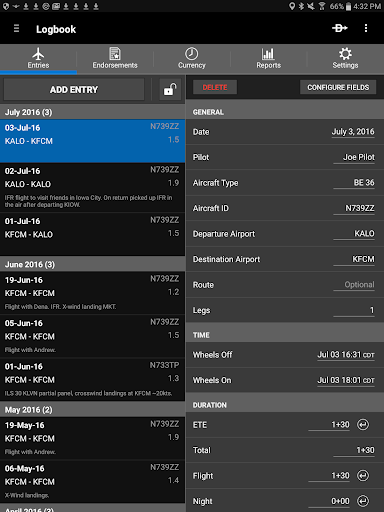
Garmin Pilot includes a comprehensive electronic logbook that syncs with flyGarmin. The logbook automatically generates entries based upon GPS data collected during the flight, tracks currency, supports manual entries, endorsements and creates reports.
Garmin Pilot. It’s the app aviators have been waiting for.
Features include:
- Charts: VFR Sectionals, low and high IFR en-route, airport diagrams and approach procedures
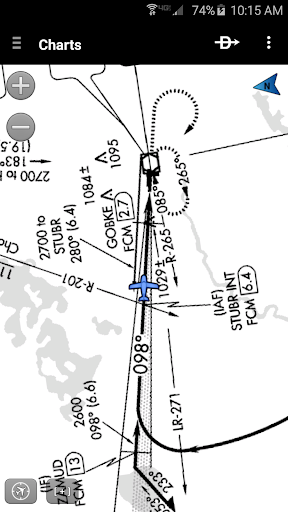
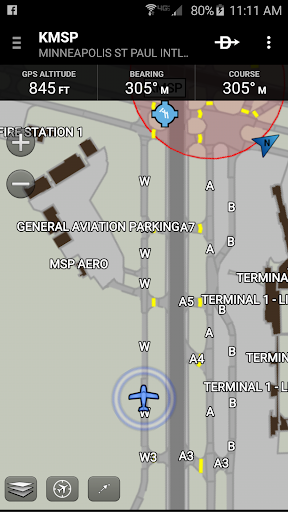
- Optional geo-reference Garmin FliteCharts® and Garmin SafeTaxi® show aircraft position on approach charts and taxiways
- Weather Maps: Animated radar, AIRMETs/SIGMETs, Lightning, PIREPs, METARs/TAFs, Winds Aloft, TFRs, Infrared and Visible Satellite
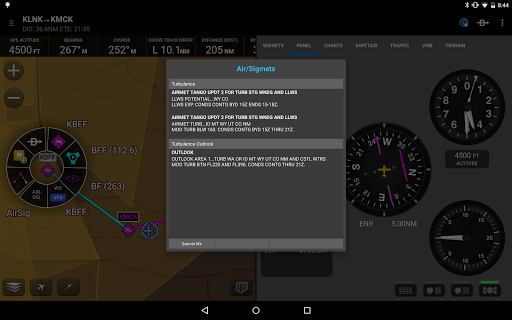
- Extensive text products: METARs, TAFs, Winds Aloft, PIREPs, AIRMETs, SIGMETs, Area Forecasts and NOTAMs
- Dynamic weather overlays with your route displayed on map
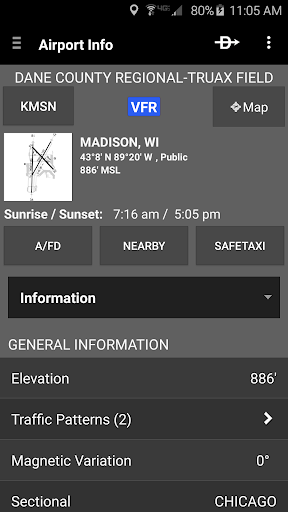
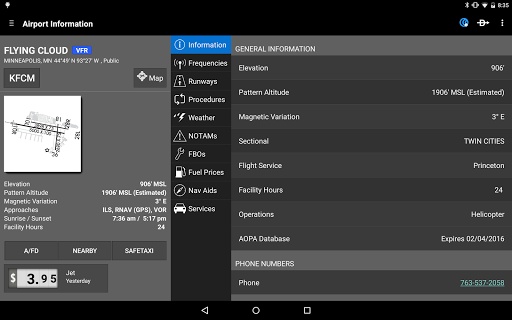
- AOPA Airport Directory
- Flight plan filing via Lockheed Martin and DUATS
- Comprehensive weather data direct from the National Weather Service and Environment Canada
Garmin Pilot is a comprehensive aviation application that allows pilots to plan, file, fly and log with ease.
Garmin Pilot is the most comprehensive suite of tools for Android designed specifically for general aviation and corporate pilots. Flight planning, filing, charts, interactive maps, weather briefing resources and navigation capabilities; it’s all included. The app’s intuitive interface mirrors those on the newest Garmin touchscreen avionics so you can go seamlessly from preflight to inflight. Plan, file, fly with Garmin Pilot.
Plan
Garmin Pilot’s powerful capabilities start with pre-flight planning, providing pilots with the most comprehensive aviation weather information to make better-informed flight decisions. Pilots can check NEXRAD radar, visible and infrared cloud imagery, METARs, TAFs, AIRMETs, SIGMETs, PIREPs, NOTAMs, winds and temperature aloft, PIREPs, TFRs and lightning data. With Garmin Pilot, data can be displayed over a VFR sectional or an IFR low or high en-route chart to visualize the weather for your route. Add text-based weather widgets and use the exclusive NavTrack feature to view weather along the planned route.
File
With Garmin Pilot, users can easily enter a flight plan. Pre-loaded forms make it quick to save and reuse data for frequently flown routes. And when the flight plan is ready, Garmin Pilot makes it simple to file, cancel or close the flight plan.
Fly
Garmin Pilot provides full en-route navigation capability on its moving map, while showing ETE, ETA, cross track error, distance to waypoint and current position.
Log
Garmin Pilot includes a comprehensive electronic logbook that syncs with flyGarmin. The logbook automatically generates entries based upon GPS data collected during the flight, tracks currency, supports manual entries, endorsements and creates reports.
Garmin Pilot. It’s the app aviators have been waiting for.
Features include:
- Charts: VFR Sectionals, low and high IFR en-route, airport diagrams and approach procedures
- Optional geo-reference Garmin FliteCharts® and Garmin SafeTaxi® show aircraft position on approach charts and taxiways
- Weather Maps: Animated radar, AIRMETs/SIGMETs, Lightning, PIREPs, METARs/TAFs, Winds Aloft, TFRs, Infrared and Visible Satellite
- Extensive text products: METARs, TAFs, Winds Aloft, PIREPs, AIRMETs, SIGMETs, Area Forecasts and NOTAMs
- Dynamic weather overlays with your route displayed on map
- AOPA Airport Directory
- Flight plan filing via Lockheed Martin and DUATS
- Comprehensive weather data direct from the National Weather Service and Environment Canada
What's New
- Resolved issue with Canadian VFR flight plan filing for non-ICAO airports
- Bug fixes and improvements
- Bug fixes and improvements
App Information
Version Name
4.3.2
Version Code
1
File Size
28.9 MB
Minimum OS
Android 11+
Target SDK
Android 22
Developer
Garmin
Contact
Website
Content Rating
Everyone
Package Name
com.digcy.pilotPermissions Required
This app may request the following permissions:
Recent Reviews

LEF
2.0★
Doesn't save anything anymore. I've used this app on Android for the past year as a student pilot, and things were fine for the first few months. now, I can't save any planned trips, aircraft and pilots have to be re-entered every single time I plan a flight, and it doesn't seem to transfer any of that data to the online servers for my iPad to see. I don't get what the issue is, but it is not working properly on Android as it should be. highly disappointed

Gregory Maust
2.0★
I've used this app for years, as I'm an Android user, and while it's never as smooth and easy as foreflight it's been excellent. However, a few months? ago it completely stopped saving my pilot profile and other things, which breaks half the functionality unless you enter it every single time you want to do anything. For example you can't get a briefing or file a flight plan unless you re-enter your pilot information every. single. time. It's made it borderline useless for planning.

Kat (Cat Girl Eddie)
4.0★
Still missing features compared to iOS, but still the best android EFB. Honestly whats mostly missing is loading approaches and procedures into your flight plans like you can in the iOS version. You can manually load departures if you know what to type, but nothing else. The app is getting a bit more stable and less sensitive with updates, but slowdowns are still common. Especially with extended runway centerlines. For some reason those nuke the app for me.

A Google user
3.0★
The app itself is great, I've really enjoyed using it. Supporting Android and iOS is great because now you're not locked to specific hardware for your phone or tablet. The biggest letdown, and reason I'm switching to ForeFlight after enjoying a year with Pilot, is the complete lack of support for any ADS-B hardware that isn't Garmin. My club aircraft has Stratus, and I'm not going to change/buy hardware for the sake of my EFB, not sure why anyone would. Hope this changes.
A Google user
5.0★
I use Pilot on Android and iOS. I'm about to renew my subscription for the third time. I get that lots of folks love Foreflight, but I don't understand why. I really like the safety factor that the dual OS redundancy offers. If my iPad takes a dive during a flight, due to some bad OS update, I can pull out my Android phone and continue without disruption. Garmin has done well with this. Now, if they could just market it better, I'm confident we'd see more Foreflight defections.

Charlie Cleanthous
3.0★
I have been using Garmin Pilot for almost a year.I have run into a couple of issues with the latest version 7.7.3. When touching the airport the radial information is not always accurate, this was not the case with the previous versions. The latest addition of the approach and departure procedures although welcome, it is poorly implemented. The approach plates are Geo referenced to the center of the airport, waypoints are not automatically loaded. Clearly, several years behind current standards.
Ad slot: In-Content