

Dexcom G6
com.dexcom.g6
by Dexcom
Screenshots
Ad slot: Top Leaderboard
About this app
Only use this app if you have the Dexcom G6 or G6 Pro CGM Systems.
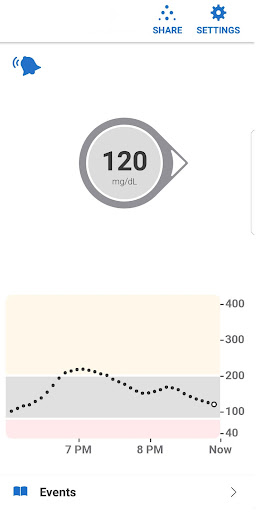
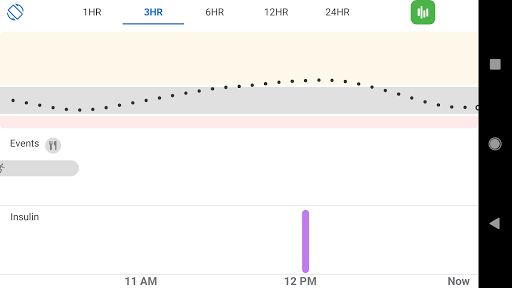
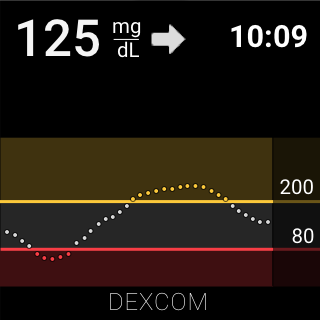
Always know your glucose number and where it’s heading with the Dexcom G6 and G6 Pro Continuous Glucose Monitoring (CGM) Systems –indicated for diabetes treatment decisions with zero fingersticks and no calibration.* A core feature of the Dexcom G6 and G6 Pro Systems is providing users with alarm/alerts based on their glucose level.
*Fingersticks required for diabetes management decisions if symptoms do not match readings.
Dexcom G6 and G6 Pro provide real-time glucose readings for patients with type 1 or type 2 diabetes every five minutes. Dexcom G6 and G6 Pro are indicated for children age 2 years and older.
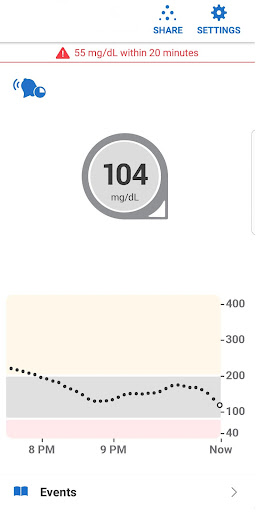
The Dexcom G6 and G6 Pro Systems provide personalized trend alerts right on your smart device and lets you see when your glucose levels are going too low, or too high, so you can better manage your diabetes. The Alert Schedule** feature lets you schedule and customize a second set of alerts. For example, you can set the schedule to match your work hours and have different alert settings during the rest of the day. Custom alert sounds are available, including a Vibrate-Only option on the phone for glucose alerts. The only exception is the Urgent Low Alarm, which you can’t turn off.
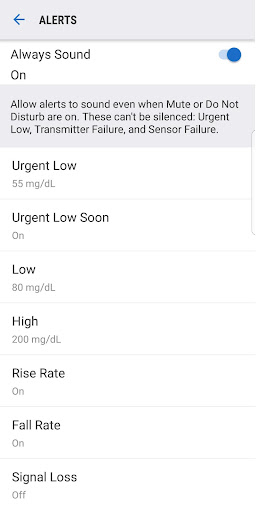
The Always Sound** setting, which is on by default, allows you to receive certain Dexcom CGM Alerts even if your phone sound is off, set to vibrate, or in Do Not Disturb mode. This will allow you to silence calls or texts but still receive audible CGM Alarm and Alerts, including the Urgent Low Alarm, Low and High Glucose alerts, Urgent Low Soon Alert**, and Rise and Fall Rate alerts**. A Home screen icon shows you if your Alerts will sound or not. For safety, the Urgent Low Alarm and three alerts cannot be silenced: Transmitter Failed, Sensor Failed, and App Stopped.
Other features:
Share** your glucose data with up to ten followers in real time. Followers can monitor your glucose data and trends in real time on their compatible smart device with the Dexcom Follow** app. Share and Follow functions require an internet connection.
Health Connect access so you can share retrospective glucose data with third party apps
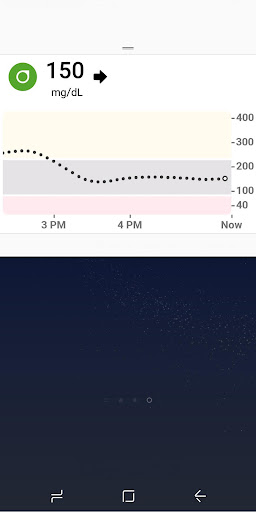
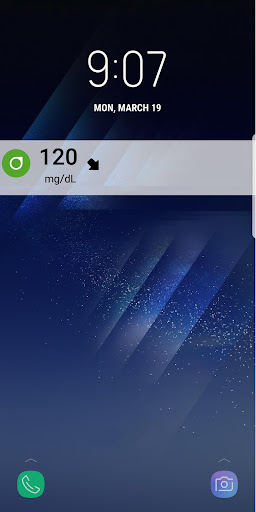
Quick Glance allows you to view your glucose data on the lock screen of your smart device
**Not available on Dexcom G6 Pro System
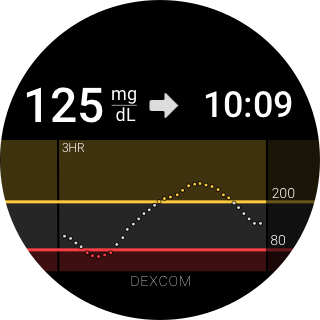
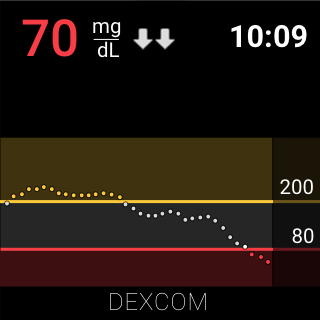
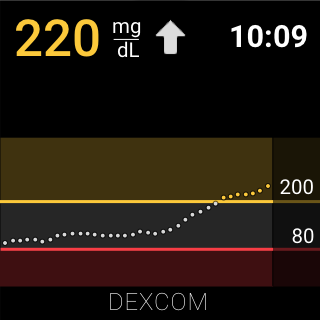
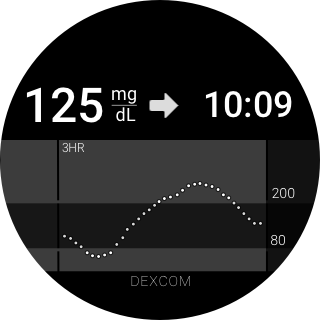
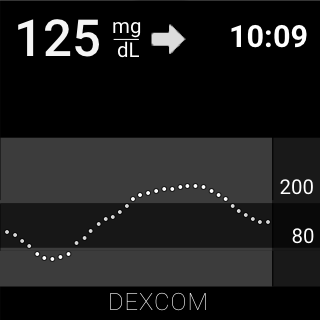
Wear OS Integration allows you to view glucose alerts and alarms from your Wear OS watch.
Always know your glucose number and where it’s heading with the Dexcom G6 and G6 Pro Continuous Glucose Monitoring (CGM) Systems –indicated for diabetes treatment decisions with zero fingersticks and no calibration.* A core feature of the Dexcom G6 and G6 Pro Systems is providing users with alarm/alerts based on their glucose level.
*Fingersticks required for diabetes management decisions if symptoms do not match readings.
Dexcom G6 and G6 Pro provide real-time glucose readings for patients with type 1 or type 2 diabetes every five minutes. Dexcom G6 and G6 Pro are indicated for children age 2 years and older.
The Dexcom G6 and G6 Pro Systems provide personalized trend alerts right on your smart device and lets you see when your glucose levels are going too low, or too high, so you can better manage your diabetes. The Alert Schedule** feature lets you schedule and customize a second set of alerts. For example, you can set the schedule to match your work hours and have different alert settings during the rest of the day. Custom alert sounds are available, including a Vibrate-Only option on the phone for glucose alerts. The only exception is the Urgent Low Alarm, which you can’t turn off.
The Always Sound** setting, which is on by default, allows you to receive certain Dexcom CGM Alerts even if your phone sound is off, set to vibrate, or in Do Not Disturb mode. This will allow you to silence calls or texts but still receive audible CGM Alarm and Alerts, including the Urgent Low Alarm, Low and High Glucose alerts, Urgent Low Soon Alert**, and Rise and Fall Rate alerts**. A Home screen icon shows you if your Alerts will sound or not. For safety, the Urgent Low Alarm and three alerts cannot be silenced: Transmitter Failed, Sensor Failed, and App Stopped.
Other features:
Share** your glucose data with up to ten followers in real time. Followers can monitor your glucose data and trends in real time on their compatible smart device with the Dexcom Follow** app. Share and Follow functions require an internet connection.
Health Connect access so you can share retrospective glucose data with third party apps
Quick Glance allows you to view your glucose data on the lock screen of your smart device
**Not available on Dexcom G6 Pro System
Wear OS Integration allows you to view glucose alerts and alarms from your Wear OS watch.
What's New
Bug fixes and performance enhancements
App Information
Version Name
1.13.0.2
Version Code
1130002
File Size
60.4 MB
Min SDK
Android 29+
Target SDK
Android 33
Developer
Dexcom
Contact
Website
Content Rating
Everyone
Package Name
com.dexcom.g6Permissions Required
This app may request the following permissions:
Recent Reviews
Marcel La Fountain
3.0★
I had to delete my old review because there is no where else to be able to type out my issue. On Google Pixel phones, there's been an update that is not allowing some notifications to push there. my phone used to make sound when I was getting a high or low blood sugar, even when my phone was on vibrate or silent, but it no longer allows for that. Sometimes it will still sound for a low, but only really short. I already wrote an issue to Google about this, but would love more support.

David Buchanan
2.0★
EDIT: 9/20/25 Almost 2 years, nobody cares. Also, fix the connection issues with the app! It's not like people's lives can depend on this! Not being able to enter notes with readings is a downer. A separate log kept in a 3rd party note app is needed to keep track of things that affect BG. CAN'T take screenshots because of security policy. Why? Please fix this! It's not as smooth to operate and enter data as their competitor's app, but it gets the job done.

MarsR1970
5.0★
I am happy. I woke up the other day and was able to finally use the app on my new phone. I so needed it so I can sell my old phone and move forward. The app runs just as smoothly as it did on my old phone. In some respects a little bit better because my phone has amazing processing speed. But as far as accurate readings it's pretty accurate. Helps so much to keep me from too high and too low of a bg level.

Sade Brown
1.0★
Used to work just fine. But for months now it spends more and more time with signal loss. And completely unable to display results. It's not a transmitter problem and not a sensor problem. Those have been changed and replaced. Blutooth has been toggled on and off when suggested. All settings match what was needed. The app is fully updated. It's a waste of time and money.

S Jay
3.0★
Your app has begun to lose connection with the transmitter regularly. 5-10 times per day at this point. Luckily my omnipod actually stays connected but the app is terrible. I have to turn off my Bluetooth and back on and hope that it connects otherwise I get max volume screeching that I've lost connection. It was fine before about a week ago. Not sure what you guys did but you need to fix it.

Corinthians Henderson
3.0★
Ok all is well except for the annoying alerts where you're low/ high but you already saw that it's low/high and it keeps buzzing my head off because my sugar didn't shoot up or drop instantly. Instead of having a swipe to silence. It should be swipe to acknowledge or have an acknowledgement button. This would just temporarily silence the alarm for a given amount of time that you can choose (15 mins up to 2 hours) to give your glucose a chance to get back in range without the alarm going crazy.
Ad slot: In-Content