

Zapya - File Transfer, Share
com.dewmobile.kuaiya.play
by Dewmobile USA, Inc.
Screenshots
Ad slot: Top Leaderboard
About this app
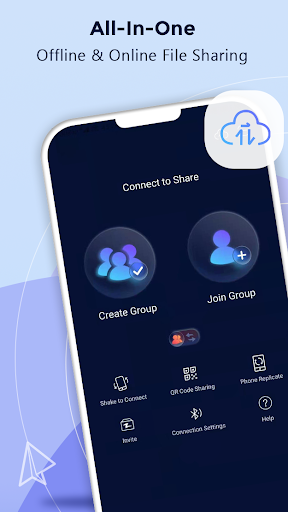
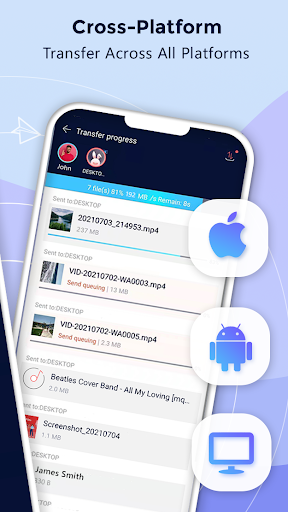
When you use Zapya, you can rapidly share files of ANY size and of ANY format to ALL platform no matter if you are offline or online. You can transfer files from Android and iOS devices, and/or your computers (Windows PC and Mac) without using Wi-Fi or mobile data when you share offline with Zapya. Transferring files now is super easy!
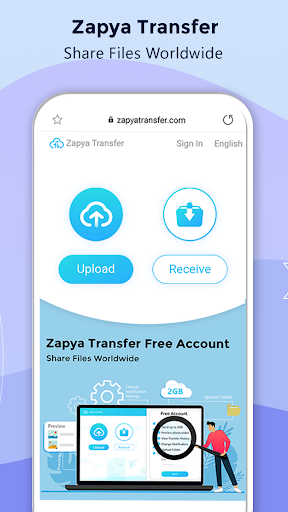
Also, when you share online using Zapya, you can transfer files from any device that has a web browser. By clicking on the Zapya Transfer icon on the Transfer page, you can easily share files with people from all around the world. Zapya Transfer is free to use and available in multiple languages.
Zapya provides four convenient offline sharing methods, allowing you to share files with people nearby:
1. Create a group and inviting others to join it,
2. Create a personalized QR code for others to scan,
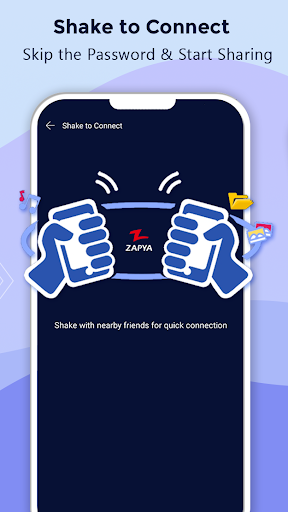
3. Shake to connect to another device,
4. Send files to those nearby with the radar
Spotlight Features
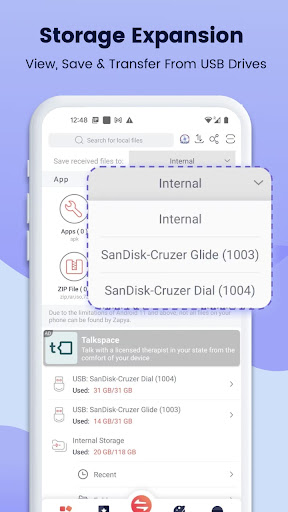
⚡ Expand Storage with USB drives
Zapya provides a new feature of USB storage and transfer. You can connect a single USB drive or multiple USB drives through a hub to your device, so you can view files on, save files to and send files from the USB drives!
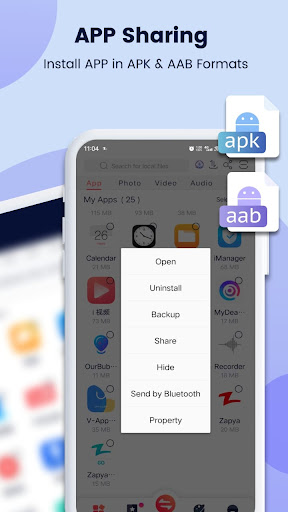
⚡ Enhanced APP Sharing
Now Zapya helps you to share and install apps (an action called side-loading) in the old .apk format and new .aab format to friends nearby or on social media.
⚡ Improved Android Support
Zapya supports the scoped storage so that users of Android 11 or higher can safely send and receive files. Additionally, Zapya continues to support devices that run Android 5 through Android 13.
⚡ Upgraded iOS to Android Sharing
Connecting your iOS to an Android device just got easier! Now you can search for a Zapya group created on an Android device and connect with a single click on Zapya.
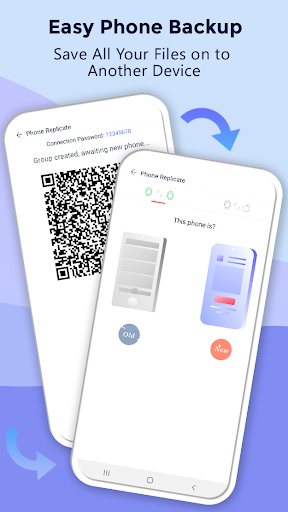
⚡ Phone Replication
Instantly back up and easily transfer all the content and data from your old device to a new one.
⚡ Bulk File Transfer
Share entire folders or multiple large files at once with just one click!
⚡ “Install All”
Simultaneously download all the apps you want onto your device with the “Install All” feature.
✔ To learn why Zapya requires so many permissions, please visit:
https://youtu.be/o370YTbCdWc
✔ To read Zapya’s Privacy Policy in English, please visit:
https://zapya.app/policy_en.html
✔ For the application’s complete terms and conditions, please visit: https://www.zapya.app/v3/terms_of_service.html
✔ To download Zapya on other platforms, please visit:
https://www.zapya.app/v3/download
✔ For the latest news and updates, please visit:
http://blog.izapya.com/
Also, when you share online using Zapya, you can transfer files from any device that has a web browser. By clicking on the Zapya Transfer icon on the Transfer page, you can easily share files with people from all around the world. Zapya Transfer is free to use and available in multiple languages.
Zapya provides four convenient offline sharing methods, allowing you to share files with people nearby:
1. Create a group and inviting others to join it,
2. Create a personalized QR code for others to scan,
3. Shake to connect to another device,
4. Send files to those nearby with the radar
Spotlight Features
⚡ Expand Storage with USB drives
Zapya provides a new feature of USB storage and transfer. You can connect a single USB drive or multiple USB drives through a hub to your device, so you can view files on, save files to and send files from the USB drives!
⚡ Enhanced APP Sharing
Now Zapya helps you to share and install apps (an action called side-loading) in the old .apk format and new .aab format to friends nearby or on social media.
⚡ Improved Android Support
Zapya supports the scoped storage so that users of Android 11 or higher can safely send and receive files. Additionally, Zapya continues to support devices that run Android 5 through Android 13.
⚡ Upgraded iOS to Android Sharing
Connecting your iOS to an Android device just got easier! Now you can search for a Zapya group created on an Android device and connect with a single click on Zapya.
⚡ Phone Replication
Instantly back up and easily transfer all the content and data from your old device to a new one.
⚡ Bulk File Transfer
Share entire folders or multiple large files at once with just one click!
⚡ “Install All”
Simultaneously download all the apps you want onto your device with the “Install All” feature.
✔ To learn why Zapya requires so many permissions, please visit:
https://youtu.be/o370YTbCdWc
✔ To read Zapya’s Privacy Policy in English, please visit:
https://zapya.app/policy_en.html
✔ For the application’s complete terms and conditions, please visit: https://www.zapya.app/v3/terms_of_service.html
✔ To download Zapya on other platforms, please visit:
https://www.zapya.app/v3/download
✔ For the latest news and updates, please visit:
http://blog.izapya.com/
What's New
Fixed an issue of crashing from last release
App Information
Version Name
6.5.8.2 (US)
Version Code
477
File Size
22.8 MB
Minimum OS
Android 8.0+
Target SDK
Android 33
Developer
Dewmobile USA, Inc.
Contact
Website
Content Rating
Everyone
Package Name
com.dewmobile.kuaiya.playPermissions Required
This app may request the following permissions:
Recent Reviews

Tareq Quash
4.0★
Fast, reliable connectivity between the devices. However, I couldn't get my apps transferred the way it should be. Also, it transferred everything to my iCloud and took up all my 5GB allotted space. So, heads up, make sure to adjust it in the settings for where you want Zapya to store as default before running the app and start transferring data. Bottom line, much better than all other transferring apps!

Cass Mills
5.0★
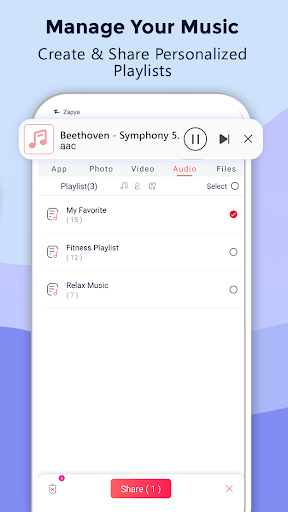
Loving this app so far!! I got my first IPhone last year, and until now I couldn't find a way to transfer my music and photos without buying a new cable! I have well over 500 music files alone!!!This app makes it so easy, and fast!! I also love that I can chose to put them in my ICloud or on my phone. The music playlist makes it easy to sort into separate lists and play in my car with an aux. cable when there's no internet signal!

A Google user
5.0★
Files transferred successfully. Great start for free app. Thanks a lot. Tried using other apps but I always seem to come back to this one. The Bluetooth connection is right on! The Android to Android connection works great! Just transferred two gigabytes of music from one to one phone to another. Apps like this one almost makes me not want to go back to Windows. Thanks Zapya!

Omid Hanan
5.0★
Zapya is an interesting and useful application that offers an easy and efficient way to share data. Its speed and simple interface are among its best features. Overall, whenever you want to transfer files from one place to another, Zapya is there to help you.

M K
1.0★
It used to be great but now it has a very irritating problem, which is that when the sending process reaches 99% (per file) it gets stuck for some while than the next transfer starts. which wastes a lot of time.

40, M Bidyananda Singh
4.0★
Everything was working so good and smooth but then after the recent update I cannot share files from my android phone to iPad anymore. Please try to fix the problem soon 🙏
Ad slot: In-Content