

TVStreams
com.devaward.tvstreams
by devaward
Screenshots



Ad slot: Top Leaderboard
About this app
Create lists with TV streams from around the web.
Please note that you will not currently find any streams included in this app. If some streams are eventually added, they will only be from free public stations and for demonstration purposes.
Features:
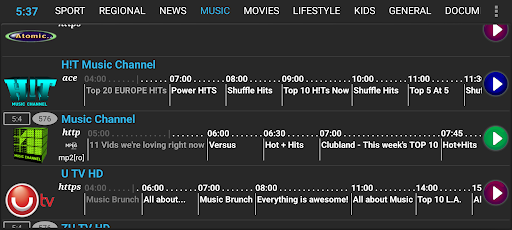
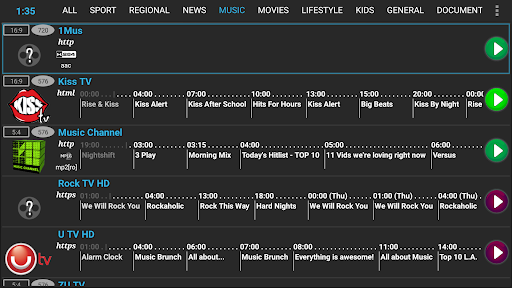
- Channels with an electronic program guide,
- Extract streams using an XML, M3U or REGEX parser,
- Javascript support.
- Test streams,
- Export / Import database
How to use (Quick version):
Step 1 (Extract/grab streams):
First, you need to extract the streams. You can do this by creating a new list. Start by selecting Extract Streams from the menu.
You need to know the file from which you want to grab your streams. This can be a remote file (eg. a web page) or a local file.
For XML files, you need to know the tag where the stream is and, optionally the tag for the name of the stream.
(Advanced only) For regular expression, you can get more details from the Android Pattern object.
After you have the streams extracted and saved, you can go to step 2 or 3.
Step 2 (Assign Channel):
You can assign a channel by either touching the logo icon or from Edit Channel page. (Make sure that you first update the database; otherwise, no channels will be available to assign.).
Step 3 (Test stream):
You can test the stream by either touching the stream name and selecting test or from the Edit Channel page. This will show additional details about your stream.
Please note that you will not currently find any streams included in this app. If some streams are eventually added, they will only be from free public stations and for demonstration purposes.
Features:
- Channels with an electronic program guide,
- Extract streams using an XML, M3U or REGEX parser,
- Javascript support.
- Test streams,
- Export / Import database
How to use (Quick version):
Step 1 (Extract/grab streams):
First, you need to extract the streams. You can do this by creating a new list. Start by selecting Extract Streams from the menu.
You need to know the file from which you want to grab your streams. This can be a remote file (eg. a web page) or a local file.
For XML files, you need to know the tag where the stream is and, optionally the tag for the name of the stream.
(Advanced only) For regular expression, you can get more details from the Android Pattern object.
After you have the streams extracted and saved, you can go to step 2 or 3.
Step 2 (Assign Channel):
You can assign a channel by either touching the logo icon or from Edit Channel page. (Make sure that you first update the database; otherwise, no channels will be available to assign.).
Step 3 (Test stream):
You can test the stream by either touching the stream name and selecting test or from the Edit Channel page. This will show additional details about your stream.
What's New
Various improvements.
App Information
Version Name
3.25
Version Code
1601325
File Size
9.0 MB
Minimum OS
Android 4.4+
Target SDK
Android 23
Developer
devaward
Contact
Website
Content Rating
Everyone
Package Name
com.devaward.tvstreamsPermissions Required
This app may request the following permissions:
Recent Reviews

A Google user
5.0★
The only app that works for me, all other online tv/iptv keep buffering. Just know you have to get your own links, don't vote it 1 star when you don't see any channel after you open it. The only downside is it opens Sopcast and MX player when I use it wich slows down my Firestick, but on my phone there is no problems at all. Overall amazing app, thanks dev.

Kelvin Mukuka
5.0★
Tv streams is the best app now the zooming button is no appearing on the screen why
A Google user
2.0★
too many ads .... and just sop stream ... and just romanian stream ... there is many other app with this streams without ads
A Google user
1.0★
Only 2 channels and both are offline at the moment. Definitely a uninstall for me
A Google user
1.0★
Only 2 channels pulled from the DB. Really? :/
A Google user
1.0★
it does not work anymore.... do not install.
Ad slot: In-Content