

DroidCamX HD (Classic)
com.dev47apps.droidcamx
by Dev47Apps
Screenshots
Ad slot: Top Leaderboard
About this app
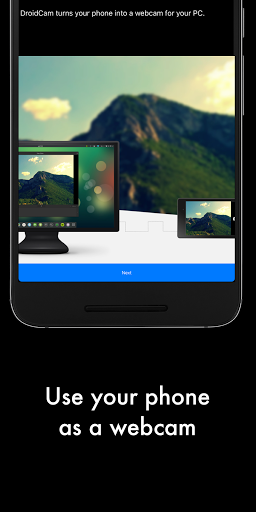
DroidCamX turns your Android device into a webcam.
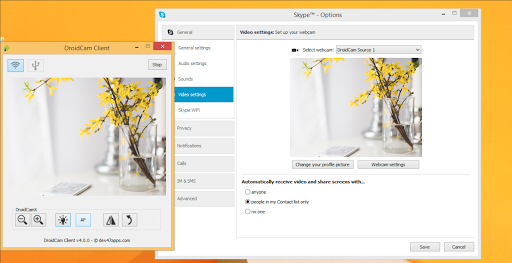
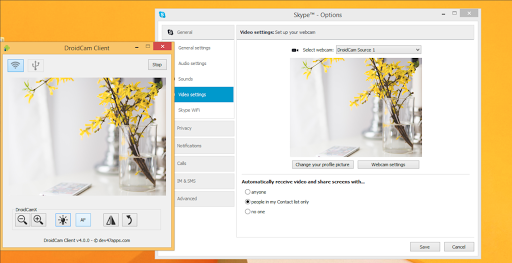
- Chat using "DroidCam Webcam" on your computer, including Sound and Picture.
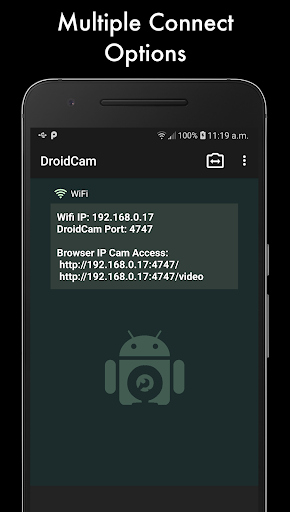
- Connect over Wifi or USB*.
- Supports 720p/1080p video with HD Mode.
- "Smooth FPS" option in settings for more stable video.
- Use other (non camera) apps with DroidCamX in the background.
- Keeps working with the screen off to conserve battery.
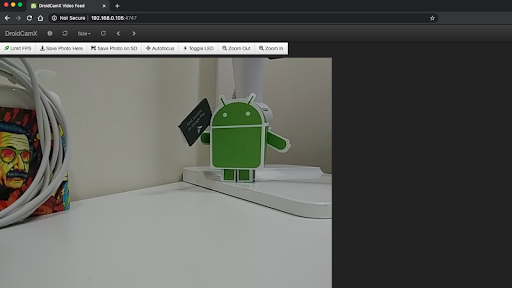
- IP Webcam MJPEG access (access camera via a browser or from another device).
- Camera controls: auto focus, zoom, flash light, and more.
- Capture still image frames on phone or computer while the app is running.
- Pro controls on the Windows Client: Mirror, Flip, Brightness, Contrast, etc.
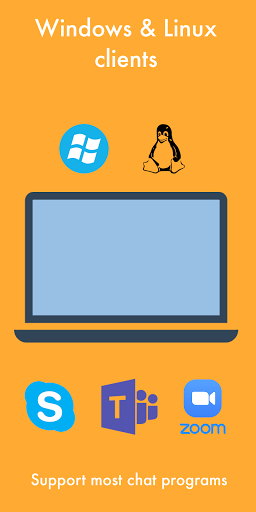
The app works with a PC client that connects the computer with your phone. Windows and Linux clients are available, please visit www.dev47apps.com on your computer to download, install, and get more info on usage.
* USB connection may require additional setup.
NOTE: If the Play Store fails to download or verify the app, please check the order status in your Play Store account and try again. Use the web version at https://play.google.com/store on your computer to avoid caching and account sync issues.
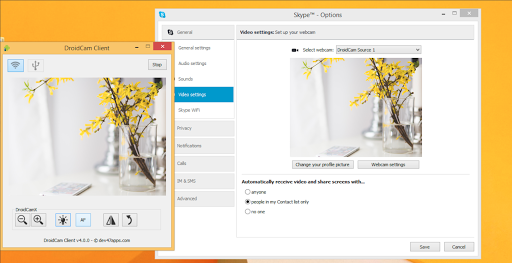
- Chat using "DroidCam Webcam" on your computer, including Sound and Picture.
- Connect over Wifi or USB*.
- Supports 720p/1080p video with HD Mode.
- "Smooth FPS" option in settings for more stable video.
- Use other (non camera) apps with DroidCamX in the background.
- Keeps working with the screen off to conserve battery.
- IP Webcam MJPEG access (access camera via a browser or from another device).
- Camera controls: auto focus, zoom, flash light, and more.
- Capture still image frames on phone or computer while the app is running.
- Pro controls on the Windows Client: Mirror, Flip, Brightness, Contrast, etc.
The app works with a PC client that connects the computer with your phone. Windows and Linux clients are available, please visit www.dev47apps.com on your computer to download, install, and get more info on usage.
* USB connection may require additional setup.
NOTE: If the Play Store fails to download or verify the app, please check the order status in your Play Store account and try again. Use the web version at https://play.google.com/store on your computer to avoid caching and account sync issues.
What's New
Changes for Android 14+
App Information
Version Name
6.4.4
Version Code
43
File Size
1.5 MB
Min SDK
Android 15+
Target SDK
Android 15
Developer
Dev47Apps
Contact
Website
Content Rating
Everyone
Package Name
com.dev47apps.droidcamxPermissions Required
This app may request the following permissions:
Recent Reviews

Mark Tippetts
4.0★
This is generally a good app for turning your camera phone into a web camera on your PC. I've been using it for years, mainly to check my form exercising. The USB connection can be buggy and lags a bit. The Wi-Fi connection has a very low framerate, especially at higher quality resolution. This might be more about the capabilities of my phone than the software, but I've had the same experience across two different phones. As long as you don't need it to be super responsive, it's pretty good.

AJ
5.0★
Setup is a bit tedious (if you're unfamiliar with Desktop PC Android Debugging). But once I figured it out, it has been reliable. I wish the HD version had slightly better quality, it feels like there's something left on the table on my S21 ultra. Either way, it works, I get fullHD, and good framerates. Done is better than perfect!

A Google user
4.0★
I was originally going to give this app a 2 star review, even for the paid version. However, after looking on their website I realized I had not used the 'HD Mode' when using it through USB. As soon as I changed that setting the camera looked way better and actually stopped me from going out and spending money on a webcam. The one gripe I have is that the you can't hold down the zoom function, you have to click it each time and for some reason my PC will not open the jpegs I take with the droidcam app.

Brandon Schuster
5.0★
A little technical to setup and the interface could be improved, but works very well. I found there was a little additional lag using wifi, but still worked fine. Using USB has less lag, but requires (due to Android's restrictions) a little more setup to enable developer mode. I did at first not realize their IS an option to choose front or back cameras. At the current time, it just says camera and doesn't look like a selection menu. I had trouble with my phone's main camera overheating, but the front facing camera works fine (maybe should default to front). All in all, since a good camera on a phone is high quality, this was worth purchacing.

Ben Zerbe
3.0★
It's been incredibly useful, especially with the pandemic. That being said, I really wish it had a 1080p streaming option. I know the phone is capable, but the app bottlenecks to 720p. It has occasionally locked up and I've had to restart the desktop client, but I think that's on the desktop side and it is both rare and easily fixed.

Reverend Aero
5.0★
Previous post: in diagnosis, couldn't get the app to work more than once on 2 Pixel phones. - Determined on both the 6 and the 3a I was testing with that USB Debugging kept turning itself off within Dev Options. Unsure why at this point but an easy enough thing to fix until I can figure out how to stop it. Tested with multiple USB cables on 2 different computers. Other than the config issues, the app is a very useful tool for anybody looking for a superior webcam, we all already have one!
Ad slot: In-Content