

DroidCam Webcam (Classic)
com.dev47apps.droidcam
by Dev47Apps
Screenshots

Ad slot: Top Leaderboard
About this app
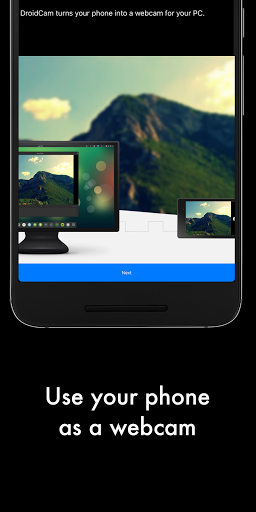
DroidCam turns your Android device into a webcam.
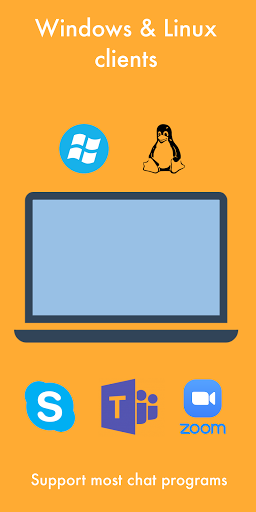
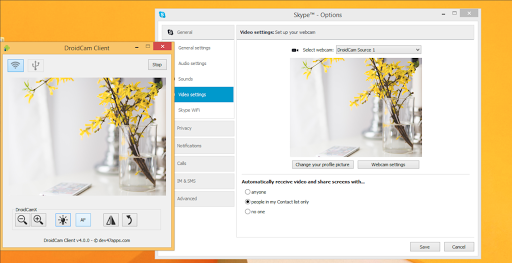
The app works with a PC client that connects the computer with your phone. Windows and Linux clients are available. Visit www.dev47apps.com on your computer to download, install, and get more info on usage.
Features:
- Chat using "DroidCam Webcam" on your computer, including Sound and Picture.
- Completely free with no usage limits or watermarks.
- Connect over WiFi or USB*.
- Microphone noise cancellation.
- Use other (non camera) apps with DroidCam in the background.
- Keeps working with the screen off to conserve battery.
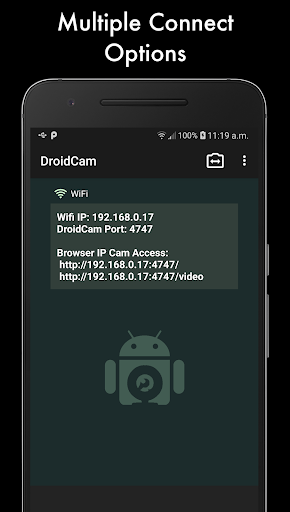
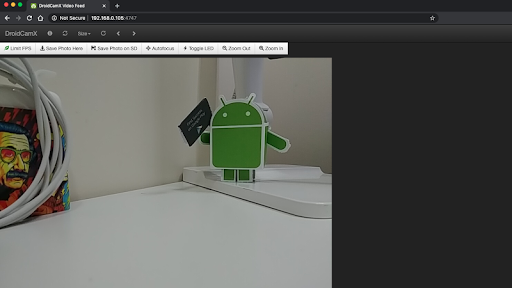
- IP web camera MJPEG access (access camera via a browser or from another phone/tablet/etc).
If you like the app, consider getting the Pro version, DroidCamX, which has:
- No Ads.
- USB-Only mode for added privacy and security.
- Phone calls muting.
- 720p/1080p video support via HD Mode.
- 'Smooth FPS' option for more stable video.
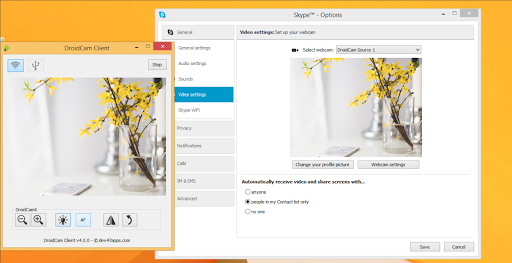
- Pro features on the Windows client including video mirror, flip, rotate, contrast, brightness and other controls.
A bargain compared to actual webcams sold in store!
* USB connection may require additional setup
The app works with a PC client that connects the computer with your phone. Windows and Linux clients are available. Visit www.dev47apps.com on your computer to download, install, and get more info on usage.
Features:
- Chat using "DroidCam Webcam" on your computer, including Sound and Picture.
- Completely free with no usage limits or watermarks.
- Connect over WiFi or USB*.
- Microphone noise cancellation.
- Use other (non camera) apps with DroidCam in the background.
- Keeps working with the screen off to conserve battery.
- IP web camera MJPEG access (access camera via a browser or from another phone/tablet/etc).
If you like the app, consider getting the Pro version, DroidCamX, which has:
- No Ads.
- USB-Only mode for added privacy and security.
- Phone calls muting.
- 720p/1080p video support via HD Mode.
- 'Smooth FPS' option for more stable video.
- Pro features on the Windows client including video mirror, flip, rotate, contrast, brightness and other controls.
A bargain compared to actual webcams sold in store!
* USB connection may require additional setup
What's New
Changes for Android 14+
App Information
Version Name
6.4.3
Version Code
52
File Size
2.3 MB
Min SDK
Android 15+
Target SDK
Android 15
Developer
Dev47Apps
Contact
Website
Content Rating
Everyone
Package Name
com.dev47apps.droidcamPermissions Required
This app may request the following permissions:
Recent Reviews

Sarah H
4.0★
Works well. You have to make sure that the phone app is already running and visible on the phone screen (not in just running in background) while you open the app on the computer or it will say it's an error, connection reset or lost. Once that is done the connection is very good, I've tried the usb and Wi-Fi connections. They had good video and audio. In the settings on my computer software I can choose which cell camera to use and computer or cell audio, so lots of options.

A Google user
4.0★
Works very well. Have used it for many Zoom and Skype meetings and it is reliable. Never lost connection yet. You do have to manually open app on both phone and PC to use but it is not difficult. I had to Google how to set my phone for 'debugging' in order to connect it via USB. It also allows you to choose portrait or landscape and also let's you choose front or back camera. Almost gave it a 5.

Courtney Leigh
3.0★
Cannot rotate the camera, so I have to awkwardly hold my phone it in the air. Otherwise, I would be sideways. So I am using the computer one handed. The option to switch from front and back cameras is so cumbersome, because you have to turn the camera off, hit the menu, hit settings, scroll down, select camera, select front/back, go back and turn it on. Extremely time consuming if you are teaching and using it as a document camera back and forth quickly.

Todd Ogrin
5.0★
I needed a new camera for working from home during the pandemic and I found there was a webcam shortage. Then I found DroidCam. It worked exactly as advertised for me. It was more trouble to clear a spot on my desk and set up a phone mount than it was to get the app working. My only warning is that it can drain your battery quickly, so I recommend plugging it in while in use. I upgraded to the pro version for the additional features, and as a thanks to the devs.

TheVleh
5.0★
This is fantastic, it does exactly as it describes with little to no problems. Personally I'm a huge fan of how they do their "pro" app and how they do their ads. I don't need all the features of of the "pro" mode, so its nice being able to just use the free version to get video from your phone to your pc. And then I often use the hd video feature on my pc, and I absolutely have no issue trading 30 seconds of my time to watch an ad in return for receiving the hd video service. No complaints.

Michael Wogan
1.0★
You would think using Windows 10 and Samsung GS 7 phone it wouldn't be such torture trying to get the phone to connect via USB. I've been working on this for an hour, restarting the computer, turning things on and off on the phone, and trying all the suggestions on the Help page. So far it's still not working. Not that there seems to be any better alternative.
Ad slot: In-Content