

Image Converter
com.daemon.imageconverter
by OnlineConverting
Screenshots


Ad slot: Top Leaderboard
About this app
With the image converter you can convert almost any graphic images.
At the moment, there is supported a record number of graphic formats (more than 260) and various dialects (more than 800). You can get images such as JPEG, BMP, GIF, PDF, PSD, PNG, TIFF and others.
How to convert:
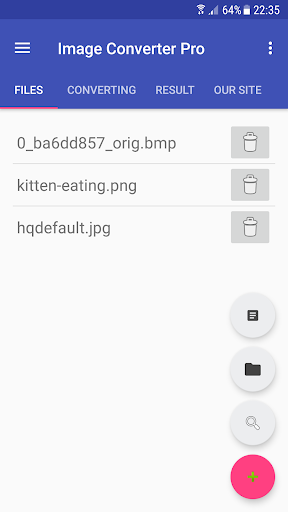
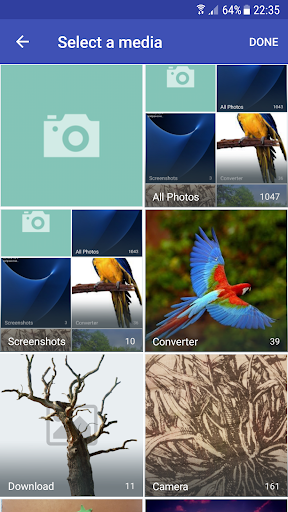
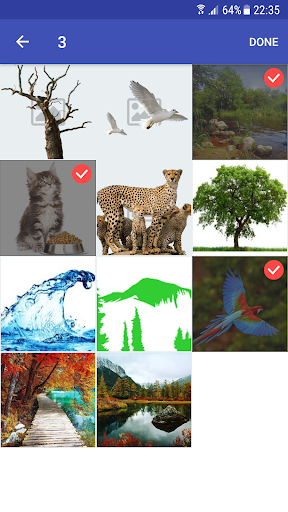
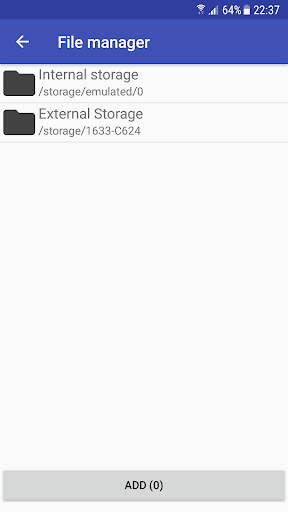
• Add files to the conversion list.
• Choose the format: BMP, DDS, EPS, EXR, GIF, ICO, JPG, MNG, PCX, PNG, PSD, PDF, SVG, TGA, TIFF, VTF (some formats support the settings - use them to get the best result).
• Click "Convert!".
• Find the result in the specified output directory
Searching for how to look at a HEIC (HEIF) format? Use our converter - just convert HEIC to JPEG or any other format.
Examples of conversions:
* HEIC to JPEG
* PNG to JPEG
* JPEG to PNG
* DDS to JPEG
* PNG to DDS
* JPG to VTF
RAW formats support: CR2 to JPG and NEF to JPG
To convert RAW we use the utility DCRAW. It provides the maximum possible support for new formats.
In addition, you can make a resize, just specify the required size!
Did not find the right option or operation? Write to us and we will try to implement it.
A short list of FAQ:
Q: I cannot convert images as there is a constant error, what should I do?
A: Write to us, we will try to sort it out.
Q: How many files can I convert at a time?
A: In the free version you can convert 5 files at a time. Having paid subscription - you can convert an unlimited number of files at a time.
Q: What is the maximum size of the converted file?
A: In the free version, the maximum file size is 20MB. Having paid subscription - the maximum file size is 1GB.
Q: How can I combine images into one PDF?
A: For this we developed a free utility "Image to PDF" - you can find it on our developer page.
At the moment, there is supported a record number of graphic formats (more than 260) and various dialects (more than 800). You can get images such as JPEG, BMP, GIF, PDF, PSD, PNG, TIFF and others.
How to convert:
• Add files to the conversion list.
• Choose the format: BMP, DDS, EPS, EXR, GIF, ICO, JPG, MNG, PCX, PNG, PSD, PDF, SVG, TGA, TIFF, VTF (some formats support the settings - use them to get the best result).
• Click "Convert!".
• Find the result in the specified output directory
Searching for how to look at a HEIC (HEIF) format? Use our converter - just convert HEIC to JPEG or any other format.
Examples of conversions:
* HEIC to JPEG
* PNG to JPEG
* JPEG to PNG
* DDS to JPEG
* PNG to DDS
* JPG to VTF
RAW formats support: CR2 to JPG and NEF to JPG
To convert RAW we use the utility DCRAW. It provides the maximum possible support for new formats.
In addition, you can make a resize, just specify the required size!
Did not find the right option or operation? Write to us and we will try to implement it.
A short list of FAQ:
Q: I cannot convert images as there is a constant error, what should I do?
A: Write to us, we will try to sort it out.
Q: How many files can I convert at a time?
A: In the free version you can convert 5 files at a time. Having paid subscription - you can convert an unlimited number of files at a time.
Q: What is the maximum size of the converted file?
A: In the free version, the maximum file size is 20MB. Having paid subscription - the maximum file size is 1GB.
Q: How can I combine images into one PDF?
A: For this we developed a free utility "Image to PDF" - you can find it on our developer page.
What's New
+ some bugs fixed
+ update SDK
+ update SDK
App Information
Version Name
1.4
Version Code
35
File Size
3.7 MB
Minimum OS
Android 6.0+
Target SDK
Android 23
Developer
OnlineConverting
Contact
Website
Content Rating
Everyone
Package Name
com.daemon.imageconverterPermissions Required
This app may request the following permissions:
Recent Reviews

A Google user
1.0★
I can't get it to share, not does it open up in any of my files, it says it's converted & saved in files but I can't find it in any of my files. It would be very helpful & easy if you could just beable to convert all the files & they automatically save & open in pictures or the correct files that are on the device ppl are using. Make it simple to convert and open images to SVG on Android devices. Ty
Jamie Beebe
4.0★
It converts without any issues. My only issue is that when I try to select from my gallery, I can only see file names. There are no thumbnails. I would recommend adding in that feature Lots of ads too. Every time you select something, there's an ad. Kinda frustrating but it's free and works so I can't complain.
A Google user
1.0★
It seems to have worked. Hopefully after rating the app I can retrieve my file. 3 minutes later....it does not work. The file cannot be accessed. Waste of my time. I am willing to view ads in order to help pay for a product, but the product should work properly and this one doesn't. I was attempting to convert a JPG to an EPS file.
A Google user
1.0★
A dollar a month? Are you kidding me? I get it you want compensation, but a overtly greedy approach like oh I don't know calling your app free when you know it's not. Also what's with all then dev putting harsh limits on the amount of files "5" any professional photographer would have a whole lot more then "5". You've lost my business nor will I ever recommend you to my colleagues. Good luck man

Matt H
5.0★
It does require internet connection but it's the most advanced converter on the market. My only issue is I'm not sure about the privacy of images, since they have to be uploaded to the developer's server in order to be converted.

Sarah
1.0★
File damaged. States .eps file converted. Tried different target file formats (png, etc) and six different photo programs and none of them could open up any of the files. Uninstalled.
Ad slot: In-Content