
Cx File Explorer
com.cxinventor.file.explorer
by Cx File Explorer
Screenshots


Ad slot: Top Leaderboard
About this app
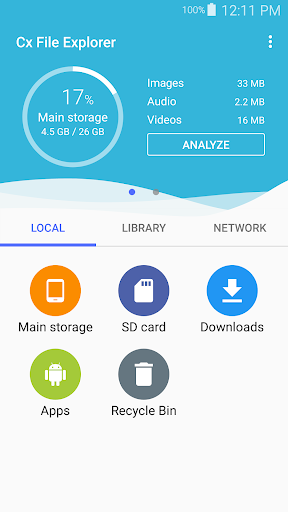
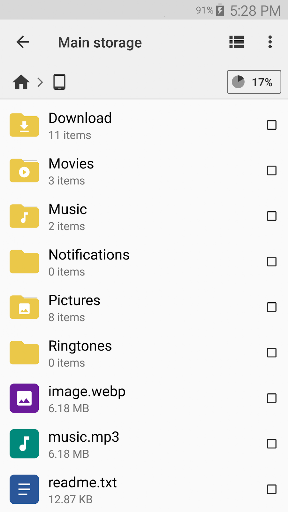
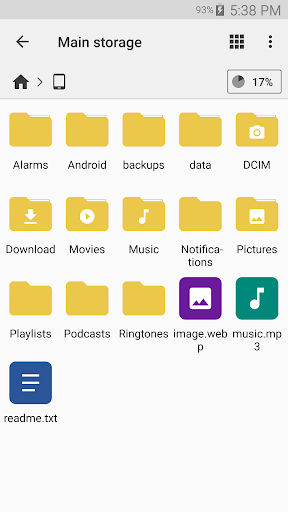
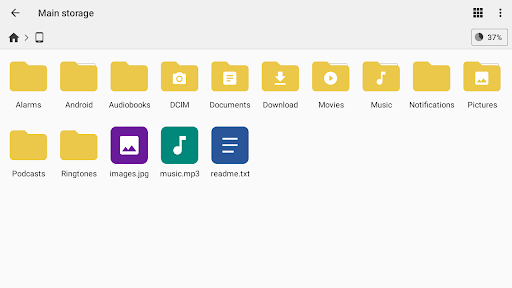
Cx File Explorer is a powerful file manager & storage cleaner app with a clean and intuitive interface. With this file manager app, you can quickly browse and manage the files on your mobile device, PC, and cloud storage, just like you use Windows Explorer or Finder on your PC or Mac. Also it provides a rich set of features that advanced users are looking for without feeling bloated. You can even manage the space used on your mobile device with a visualized storage analysis.
Key features
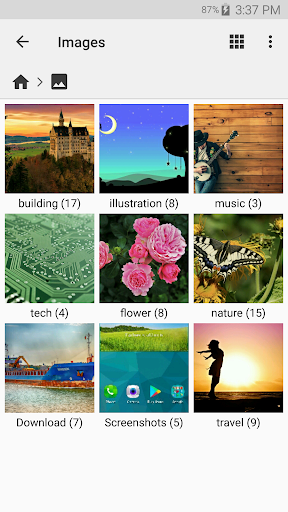
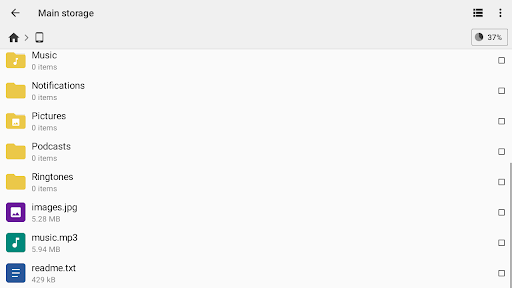
Organize your files and folders: With a user-friendly UI, you can easily browse, move, copy, compress, rename, extract, delete, create and share files (folders) on both internal and external storage of your mobile device.
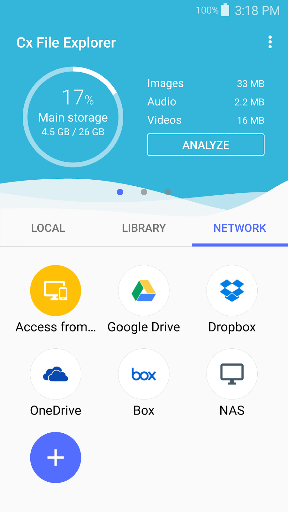
Access files on cloud storage: You can manage the files on cloud storages.
Access files on NAS (Network-attached storage): You can access files within remote or shared storage like FTP, FTPS, SFTP, SMB, WebDAV, and LAN. Also you can access your mobile device from PC using FTP(File Transfer Protocol).
Manage your apps: You can manage the apps installed on your mobile device.
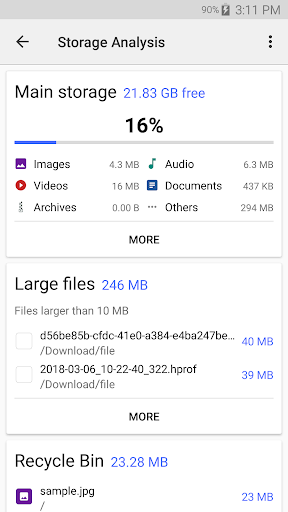
Analyze and manage your storage: Cx File Explorer provides visualized storage analysis so that you can quickly scan the available space and manage it. The Recycle bin also helps you easily manage your storage.
Clean up storage quickly: Discover and clean junk files, duplicate files and unused apps in storage cleaner.
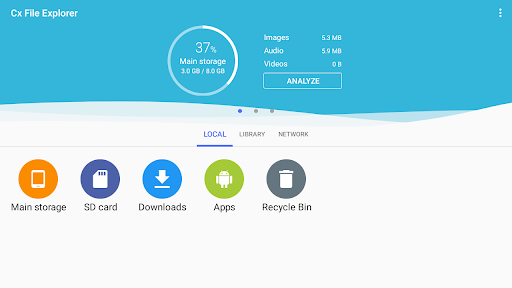
Supported devices: Android TV, phone and tablet
Material Design interface: Cx File Explorer uses the Material Design interface.
If you are looking for a file manager app that has simple and sleek interface with full features, Cx File Explorer would be the best choice.
Key features
Organize your files and folders: With a user-friendly UI, you can easily browse, move, copy, compress, rename, extract, delete, create and share files (folders) on both internal and external storage of your mobile device.
Access files on cloud storage: You can manage the files on cloud storages.
Access files on NAS (Network-attached storage): You can access files within remote or shared storage like FTP, FTPS, SFTP, SMB, WebDAV, and LAN. Also you can access your mobile device from PC using FTP(File Transfer Protocol).
Manage your apps: You can manage the apps installed on your mobile device.
Analyze and manage your storage: Cx File Explorer provides visualized storage analysis so that you can quickly scan the available space and manage it. The Recycle bin also helps you easily manage your storage.
Clean up storage quickly: Discover and clean junk files, duplicate files and unused apps in storage cleaner.
Supported devices: Android TV, phone and tablet
Material Design interface: Cx File Explorer uses the Material Design interface.
If you are looking for a file manager app that has simple and sleek interface with full features, Cx File Explorer would be the best choice.
What's New
- Bug fixes and minor improvements.
- On some devices, access to the /Android/data folder may be restricted by the operating system. You can work around this limitation by using the Shizuku app, which allows Cx File Explorer to access the folder
2.5.8
- Multi-archive extraction supported
- 7z compression added
2.4.5
- Changed player controls
· Added long press to double speed playback.
2.2.5
- Supports Shizuku.
- On some devices, access to the /Android/data folder may be restricted by the operating system. You can work around this limitation by using the Shizuku app, which allows Cx File Explorer to access the folder
2.5.8
- Multi-archive extraction supported
- 7z compression added
2.4.5
- Changed player controls
· Added long press to double speed playback.
2.2.5
- Supports Shizuku.
App Information
Version Name
2.2.1
Version Code
221
File Size
8.2 MB
Minimum OS
Android 5.0+
Target SDK
Android 33
Developer
Cx File Explorer
Contact
Content Rating
Everyone
Package Name
com.cxinventor.file.explorerPermissions Required
This app may request the following permissions:
Recent Reviews

Nigel Whaley
5.0★
Best all in one file explorer! Create any file, anywhere, easy copy/paste and file moving format. Multiple ways to connect and Integrate with other file storage programs, or other machines, combine with Tailscale and easily and securely connect to any machine in your Tailnet. Whenever I find myself in a "new device" situation (new phone, factory wipe, whatever that case) This is ALWAYS the first program added to the device.

Alexander Scott
5.0★
It's the most intuitive and capable and versatile "Files" application I've encountered. It's better than whatever Watered Down, Over Bloated, Safety First, Bubble Lettered Windows derivative, user explorer pre-installed interface you're using right now. for some reason our corporate overlords like to make it seem like you can't navigate a cell phone the way you would your computer, though the two are essentially identical. Cx is way to maintain a a healthy and organized system.

Aydan
5.0★
Amazing, Simple, Effective, and Easy! There is no reason not to give a 5 star rating. I love this in every imaginable way possible. It is easy, quick, and simple when moving stuff around! No issues exist unless if it is the file itself is the issue. Works perfect for these things I have sorted: Music Sheets, mp3 Music Playlists; Minecraft Mods Sorting. I do wish a Dark Mode could come out so I don't get my whole room or car brightly lit up from me searching for music.

Andrew Helms
5.0★
I've tested a lot of different file explorers/managers throughout Play Store, and plenty suffice after paying for premium versions, but this is by far the best file manager that has as many features available to its users in its free version as anyone could have any utilization for. If you're looking for a third party app to replace or compensate for the weaknesses found in the built-in file manager, then I can definitely endorse this app, without a doubt.

Leanne Bostwick
5.0★
A truly free program that does not interrupt your work with annoying ads. Since I am not a techie, I have to get help to access network folders, but that is true with any program like this. Once my folders are connected, I am able to reconnect later without drama. File transfers are quick and without errors.

Jim Caldwell
5.0★
I have seen a lot of people complaining about not getting files from phone to computer with multiple programs on playstore. This does an awesome job! I also have an XP, two win10 and a firetab that can all transfer files back and forth and to my phone, just connect to same home network. best program ever! thank-you CX team!!!!! this rocks and you will love it once to get hang of it!!!!!!!
Ad slot: In-Content