

HWMonitor PRO
com.cpuid.hwmonitorpro
by CPUID
Screenshots

Ad slot: Top Leaderboard
About this app
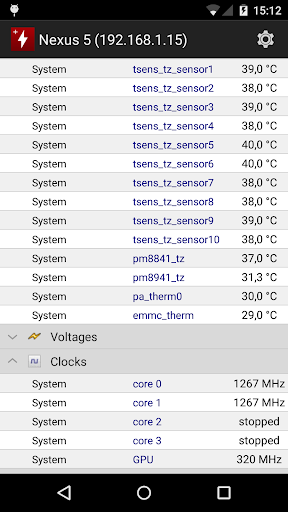
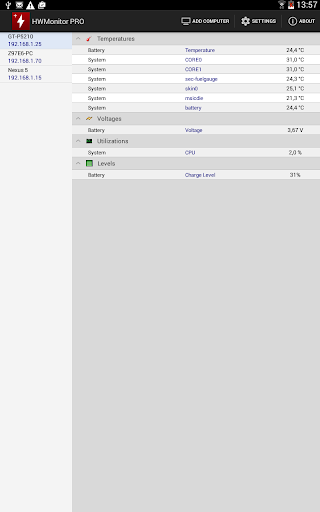
HWMonitor PRO is a health monitoring program dedicated to Android devices. It shows in real time a various set of temperatures (depending on device), battery information (voltage, temperature and charge level), and CPU utilization.
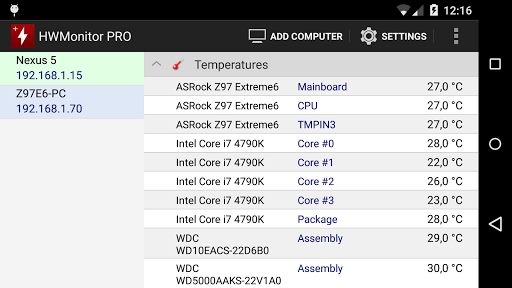
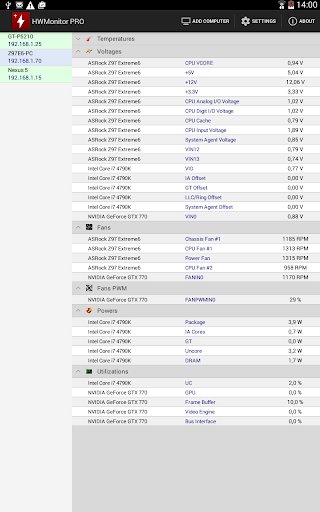
The monitoring data can be sent over a local network in order to be displayed on a PC running HWMonitor PRO for Windows, or on another Android device.
In addition, HWMonitor PRO allows to monitor up to 10 systems (Windows PC or Android device) from your Android device. Steps are as following :
1- Setup the monitored system for a remote connection :
- PC windows : install HWMonitor PRO for Windows (http://www.cpuid.com/softwares/hwmonitor-pro.html) on the PC that you want to follow up, then switch to listening mode. Note the machine name and IP.
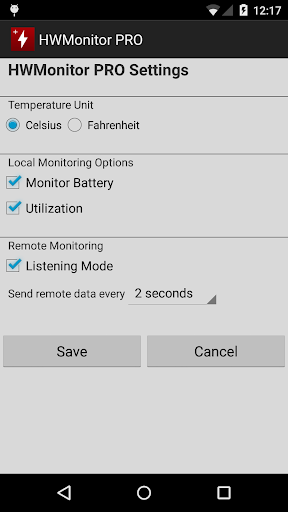
- Android : install HWMonitor PRO for Android on the device that you want to follow up, then click on the local monitor (1st entry) to start monitoring. Make sure that listening mode is checked in the settings page. Note the machine name and IP.
2- Connect from your Android device :
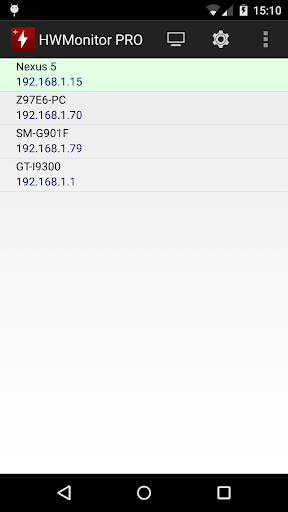
Run HWMonitor PRO on your Android mobile device, then choose Add Device from the application menu or click on the computer icon in the action bar. Then enter the name or the IP address of the machine, and choose OK. Select the machine in the list in order to start the connection.
3- Remove a monitor :
Do a long click on a monitor item (at least 3 seconds) in order to remove it from the list.
The monitoring data can be sent over a local network in order to be displayed on a PC running HWMonitor PRO for Windows, or on another Android device.
In addition, HWMonitor PRO allows to monitor up to 10 systems (Windows PC or Android device) from your Android device. Steps are as following :
1- Setup the monitored system for a remote connection :
- PC windows : install HWMonitor PRO for Windows (http://www.cpuid.com/softwares/hwmonitor-pro.html) on the PC that you want to follow up, then switch to listening mode. Note the machine name and IP.
- Android : install HWMonitor PRO for Android on the device that you want to follow up, then click on the local monitor (1st entry) to start monitoring. Make sure that listening mode is checked in the settings page. Note the machine name and IP.
2- Connect from your Android device :
Run HWMonitor PRO on your Android mobile device, then choose Add Device from the application menu or click on the computer icon in the action bar. Then enter the name or the IP address of the machine, and choose OK. Select the machine in the list in order to start the connection.
3- Remove a monitor :
Do a long click on a monitor item (at least 3 seconds) in order to remove it from the list.
What's New
Supports HWMonitor PRO 1.47 for Windows.
App Information
Version Name
1.06
Version Code
6
File Size
2.2 MB
Minimum OS
Android 2.3.3+
Target SDK
Android 21
Developer
CPUID
Contact
Website
Content Rating
Everyone
Package Name
com.cpuid.hwmonitorproPermissions Required
This app may request the following permissions:
Recent Reviews

Zak Smith
5.0★
Great app on mobile (Even better on PC) always tells my the Temperature of the components of My phone or PC plus you can connect different devices at once so you can see the temperature of both devices highly recommended if your phone or computer overheats as it shows the exact temperature of separate components of the device as to target which component is the high temperature one. Always served me well 👍

MS AS
4.0★
I love this app. I love being able to monitor my computer's temperature, that I run Windows Apache on, no matter where I am. Only one thing needs to be updated to work properly. It currently does not save their profile that you enter in. If you close the app or even just minimize it for a while, it'll go away and you have to reinter it. Other than that this thing is awesome. I'd happily pay for an app like this.

Zotric Zaoh
4.0★
Brilliantly effective. Good trial version. Using Android 10 on Galaxy Tab S7. Acts as both client and server. Gives vast range of useful information on my Windows 10 PC locally. It also does remote monitoring from Android Devices or other Windows 10 PCs. It would be handy to have a widget to show selected data but I have to give this app 5 stars anyway. Uodate: Knocked off one star because I cannot purchase to remove ads and also it seems to forget addresses.

Dmitry “FimaTheLoneFox” Babak
4.0★
(Galaxy A50 4/64, Android 11) Useful as hell here, in conjuction with its desktop counterpart. BUT the fonts and numbers are too small on my phone screen here! Hard to read them clearly!(I have a eye/vision problems, yeah) And second, though it's not too critical, it would be great, if the app will also have a dark/high contrast theme design, for greater acessebility too! Everything else, is working like clockwork in my LAN/WLAN here!...

Eric William
1.0★
@HWMonitor Pro Developer After your last update on May 17, 2022 this app won't let me save any disconnected / saved devices AFTER I close the app apparently..I have to input manually again for the devices I want to connect everytime I open it. Otherwise, this app is the best app for monitoring any PCs / mobile devices so far 👍 This app provides everything we need to monitor starting from temperatures, voltage, power, etc..whenever we need them from our home network / over the internet !!

A Google user
1.0★
I'm entering my IP and computer name and constant failed to connect. so I was able to connect but it just loads a blank page. It also fails to remember ip addresses. And what is the deal with the full screen ads?! basically this is an embarrassing attempt at an Android app.
Ad slot: In-Content