

SAP Concur
com.concur.breeze
by SAP SE
Screenshots
Ad slot: Top Leaderboard
About this app
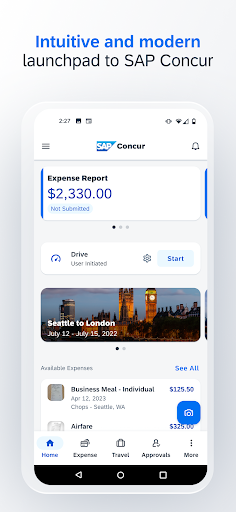
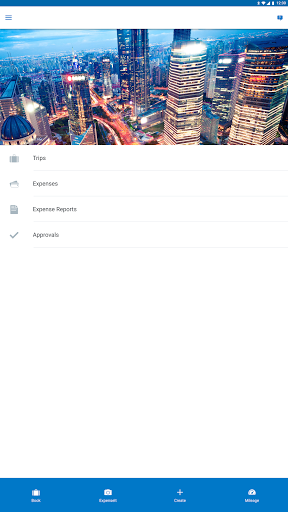
If you use Concur® Travel, Concur® Expense, or Concur® Invoice at work, then download this companion app to your Android to manage your travel and expenses when you’re on the go!
With the SAP® Concur® mobile app, you can:
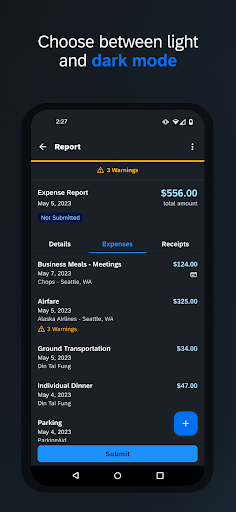
• Review and approve expense reports, invoices, and travel requests
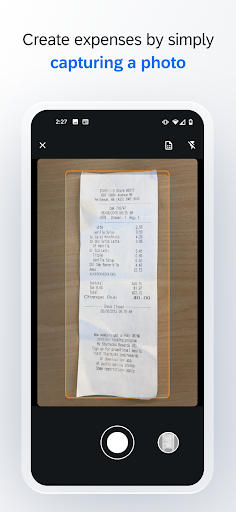
• Snap a photo of your receipt and instantly add it to your expense report
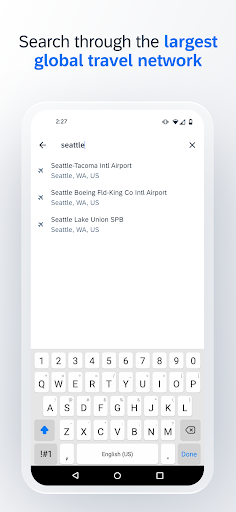
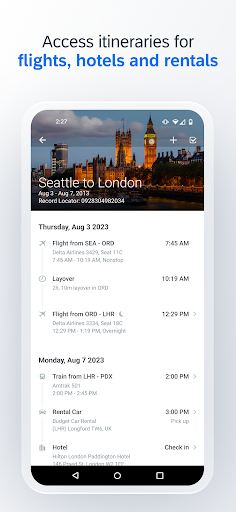
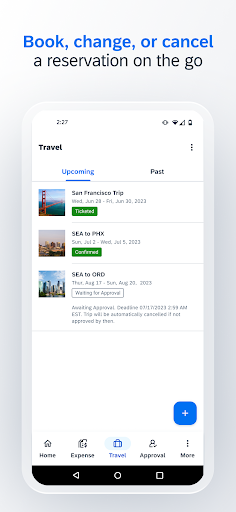
• Book a flight or rail ticket, reserve hotel rooms, or rent a car
• Update or add new attendees to meeting invites
• Get hotel suggestions based on your preferences
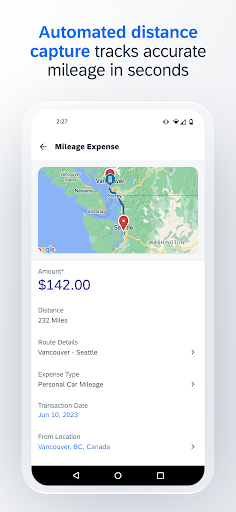
• Capture and track mileage automatically
• Integrate your itinerary with TripIt to get real-time travel alerts and updates
Learn more at www.concur.com. *This is a companion mobile app for existing users of SAP Concur solutions.*
With the SAP® Concur® mobile app, you can:
• Review and approve expense reports, invoices, and travel requests
• Snap a photo of your receipt and instantly add it to your expense report
• Book a flight or rail ticket, reserve hotel rooms, or rent a car
• Update or add new attendees to meeting invites
• Get hotel suggestions based on your preferences
• Capture and track mileage automatically
• Integrate your itinerary with TripIt to get real-time travel alerts and updates
Learn more at www.concur.com. *This is a companion mobile app for existing users of SAP Concur solutions.*
What's New
NEW FEATURES
• It is now possible to perform pre-booking approval with Concur Request (Request to Book).
ADDITIONS / REMOVALS
• Improved receipt analysis removes the need to confirm amounts during camera capture.
• It is now possible to perform pre-booking approval with Concur Request (Request to Book).
ADDITIONS / REMOVALS
• Improved receipt analysis removes the need to confirm amounts during camera capture.
App Information
Version Name
10.10.1
Version Code
2024042418
File Size
105.5 MB
Minimum OS
Android 9+
Target SDK
Android 33
Developer
SAP SE
Contact
Website
Content Rating
Everyone
Package Name
com.concur.breezePermissions Required
This app may request the following permissions:
Recent Reviews

Brandon Alford
1.0★
App crashes as soon as I try to open it. I have updated the app and this is still occurring, causing the app to be useless. Have to use the web version which is a bigger hassle when on the road and trying to upload receipts and track expenses as I go. One month later, app is updated to latest version and phone is updated. Still can't even get app to open without crashing.

Daniel Roberts
1.0★
Two things... why, out of every app on my phone (including half a dozen other work ones) is this the ONLY one that has to go through the entire sign-in process every time? Secondly, if I respond to your pop-up asking me to enable notifications and say NO, I don't understand why you can't understand that means I DON'T. WANT. NOTIFICATIONS. Literally harassment. No means NO, guys. If I wasn't required to use your app for work, it would be taken out back and shot.

James Stevens
2.0★
A little confusing to use and the filtering is horrible! It forgets what you've chosen if you change one parameter. You cannot rely on Concur to show you correct hotels based on your filtering and a lot of times you have to secondarily click on check price then come to find out it's either out of your price range filter you set or there is no availability on the hotel. Filtering should be sticky during your search. GPS auto location has not worked in years and you always have to manually enter

Jeffrey Croxall
1.0★
1 star due to how terrible saving expenses is. Some of the issues: you can't input different transaction rates out to more than 2 decimals so I'm getting paid less by my company, when you start typing into any field during an expense it will "reset" for some reason and the only way to fix it is to hit another field and then back to the field you want to populate, if your Internet is interrupted the expense you are working on is deleted, you can't enter expenses with no internet, etc. Horrible!!!

Jill Studwell
1.0★
something has changed within the app. Receipts that I capture sometimes don't attach to a report. they just float around in available expenses even though I sent them to a report. I have submitted reports that I thought were complete but didn't include some expenses that I attached. also something has changed with the way pictures of receipts are attached. It no longer gives you the option to attach screenshots. Why does every month that I submit my expenses the system has changed?

Chris Ginn
1.0★
I hate this app (on the latest ver of Android on a Note20). I am required to use this vendor because it is what my employer requires it. I was able to enter 1 expense. I tried to enter a 2nd expense and it throws a generic error that I can't dismiss. I had to use a desktop to finish adding expenses. Also, entering the data for each expense is tedious. The worst part is entering the expense amount. The cursor starts at the end of the input and when I enter a digit, it enters it at the end and the keyboard is dismissed. I have to click exactly on the screen in the exact digit location in the input in order to enter each number. Also, you can upload pics of receipts separately but you can't go back and associate a receipt from the app. You still have to dowonload/re-upload a pic of a receipt to the actual expense. I'm sure there's more but this was just my first time using it. FML
Ad slot: In-Content