
Home Security Camera - SeeCiTV
com.code.bluegeny.myhomeview
by Geny Studio
Screenshots
Ad slot: Top Leaderboard
About this app
▶Got an old Android phone or tablet collecting dust? Don’t let it sit idle—turn it into a powerful home security camera with SeeCiTV!
▶No Need for Expensive Security Cameras
Why spend money on costly, slow security cameras when you can repurpose an old smartphone with SeeCiTV? Save money and get high-quality surveillance right at your fingertips.
▶Quick & Easy Setup
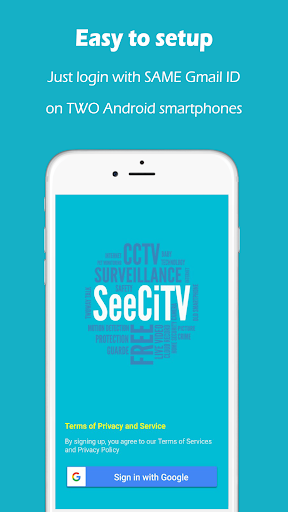
All you need is Wi-Fi! No SIM card, no extra costs. Simply install the app using Wi-Fi, then log in with the same Gmail ID on two or more Android devices: one to act as the camera and another as the viewer. No complicated IP settings needed—just a few clicks and you’re ready to go!
▶Stay Connected Anytime, Anywhere
Check in on your home or loved ones whenever you want. SeeCiTV lets you connect to your security camera from anywhere with a high-speed internet connection. With 4G or fast Wi-Fi, you’ll enjoy crystal-clear video and stable connections.
▶1080p HD Video & Clear Two-Way Audio
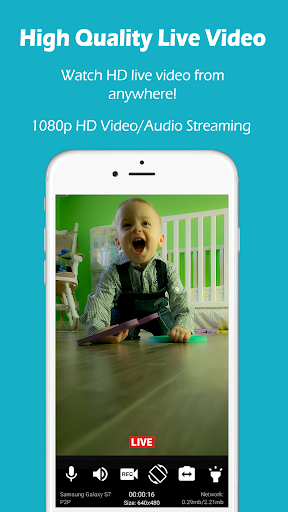
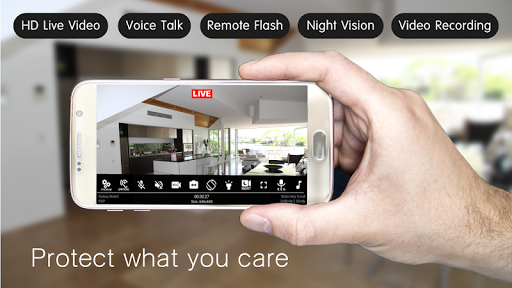
Enjoy 1080p HD video with two-way audio—hear what’s happening and talk back in real time. Whether it's watching over your home, pets, or even your baby, SeeCiTV offers high-quality surveillance.
▶Low Battery Usage, No Overheating
Unlike other apps, SeeCiTV only activates the camera when in use, keeping battery consumption low and preventing overheating. No need to worry about your devices getting too hot or running out of power.
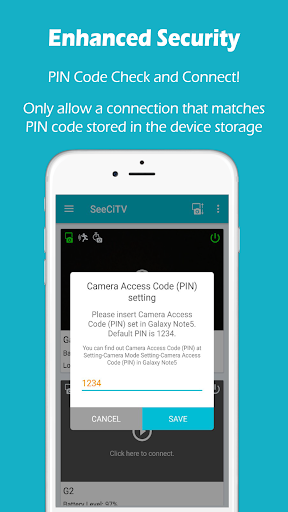
▶Enhanced Security for Peace of Mind
SeeCiTV uses P2P technology, paired with industry-standard TLS/DTLS encryption and ECDSA certificates, ensuring a highly secure connection. Plus, you can set your own password for extra security. Your data stays private—just the way it should be.
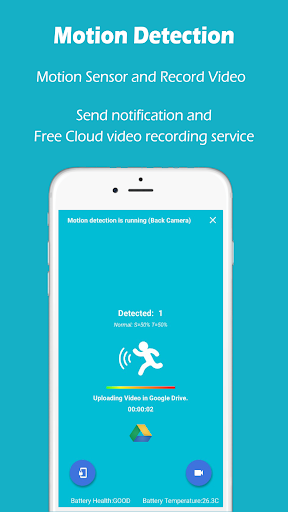
▶Never Miss a Moment with Advanced Motion Detection
Most apps only start recording after detecting motion, often missing fast-moving objects. SeeCiTV records before and after motion detection using advanced ring buffer technology—making sure you don’t miss a thing. Videos are saved to your Google Drive (with 15GB of free storage).
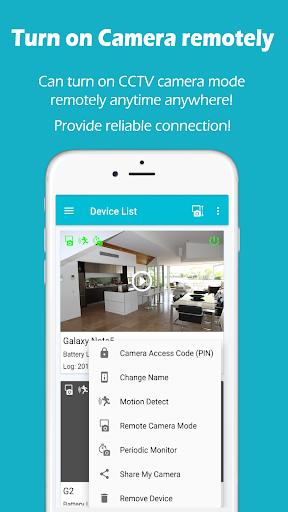
▶Remote Control, Anytime
Forgot to turn on your security camera before leaving the house? No worries! You can remotely turn your camera on or off anytime for extra security. Total peace of mind, even when you're away.
▶More Devices, More Cameras
Have multiple Android devices? Turn each one into a security camera or use them as viewers. SeeCiTV gives you flexible options for the ultimate security experience.
▶SeeCiTV Feature Highlights
- Real-time video & audio streaming (bi-directional)
- Up to 1080p Full HD video quality
- Clear two-way audio
- Use front or back cameras for coverage
- Control flashlight remotely
- Live video recording
- Advanced security features
- Powerful motion detection with cloud recording
- Remote camera on/off control
Many more features to explore!
▶ Requirements
You need at least two Android devices with an internet connection. We recommend using a high-speed connection (like 4G or fast Wi-Fi) for the best video quality and smooth streaming.
iOS and Web versions are coming soon! Stay tuned!
Download Now
Download SeeCiTV now and bring your old devices back to life with purpose!
Contact Us: [email protected]
Geny Studio
▶No Need for Expensive Security Cameras
Why spend money on costly, slow security cameras when you can repurpose an old smartphone with SeeCiTV? Save money and get high-quality surveillance right at your fingertips.
▶Quick & Easy Setup
All you need is Wi-Fi! No SIM card, no extra costs. Simply install the app using Wi-Fi, then log in with the same Gmail ID on two or more Android devices: one to act as the camera and another as the viewer. No complicated IP settings needed—just a few clicks and you’re ready to go!
▶Stay Connected Anytime, Anywhere
Check in on your home or loved ones whenever you want. SeeCiTV lets you connect to your security camera from anywhere with a high-speed internet connection. With 4G or fast Wi-Fi, you’ll enjoy crystal-clear video and stable connections.
▶1080p HD Video & Clear Two-Way Audio
Enjoy 1080p HD video with two-way audio—hear what’s happening and talk back in real time. Whether it's watching over your home, pets, or even your baby, SeeCiTV offers high-quality surveillance.
▶Low Battery Usage, No Overheating
Unlike other apps, SeeCiTV only activates the camera when in use, keeping battery consumption low and preventing overheating. No need to worry about your devices getting too hot or running out of power.
▶Enhanced Security for Peace of Mind
SeeCiTV uses P2P technology, paired with industry-standard TLS/DTLS encryption and ECDSA certificates, ensuring a highly secure connection. Plus, you can set your own password for extra security. Your data stays private—just the way it should be.
▶Never Miss a Moment with Advanced Motion Detection
Most apps only start recording after detecting motion, often missing fast-moving objects. SeeCiTV records before and after motion detection using advanced ring buffer technology—making sure you don’t miss a thing. Videos are saved to your Google Drive (with 15GB of free storage).
▶Remote Control, Anytime
Forgot to turn on your security camera before leaving the house? No worries! You can remotely turn your camera on or off anytime for extra security. Total peace of mind, even when you're away.
▶More Devices, More Cameras
Have multiple Android devices? Turn each one into a security camera or use them as viewers. SeeCiTV gives you flexible options for the ultimate security experience.
▶SeeCiTV Feature Highlights
- Real-time video & audio streaming (bi-directional)
- Up to 1080p Full HD video quality
- Clear two-way audio
- Use front or back cameras for coverage
- Control flashlight remotely
- Live video recording
- Advanced security features
- Powerful motion detection with cloud recording
- Remote camera on/off control
Many more features to explore!
▶ Requirements
You need at least two Android devices with an internet connection. We recommend using a high-speed connection (like 4G or fast Wi-Fi) for the best video quality and smooth streaming.
iOS and Web versions are coming soon! Stay tuned!
Download Now
Download SeeCiTV now and bring your old devices back to life with purpose!
Contact Us: [email protected]
Geny Studio
What's New
Android 14 compatibility update
App Information
Version Name
7.6
Version Code
174
File Size
41.0 MB
Minimum OS
Android 5.0+
Target SDK
Android 31
Developer
Geny Studio
Contact
Website
Content Rating
Everyone
Package Name
com.code.bluegeny.myhomeviewPermissions Required
This app may request the following permissions:
Recent Reviews

A Google user
4.0★
I've been using this app for a couple of years and it just gets better each time. grab any old cell phone and hook it up on your Wi-Fi and then go someplace with your other phone and you can get notices if there's a motion detected m connect to your device and see it live with audio also. It's nice to be able to see when a package arrives or somebody is knocking at your door when you're not home.

Colin Donaldson
3.0★
App works okay, however after purchasing the pro version, every once in awhile it decides to say that I haven't purchased it and that I can't have more than one device connected unless I purchase the pro version. Always having to shut the whole thing down, on both devices sometimes, and restart it so that goes away. Also, no multi-view support, and recordings do not have audio. If I can hear people talking while streaming, I should hear them when this thing records them.
A Google user
5.0★
I'vE used this app on multiple (5) Android devices. Samsung, and ZTE. A couple of my Androids are quite old. All but 1 were Wi-Fi only devices. I've not had any issues whatsoever. The ads weren't a bother. And I wasn't bombarded with them at all. Barely noticeable. And I recently had occasion to email the Devs with a question... They replied in less than 5 minutes. I recommend this app highly.

hopee changee
2.0★
I have used this app for a few years. I would rate 5 stars, but some months ago, I stopped receiving any & all notifications to the monitoring device. I went so far as to reinstall on both devices... still no notifications. Yes, all notifications are turned on. The camera still detects and uploads to google drive, but does not notify of events, or wifi loss, or when camera mode is turned on or off. The lack of real time notifications of detections makes the app useless for my purposes.

JM
3.0★
Has potential but a monthly fee? I don't know about that. The camera settings on the free version are not sticking. I'm not sure if this is a bug or because it is the free version but it certainly makes the app unreliable. Otherwise it has great features and works very well when it's on. Good (fast) notifications. Records instantly. Very sensitive for dark places and works well with Google drive cloud and local storage.
A Google user
1.0★
After being instructed to turn on the camera mode and doing so a dozen times on both phones, with no success I just uninstalled. It didn't help one bit that there were pop-up ads in the middle of trying to get the camera started. ads are fine it's a great way to monetize your app, but if they interfere with the customer figuring out how to use it in the first place they're no good!
Ad slot: In-Content