

Paint Shapes - Draw by layers
com.bennyjon.paint
by Benny Jon
Screenshots











Ad slot: Top Leaderboard
About this app
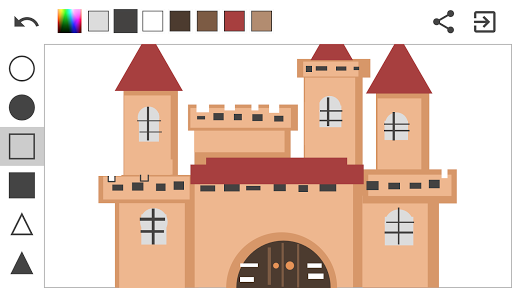
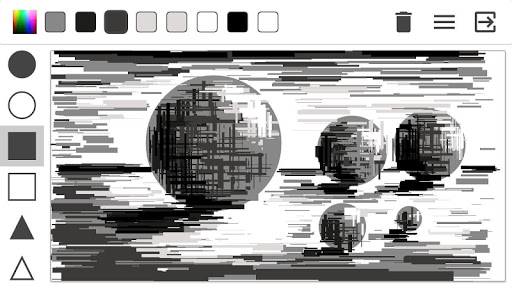
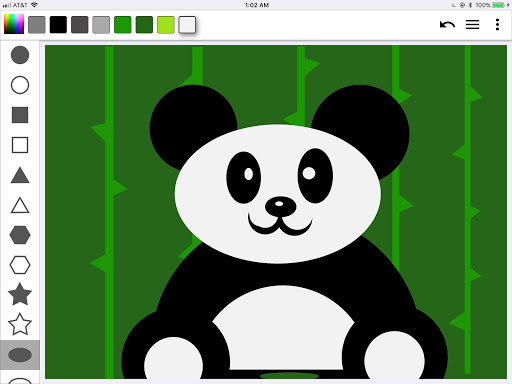
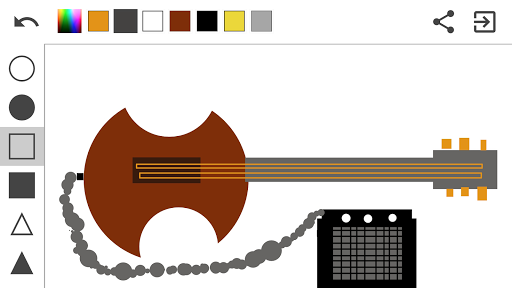
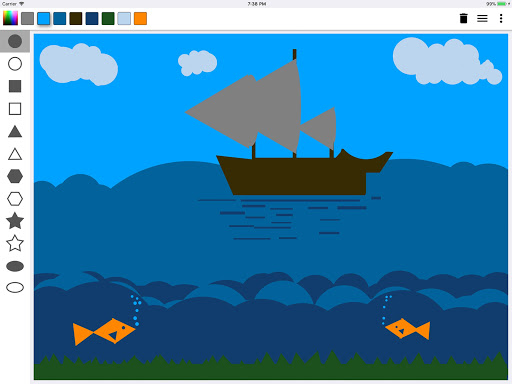
PaintShapes is different from the other painting apps because you are not allowed to draw free lines. Everything you paint must be done through geometric shapes and how they interact with each other. Have fun and get challenged to paint interesting stuff with a limited set of tools.
Check our Instagram page to see examples of creations with the app.
Boost your creativity and artistic skills.
Everything around us is a geometric figure, just find their shapes and draw them here. You will be surprised how your brains start thinking differently to trying to paint what is in your mind. A hint: You should paint thinking in layers, paint from the back to the front.
How to use the app:
1- How to paint:
Select from the right toolbar one of the shapes (filled or just stroke). Then put your finger on the screen and move the finger without lifting it.
2 - How to delete a shape:
You can delete only shape by shape pressing the undo arrow at the top right corner.
3 - How to change colors:
Touch the colorful little square at the top toolbar, select the color at the vertical bar, and then how dark or light you want that color in the big square. Once you have the color you need just touch outside the dialog bounds and the color will be selected and added to the Recent colors bar.
Please, check out:
FACEBOOK: https://www.facebook.com/paintshapes/
INSTAGRAM: https://www.instagram.com/paintshapes/
Check our Instagram page to see examples of creations with the app.
Boost your creativity and artistic skills.
Everything around us is a geometric figure, just find their shapes and draw them here. You will be surprised how your brains start thinking differently to trying to paint what is in your mind. A hint: You should paint thinking in layers, paint from the back to the front.
How to use the app:
1- How to paint:
Select from the right toolbar one of the shapes (filled or just stroke). Then put your finger on the screen and move the finger without lifting it.
2 - How to delete a shape:
You can delete only shape by shape pressing the undo arrow at the top right corner.
3 - How to change colors:
Touch the colorful little square at the top toolbar, select the color at the vertical bar, and then how dark or light you want that color in the big square. Once you have the color you need just touch outside the dialog bounds and the color will be selected and added to the Recent colors bar.
Please, check out:
FACEBOOK: https://www.facebook.com/paintshapes/
INSTAGRAM: https://www.instagram.com/paintshapes/
What's New
This update brings some love to our users by:
- Option to add Images!
- General fixes and improvements.
Thanks for using Paint Shapes! I like to work hard to provide the best experience I can deliver in my free time.
Stay tuned for more cool features that will be available soon!
- Option to add Images!
- General fixes and improvements.
Thanks for using Paint Shapes! I like to work hard to provide the best experience I can deliver in my free time.
Stay tuned for more cool features that will be available soon!
App Information
Version Name
2.0.4
Version Code
20
File Size
2.1 MB
Minimum OS
Android 5.0+
Target SDK
Android 25
Developer
Benny Jon
Contact
Website
Content Rating
Everyone
Package Name
com.bennyjon.paintPermissions Required
This app may request the following permissions:
Recent Reviews

Aqmal Ali
5.0★
The app is great as it has the same mechanics as another game! But, It would be great if you added text, more shapes, gradients and another button to change the way you see the shape, example the heart shape could be thinner or shorter. I hope this is not too much to ask! Great game, I would recommend it.

Christopher Wong
5.0★
Awesome app. I'm no art connoisseur and I was able to make some decent paintings. The app is remarkably intuitive. Painting with shapes is so simple to start but difficult to master, and I feel that this app will do a swell job accompanying me along my journey.
shonta ford
5.0★
This is far the best app out of all the apps i've tried this one is it... Only issue is i wish more shapes could be added so it would'nt require alot of editing and blending other shapes together to get the shape you desire... We need hearts 💜

laura thyme
5.0★
Brilliant! I took a look at the video embedded in the app description in PlayStore (which I suggest first time users watch). Within 5 minutes I was able to draw a flat design drawing just using the shapes. This app must have been produced by creators who understand the concept of painting/sketching broken down into shapes. If you are exploring flat design style illustration or 2D illustration this app is very helpful.

Gametold
1.0★
Waste of time. I was using this for my visual argument homework, and made a decent piece, and can't even properly save it without crashing. Also the controls were lackluster, very dissapointed.

A Google user
4.0★
It's very easy to make and colour geometric shapes. But it doesn't allow to choose templates/pictures from gallery.
Ad slot: In-Content