

Caldwell Ballistic Chronograph
com.battenfeld.chrono
by AOB Products Company
Screenshots
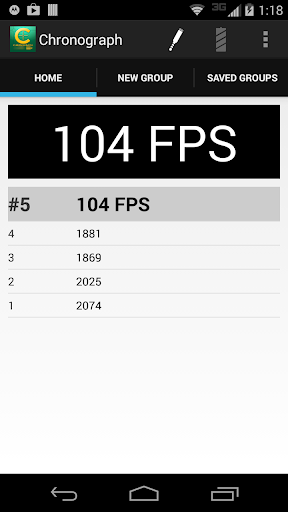

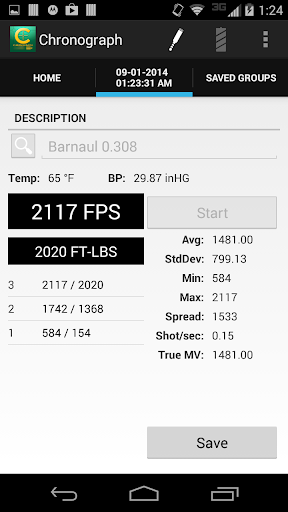


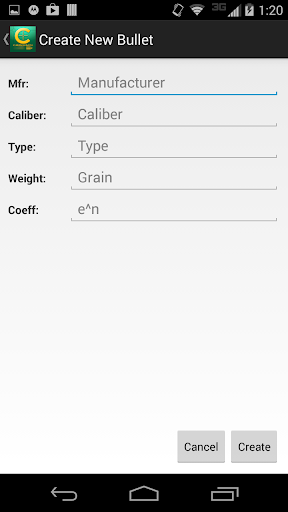


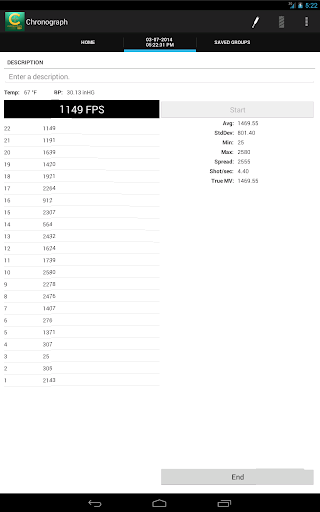


Ad slot: Top Leaderboard
About this app
The Ballistic Chronograph app is for use with the Caldwell line of Ballistic Chronographs supporting a 3.5mm (TRRS) line-out serial port.
For best performance - make sure your device is up to date with the latest software updates provided by your manufacturer and/or carrier.
If you are unable to connect your Android device to the chronometer follow these instructions:
With the audio cable disconnected at both ends…
1. Connect the audio cable to the Android device
2. Connect the audio cable to the Chronometer
Chrono USB Support (v. 1.24+)
NOTE: Not all devices support USB. To test if your device has USB support - download and run USB Host Diagnostics by Chainfire from Google Play.
A USB 2.0 A-Male to B-Male Cable + a USB On-The-Go Connector is required. These cables can be purchased through Amazon.com, Radio Shack, and other retailers.
When prompted to Allow the app Chronograph to access the USB device - Select OK.
If you do not see a prompt - check your connection and try again.
If you are unable to connect the device - Please ensure your device has USB support.
For best performance - make sure your device is up to date with the latest software updates provided by your manufacturer and/or carrier.
If you are unable to connect your Android device to the chronometer follow these instructions:
With the audio cable disconnected at both ends…
1. Connect the audio cable to the Android device
2. Connect the audio cable to the Chronometer
Chrono USB Support (v. 1.24+)
NOTE: Not all devices support USB. To test if your device has USB support - download and run USB Host Diagnostics by Chainfire from Google Play.
A USB 2.0 A-Male to B-Male Cable + a USB On-The-Go Connector is required. These cables can be purchased through Amazon.com, Radio Shack, and other retailers.
When prompted to Allow the app Chronograph to access the USB device - Select OK.
If you do not see a prompt - check your connection and try again.
If you are unable to connect the device - Please ensure your device has USB support.
What's New
Version 1.50 contains the following changes/updates:
• Additional Fixes for Android 14+ support.
• Additional Fixes for Android 14+ support.
App Information
Version Name
1.33
Version Code
30
File Size
1.1 MB
Minimum OS
Android 2.1+
Target SDK
Android 18
Developer
AOB Products Company
Contact
Website
Content Rating
Everyone
Package Name
com.battenfeld.chronoPermissions Required
This app may request the following permissions:
Recent Reviews

Tony Barr
4.0★
Now that I have it working, I like it. I read most every review and the app instructions to figure out what I needed to do. I tried it with a USB C to Audio adapter and that didn't work. I have a Galaxy S10 plus and here is how I got it to work. Trimmed the rubber off one of the plugs so the plug would fully insert and make connection into my audio jack. Enabled all permissions to the Caldwell App in phone settings. I first had microphone and storage enabled and it didn't work. I read in one review where someone had to enable all four for it to work. Start the app, plug in both ends of the cable and then turn the Chronograph on. Then give the app permission to connect. Now it works flawlessly. Hope this helps and good luck.

A Google user
4.0★
so far used for a little over a year it works well. nice to be able store saved groups with all the notes and even a picture of the group. the measuring portion isn't accurate all the time, and it would be nice to be able to edit weather conditions, which it won't allow me to do. all in all the app does what it should plus a little more
A Google user
4.0★
It's a simple yet functional app to go with a simple yet functional chronograph. It took me a while to get my galaxy 6 to sync with the chronograph. The instructions are are a bot misleading, stating that iOS users need to enable the microphone permission but that other phones should be fine. When I couldn't get things to sync I enabled the microphone permission and it syncs fine now. The app does everything that I need and even a bit more when the "show more" feature is enabled.

Jimmy Bob
4.0★
App does not work on my LG G7 ThinQ. Of course it has the latest OS and apps updates. I read through the comments and tried all the "tips". Full app access from settings, etc., etc... I still get a "COM error" every time and it simply will not connect. So, I dug an old Samsung S5 out of my junk drawer, fired it up, loaded the app, connected cables and it worked fine. Go figure .... When the apps working, it's very cool and handy. Love it, when it works ... ;-)
A Google user
5.0★
I have an S9+ and the app works flawlessly. As per the instruction manual, I went into my microphone settings and gave the app permission to use the mic. Once I did that, it started picking up data from the chrono and everything is working as intended. The manual says this is only necessary for iPhones, but it's worth trying for any device that won't read the chrono.

specialsteve23
5.0★
Works as advertised. Misses a few shots now and then. Probably sun issues. I like the Bluetooth connection and the saved groups. Update: after the app updated on 4/13 it no longer connects to my phone. Was working before that. Also crashes a lot when trying to get to my saved groups. Please fix.
Ad slot: In-Content