
KALNIRNAY 2025
com.awt.kalnirnay
by Kalnirnay
Screenshots




Ad slot: Top Leaderboard
About this app
The KALNIRNAY Group is known all over the world as India’s premier almanac publisher. Since its inception in 1973, the group has emerged as the No. 1 and most authentic almanac publisher, providing up-to-date information about India’s festivals, auspicious days and culture of all religions. According to the Audit Bureau of Circulation (India), it is the World’s Largest Selling Publication with a circulation of 1,81,87,168 copies.
Kalnirnay is a calmanac for solar as well as vedic lunar events. It shows lunar dates and year along with regular dates and year. Events are shown in a local language.
Currently Kalnirnay App is available in Marathi, Hindi, English and Gujarati languages.
For any feedback or suggestions, please write it to [email protected]
Important Features of Kalnirnay are :
1) Detail information about lunar events.
2) View of Monthly Bhavishya, Panchang and Auspicious days for marriage.
3) Facility to set reminders for events of interest.
4) Ability to take notes and set reminders for the notes.
5) View of monthly events grouped by categories.
Application supports following features :
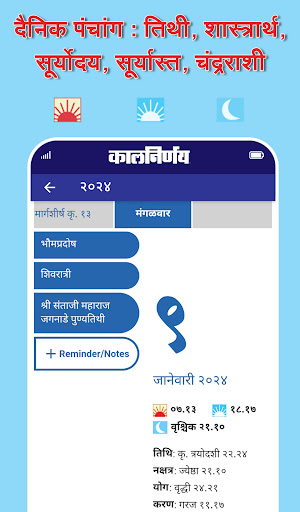
1) Panchang
2) Horoscope
3) Important Dates- This section includes the following sections:
a) All Events - This section includes events for all the religions.
b) Indian Holidays - This section includes list for Government declared holidays in India.
c) Indian Festivals - Includes all the Festivals observed mainly in India.
d) Next Year Events - This section includes list of events of upcoming year.
e) Sankashti - This section shows the details of Sankashti in every month.In important dates section we can also set reminder for each event.
4) Reminder. This is a list of user reminders set for notes as well as events. There are 3 sections :
‘Past’ section shows reminders for past events.
‘Today’ shows reminders due to be shown on current day including any advance warnings.
‘Upcoming’ shows reminders set for even dates in future but does not include advance warnings.
5) Personal List. This section shows list of personal notes by month. Single Note can be added for a day using “Set Reminder” button on this screen. A reminder can be set for a note by clicking ‘Set Reminder’.
6) Settings
a) Reminder Settings - User can set reminders for different events as well as notes.
b) Events to Remind - Events to remind screen shows types of events like Purnima, Sankashti, Gurupushya etc. These types represent group of similar events which repeat throughout the year.
c) Language Settings – User can select Language of his/her choice from the available 4 Languages – Marathi, Hindi, English, Gujarati
d) Location – User can select user specific location in order to customize Sunrise and Sunset timings only. The timing denoted on a particular date will always be shown in IST.
Third party applications like Clean Master, Anti Virus Apps and may affect the performance of Kalnirnay app on certain phone models. User should check/change settings of those particular apps in order to ensure Kalnirnay app functions properly.
Kalnirnay is a calmanac for solar as well as vedic lunar events. It shows lunar dates and year along with regular dates and year. Events are shown in a local language.
Currently Kalnirnay App is available in Marathi, Hindi, English and Gujarati languages.
For any feedback or suggestions, please write it to [email protected]
Important Features of Kalnirnay are :
1) Detail information about lunar events.
2) View of Monthly Bhavishya, Panchang and Auspicious days for marriage.
3) Facility to set reminders for events of interest.
4) Ability to take notes and set reminders for the notes.
5) View of monthly events grouped by categories.
Application supports following features :
1) Panchang
2) Horoscope
3) Important Dates- This section includes the following sections:
a) All Events - This section includes events for all the religions.
b) Indian Holidays - This section includes list for Government declared holidays in India.
c) Indian Festivals - Includes all the Festivals observed mainly in India.
d) Next Year Events - This section includes list of events of upcoming year.
e) Sankashti - This section shows the details of Sankashti in every month.In important dates section we can also set reminder for each event.
4) Reminder. This is a list of user reminders set for notes as well as events. There are 3 sections :
‘Past’ section shows reminders for past events.
‘Today’ shows reminders due to be shown on current day including any advance warnings.
‘Upcoming’ shows reminders set for even dates in future but does not include advance warnings.
5) Personal List. This section shows list of personal notes by month. Single Note can be added for a day using “Set Reminder” button on this screen. A reminder can be set for a note by clicking ‘Set Reminder’.
6) Settings
a) Reminder Settings - User can set reminders for different events as well as notes.
b) Events to Remind - Events to remind screen shows types of events like Purnima, Sankashti, Gurupushya etc. These types represent group of similar events which repeat throughout the year.
c) Language Settings – User can select Language of his/her choice from the available 4 Languages – Marathi, Hindi, English, Gujarati
d) Location – User can select user specific location in order to customize Sunrise and Sunset timings only. The timing denoted on a particular date will always be shown in IST.
Third party applications like Clean Master, Anti Virus Apps and may affect the performance of Kalnirnay app on certain phone models. User should check/change settings of those particular apps in order to ensure Kalnirnay app functions properly.
What's New
* Support for Android Fold Devices
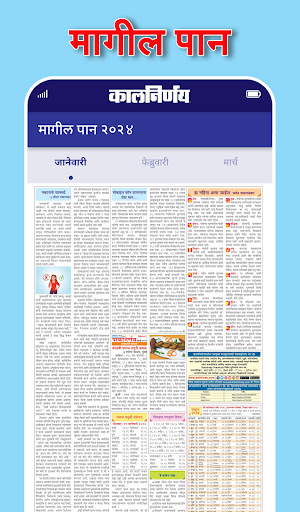
* Integrated Back Page
* Bug Fixes and Enhancements
* Personalized Notification Ringtones
* Introducing : Sleeker Improved Look and Design
* Easy User Interface For Better User Experience
* Easy To Navigate Using The Navigation Bar
* Smooth Scrolling Through The Months
* Share, Search & Menu Options On Home Screen
* Integrated Back Page
* Bug Fixes and Enhancements
* Personalized Notification Ringtones
* Introducing : Sleeker Improved Look and Design
* Easy User Interface For Better User Experience
* Easy To Navigate Using The Navigation Bar
* Smooth Scrolling Through The Months
* Share, Search & Menu Options On Home Screen
App Information
Version Name
4.0.25
Version Code
125
File Size
31.4 MB
Minimum OS
Android 7.0+
Target SDK
Android 33
Developer
Kalnirnay
Contact
Website
Content Rating
Everyone
Package Name
com.awt.kalnirnayPermissions Required
This app may request the following permissions:
Recent Reviews

Prakash H
4.0★
I've to commend the effort to make this app look like the printed calendar, brings back good memories of having this calendar on the wall. However that makes the font very small, zoom should have been easy, it is not. I don't understand why I can't take a screen shot, I can't even forward a specific day's information. You are restricting social sharing, I can't tell my friends this is a great app.

Viraj Shirwalkar
1.0★
Worst. Initial loading takes 20+mins. then ask for notifications permission. All offline contents make the app consume app data up to 40 MB. It looks like you don't know how to use the API. Seems like someone is doing Vibe Coding these days. Your developers are unknown about Android app development. why bother fixing bugs when you don't know the problem?

Eashan Mundada
3.0★
there is a bug in the app. the dates are overlapped, everything is small, can't able to set it to just one specific month, all months showing together, no option to change to just single month as earlier. not looking good, please fix this.

PARIMAL SHEMBEKAR
1.0★
Dear Devloper, I don't mind If I need to buy Kalnirnay app. But Please make sure to release the version advertisement free. Pop-up kind of ads are very irrating & that may cause to get phone virus affected. I also liked the 2014 version but didn't like 2015 version. Please also see if you can release 2016 version like of 2014 version. Thank you, Parimal Shembekar review updated on 15/10/2025. still haven't received any response or update on the same.

somnath mali
3.0★
UI is not showing properly. The screen and all the dates are misaligned in android operating system. please check with developers of this app. there is no option to attach screen shot for evidence. not able to share screen shot to you.

Chandresh Khandar
1.0★
with latest update kalnirnay view has become very narrow, hard to read. previous view was better. it's definitely not good. naive users will never get to see date. only those who knows week starting with date, will know which column to select. who suggested this design and user interface? please note, my previous experience was worth a five star rating.
Ad slot: In-Content