

Avira Security Antivirus & VPN
com.avira.android
by AVIRA
Screenshots


Ad slot: Top Leaderboard
About this app
Your mobile device is your key to the digital world. You can browse the internet, store photos, contacts, emails, and manage payment information. It might be crucial to your job or just a way to connect with those you love, so securing your data is critical. Avira Antivirus gives you all the tools you need to help you stay safe online — and it’s all packed into a single app.
Key Features of Avira Antivirus Security & VPN
• Super-Light Virus Scanner & Cleaner — Scans, blocks, and removes viruses, spyware, malware✓
• Fast VPN— 100 MB daily. Secures data, anonymizes surfing, unblocks geo-restricted websites ✓
• Identity Protection – Checks if your email addresses or accounts have been leaked ✓
• Privacy Advisor – Shows which apps request access to sensitive data ✓
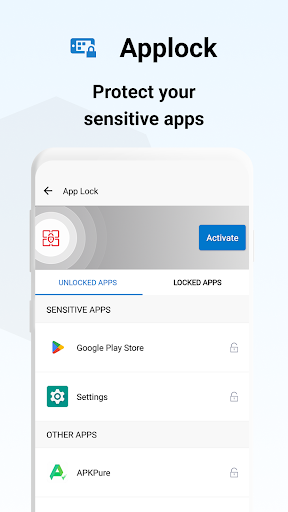
• Applock – PIN protect your sensitive apps (chat, calls, Skype, etc.) ✓
• Clean System – Clean out clutter from your device and stop background apps ✓
• Completely Free — All these features are available for free with Avira Antivirus and VPN✓
The Ultimate Virus Scanner and Remover for Android
Avira Antivirus keeps your Android device free of viruses, malware, spyware, and safe from phishing attacks. It works quietly in the background as you use your device, and the lightweight app won’t disturb your surfing, downloads, or take up large amounts of storage space. It’s simple to use and has an intuitive design, so you can count on our comprehensive suite of antivirus protection tools.
► Virus Scanner and Remover – Regularly scan for viruses and remove any threats.
► Adware and Spyware Antivirus – Block adware and spyware from your device to increase protection while browsing.
► Ransomware Protection – Keep your devices free of ransomware and ensure your data is not accessed by third parties.
The Best Free VPN to Protect Your Android Device
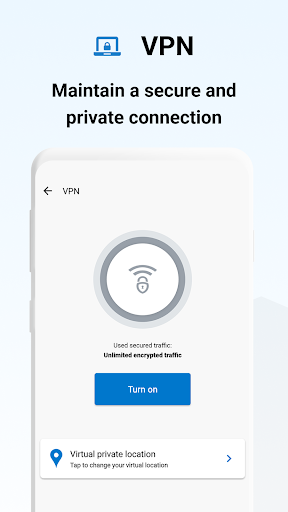
To ensure your Android device is fully protected, we’ve integrated our super-fast VPN directly into the app. Access geo-restricted websites, anonymize your surfing, and increase privacy wherever you are with the Avira international VPN.
► Browse Anonymously – Use the integrated VPN to browse the Internet anonymously.
► Simple to Use — Simple and intuitive to use, you can turn your VPN on and with one click.
► Mobile VPN – Use our VPN at school, at work, or at home. Avira ensures anonymous surfing wherever you go!
Go PRO — The Ultimate Wi-Fi Security, Malware, and Virus Remover
For the most demanding users, Avira provides the ultimate virus and spyware remover alongside completely anonymous web surfing. Go Pro and get these features:
► Microphone Protection – Stop apps listening or accessing your camera.
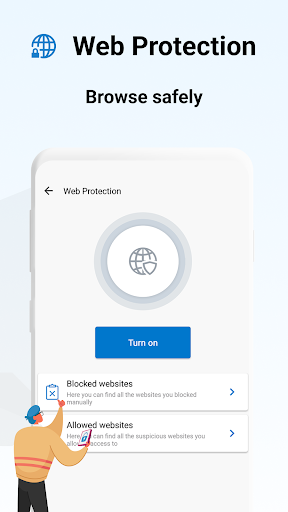
► Web Protection – Block dangerous websites and enjoy the ultimate automatic virus scanner for Android.
LANGUAGES
English, German, French, Dutch, Italian, Spanish, Brazilian Portuguese, Russian, Turkish, Korean, Japanese, and Chinese (simplified and traditional).
SYSTEM REQUIREMENTS
Antivirus for Android is suitable for most Android devices
Avira uses Accessibility Service permission to collect data about:
websites visited and send alerts when malicious websites are detected
apps currently in use to block access to camera/apps specified by you
This app uses the Device Administrator's permission.
Key Features of Avira Antivirus Security & VPN
• Super-Light Virus Scanner & Cleaner — Scans, blocks, and removes viruses, spyware, malware✓
• Fast VPN— 100 MB daily. Secures data, anonymizes surfing, unblocks geo-restricted websites ✓
• Identity Protection – Checks if your email addresses or accounts have been leaked ✓
• Privacy Advisor – Shows which apps request access to sensitive data ✓
• Applock – PIN protect your sensitive apps (chat, calls, Skype, etc.) ✓
• Clean System – Clean out clutter from your device and stop background apps ✓
• Completely Free — All these features are available for free with Avira Antivirus and VPN✓
The Ultimate Virus Scanner and Remover for Android
Avira Antivirus keeps your Android device free of viruses, malware, spyware, and safe from phishing attacks. It works quietly in the background as you use your device, and the lightweight app won’t disturb your surfing, downloads, or take up large amounts of storage space. It’s simple to use and has an intuitive design, so you can count on our comprehensive suite of antivirus protection tools.
► Virus Scanner and Remover – Regularly scan for viruses and remove any threats.
► Adware and Spyware Antivirus – Block adware and spyware from your device to increase protection while browsing.
► Ransomware Protection – Keep your devices free of ransomware and ensure your data is not accessed by third parties.
The Best Free VPN to Protect Your Android Device
To ensure your Android device is fully protected, we’ve integrated our super-fast VPN directly into the app. Access geo-restricted websites, anonymize your surfing, and increase privacy wherever you are with the Avira international VPN.
► Browse Anonymously – Use the integrated VPN to browse the Internet anonymously.
► Simple to Use — Simple and intuitive to use, you can turn your VPN on and with one click.
► Mobile VPN – Use our VPN at school, at work, or at home. Avira ensures anonymous surfing wherever you go!
Go PRO — The Ultimate Wi-Fi Security, Malware, and Virus Remover
For the most demanding users, Avira provides the ultimate virus and spyware remover alongside completely anonymous web surfing. Go Pro and get these features:
► Microphone Protection – Stop apps listening or accessing your camera.
► Web Protection – Block dangerous websites and enjoy the ultimate automatic virus scanner for Android.
LANGUAGES
English, German, French, Dutch, Italian, Spanish, Brazilian Portuguese, Russian, Turkish, Korean, Japanese, and Chinese (simplified and traditional).
SYSTEM REQUIREMENTS
Antivirus for Android is suitable for most Android devices
Avira uses Accessibility Service permission to collect data about:
websites visited and send alerts when malicious websites are detected
apps currently in use to block access to camera/apps specified by you
This app uses the Device Administrator's permission.
What's New
We constantly improve the security, stability, and speed of our products to give you the best experience in the market.
This new version includes:
- Stability and performance improvements
- Bug Fixes
We listen to your feedback to make Avira better for you. Rate us!
All the best,
Your Avira Team
This new version includes:
- Stability and performance improvements
- Bug Fixes
We listen to your feedback to make Avira better for you. Rate us!
All the best,
Your Avira Team
App Information
Version Name
7.24.0
Version Code
240515001
File Size
29.0 MB
Minimum OS
Android 9+
Target SDK
Android 33
Developer
AVIRA
Contact
Website
Content Rating
Everyone
Package Name
com.avira.androidPermissions Required
This app may request the following permissions:
Recent Reviews

A Google user
3.0★
I am a paid user for Prime subscription. I really like their softwares for Windows. It has improved dramatically over a year, and the best I have ever seen on the Market. However, the apps for the Android on the other hand has bugs. For instance, even tho I have enable permission on certain features in the setting, the app still shows that I haven't enable it yet. For one other feature, it won't let me enable this particular permission the setting. It also blocks me using my camera. Disappointed

Vulgar Tech
2.0★
It's free and scans your phone. You can't simply scan a folder. It will repeatedly, annoyingly tell you there's "performance optimizations" when I've told it not to perform performance optimizations. If it's this unwieldy free, it's not for me. This is just a free solution if you think you downloaded something nasty, otherwise I wouldn't bother with it.
A Google user
2.0★
Never noticed whether it actually stopped or blocked anything malicious on my phone. But, the app consumes 82% of my battery life, and severely degrades my cell phone's performance! Plus, the battery monitor with ad notification window keeps popping up repeatedly, making it nearly impossible to use my device. Can't figure out how to uninstall it either. They need to fix this app!

FNIX & Friends
2.0★
Free is not always good. Became a hassle. I tried to free version for about 7 weeks. Tons of ads then around the 3rd week I started getting a white 4x4 banner popping up on the lower right side on my laptop. I couldn't close it and it wasn't in my running apps or processes. The only way to get rid of it was by restarting my laptop. This happened constantly every 3/4 days. Annoying when I'm working. I deleted Avira and haven't happened since then. It's been 2 weeks now.
A Google user
1.0★
Nagging messages to upgrade to pro.........twice a day and have notifications off will unintelligible if this keeps up. New update made things worse. Scanning shows no movement unless you back out. Without backing doesn't look like it is scanning at all. The option to only scan needs to be there. Don't want all the other options such as access to my email and the other critical area I don't need this app to scan. Layout looks just like comodo antivirus. Did they buy you? Or did you steal theirs?

Dragon Craft (Dragon)
5.0★
This app took me thirty seconds to set up, make my account, and start a scan. This app is super easy to use, you can find whatever you need easily, and it scanned more apps and files I even knew I had. I am using the free version, but for only $7.50 a YEAR, you can get web protection and microphone protection. This app is genius. It does regular scans, and you get notified about any errors anywhere on your device. It can even be used to delete clutter from your files! I definitely reccommend it.
Ad slot: In-Content