

MyASUS - Service Center
com.asus.ia.asusapp
by ASUSTeK COMPUTER INC.
Screenshots
Ad slot: Top Leaderboard
About this app
Try it for yourself! Exclusive support software created with the utmost care by ASUS just for you
Want to buy ASUS products, but can’t find your nearest retail outlet?
You have bought an ASUS product, and want to streamline the registration process?
Problems using your ASUS product, and need a simple, reliable and quick way to contact our customer service department?
Download MyASUS now!
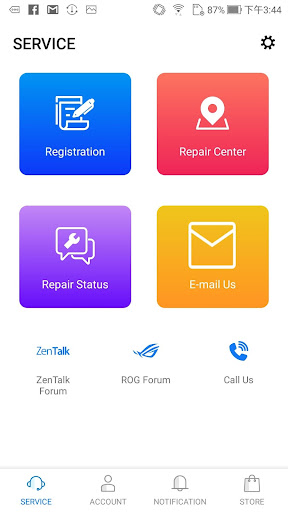
MyASUS enables you to receive new product information at any time, wherever you are, and check for nearby service locations. You can quickly register your product simply by taking a photo of it, and access services such as repair status inquiries, customer service hotlines, and product usage instructions. MyASUS provides the answer to any ASUS-related issue, big or small.
Brand new MyASUS services!
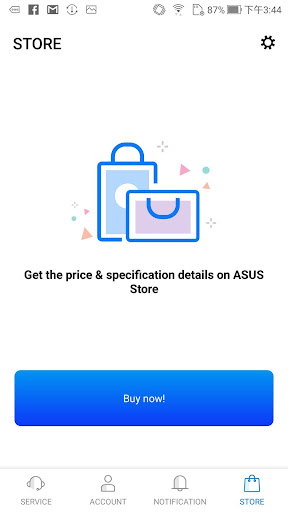
* Get what you want immediately. Purchase online and enjoy fast delivery!
* Enjoy outstanding customer service. Customer service staff are available at any time to help you resolve issues on a one-on-one basis!
Key features:
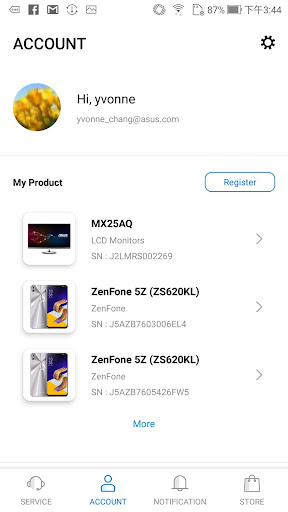
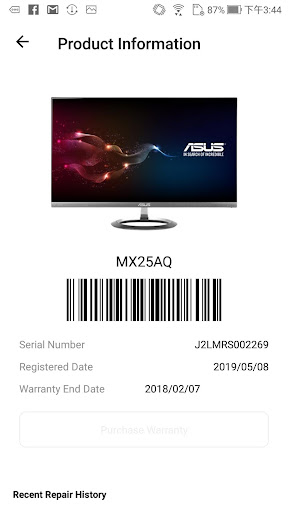
* Even faster product registration! Scan the product bar-code for quick and easy registration of your ASUS product.
* Even faster connection to customer service! Capture a photograph and send it to our customer service department for immediate identification of the problem.
* Map look-up function! Quickly find your nearest ASUS retail outlet.
* Latest product news! Get the latest breaking news about product launches, special offers and exclusive discounts.
* Problems using a product? Ask us! Use the Tech Help feature to get quick answers from our customer service department about using your ASUS products.
Supporting Languages:
Traditional Chinese, English, Simplified Chinese, Russian, Korean, French, German, Thai, Turkish, Vietnamese, Brazilian Portuguese, Italian, Portuguese, Spanish, Indonesian, Polish, Czech, Slovak, Dutch, Norwegian, Danish, Hungarian, Finnish, Swedish, Arabic, Hebrew
Recommended Models:
For the best experience, we recommend using devices running Android OS 6 or later.
Want to buy ASUS products, but can’t find your nearest retail outlet?
You have bought an ASUS product, and want to streamline the registration process?
Problems using your ASUS product, and need a simple, reliable and quick way to contact our customer service department?
Download MyASUS now!
MyASUS enables you to receive new product information at any time, wherever you are, and check for nearby service locations. You can quickly register your product simply by taking a photo of it, and access services such as repair status inquiries, customer service hotlines, and product usage instructions. MyASUS provides the answer to any ASUS-related issue, big or small.
Brand new MyASUS services!
* Get what you want immediately. Purchase online and enjoy fast delivery!
* Enjoy outstanding customer service. Customer service staff are available at any time to help you resolve issues on a one-on-one basis!
Key features:
* Even faster product registration! Scan the product bar-code for quick and easy registration of your ASUS product.
* Even faster connection to customer service! Capture a photograph and send it to our customer service department for immediate identification of the problem.
* Map look-up function! Quickly find your nearest ASUS retail outlet.
* Latest product news! Get the latest breaking news about product launches, special offers and exclusive discounts.
* Problems using a product? Ask us! Use the Tech Help feature to get quick answers from our customer service department about using your ASUS products.
Supporting Languages:
Traditional Chinese, English, Simplified Chinese, Russian, Korean, French, German, Thai, Turkish, Vietnamese, Brazilian Portuguese, Italian, Portuguese, Spanish, Indonesian, Polish, Czech, Slovak, Dutch, Norwegian, Danish, Hungarian, Finnish, Swedish, Arabic, Hebrew
Recommended Models:
For the best experience, we recommend using devices running Android OS 6 or later.
What's New
1.Bug fixed.
App Information
Version Name
4.6.25
Version Code
4625
File Size
9.8 MB
Minimum OS
Android 8.0+
Target SDK
Android 34
Developer
ASUSTeK COMPUTER INC.
Contact
Website
Content Rating
Everyone
Package Name
com.asus.ia.asusappPermissions Required
This app may request the following permissions:
Recent Reviews

Jonathan Cutting
1.0★
ASUS Support is just the worst. The app offers to let you chat with or call support, but there are no links, buttons, or dropdowns that will connect you. You're instead sent through long, dead end menus, which eventually tell you to send an email on their website. There's no way to actually contact support in the app, so there's really no point in installing and using it.

Brandon S
1.0★
Horrible customer support accessibility. The app has a button for online chat support. I go to it and pick my product from the available options and then the app says "no information available" so I go back and skip providing my product type and it still says "no information available." The app completely blocks you from accessing support which is the entire purpose of the app.

Subham Kumar
3.0★
This app is great and has features that are really helpful for the users. I can't find the feedback option in the app, it can be used as an issue receive option, as many users have many problems. One of the problems is the nearby service centre. For me it's difficult to manage my time for my current nearby service centre (as a citizen in Ganjam, Odisha) so these kinds of problems they can register in the feedback section.

Adithya Aneesh
1.0★
It was a highly frustrating experience dealing with the laptop company’s customer support. My device was still under warranty when it suddenly shut down, but since there were no support centers nearby, I contacted their customer service. They initially advised me to wait, so I did – for an entire month – while repeatedly trying to reach out for assistance. Unfortunately, their customer service was practically nonexistent: no chat service, no response to emails, and barely reachable by phone. Now

Shubhongkar Ghosh
3.0★
I mean i am not able to view the repair centre location it says location permission required i had given it and still it is showing permission required for location

Bravo331
1.0★
so far not very good. I have a simple question about adding a ssd to my new laptop. The question is not covered in the faq, so I thought I'd try the chat with an agent The chat will not connect me because it says I have not registered a product, which i have. I registered it on their website and also in the app. The app actually shows my product is registered. As of now the app is useless. There isn't much use for it other than tech support
Ad slot: In-Content