
Calculator - unit converter
com.asus.calculator
by Mobile, ASUSTek Computer Inc.
Screenshots






Ad slot: Top Leaderboard
About this app
Calculator is now available for all Android devices running version 4.1 and above!
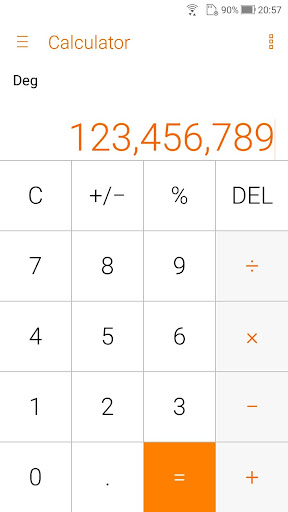
Make easy calculations with ASUS Calculator. This app has simple yet intuitive interface that lets you calculate fast, smooth, and easy. It provides all kinds of features that meet your calculating needs and demands.
Key features
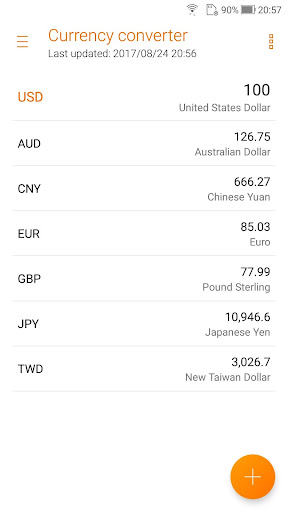
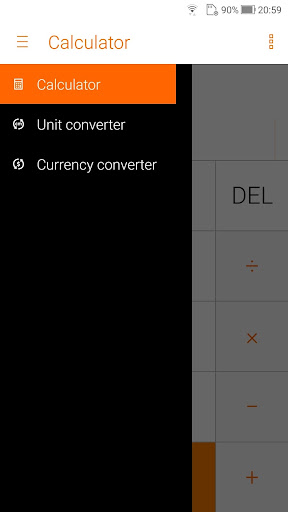
* Unit converter
Conversion of Length, area, weight, volume, speed
* Basic or root operators
+, -, ×, ÷
* Swipe left/right to switch views
Swipe left for standard mode, swipe right for other operators
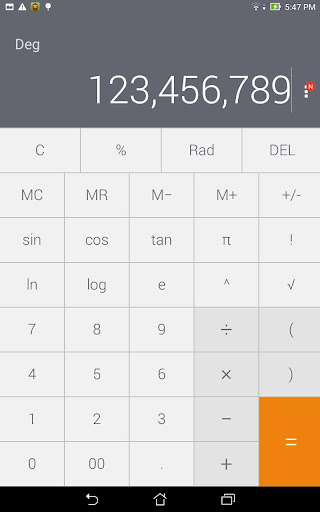
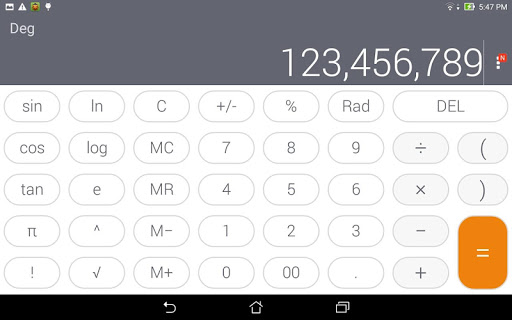
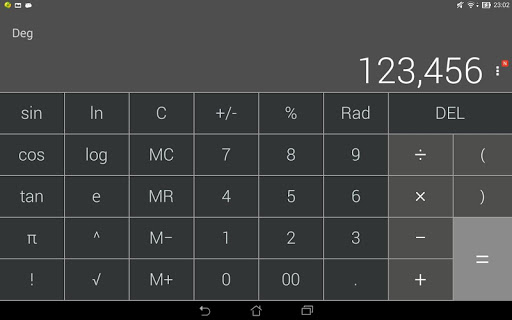
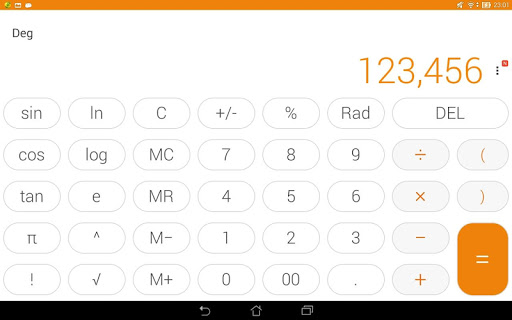
* Standard mode/Scientific mode
Tilt to switch between standard mode and scientific mode
* Other operators
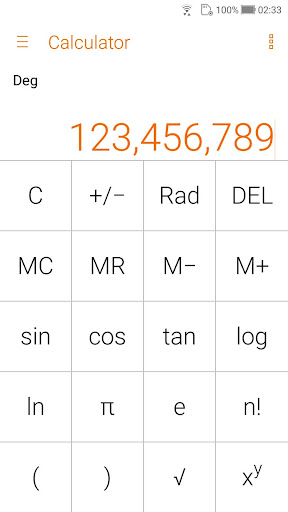
Like %, √, !, π, e,log,ln
* Trigonometric functions in degree or radians
sin,cos,tan, in DEG or RAD
* Easy edit operations
Such as cut, copy, or paste of results in any editing app
* History display
Easy to see your previous calculations via History display
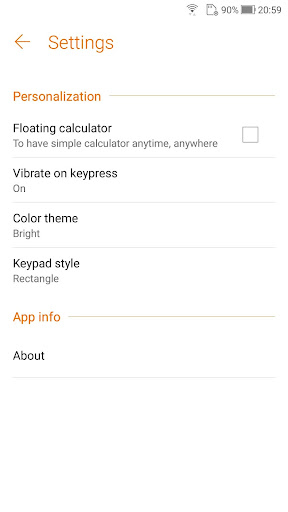
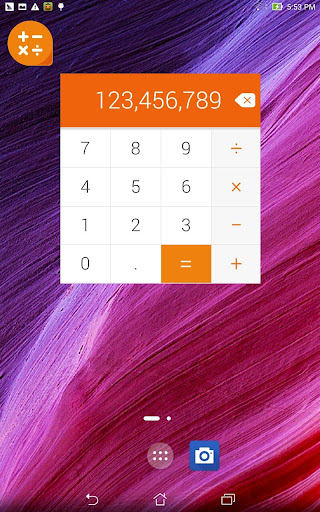
* Floating calculator
Floating Calculator app for quick calculations
* Auto-adjustment of the font size
Fit more digits on the display
* Thousand separators
Helps you count the numbers easily
* Allows a combination of operators in one expression
e.g. √(125÷5) + sin(30x3)
* Easy edit of the inputs using a cursor
Like add, delete, or change a number/operator
Make easy calculations with ASUS Calculator. This app has simple yet intuitive interface that lets you calculate fast, smooth, and easy. It provides all kinds of features that meet your calculating needs and demands.
Key features
* Unit converter
Conversion of Length, area, weight, volume, speed
* Basic or root operators
+, -, ×, ÷
* Swipe left/right to switch views
Swipe left for standard mode, swipe right for other operators
* Standard mode/Scientific mode
Tilt to switch between standard mode and scientific mode
* Other operators
Like %, √, !, π, e,log,ln
* Trigonometric functions in degree or radians
sin,cos,tan, in DEG or RAD
* Easy edit operations
Such as cut, copy, or paste of results in any editing app
* History display
Easy to see your previous calculations via History display
* Floating calculator
Floating Calculator app for quick calculations
* Auto-adjustment of the font size
Fit more digits on the display
* Thousand separators
Helps you count the numbers easily
* Allows a combination of operators in one expression
e.g. √(125÷5) + sin(30x3)
* Easy edit of the inputs using a cursor
Like add, delete, or change a number/operator
What's New
v5.0.0.27
- Fixed bugs
v4.0.0.52
- Change the source of currency exchange rate
- Fine-tune UI design
- Fixed bugs
v4.0.0.0
- Brand new ZenUI 4.0 design
- Remove classic color theme
- Support theme change
- Support app & pinned shortcut
- Fixed bugs
v4.0.0.52
- Change the source of currency exchange rate
- Fine-tune UI design
- Fixed bugs
v4.0.0.0
- Brand new ZenUI 4.0 design
- Remove classic color theme
- Support theme change
- Support app & pinned shortcut
App Information
Version Name
9.0.0.12_220613
Version Code
1590000060
File Size
5.0 MB
Min SDK
Android 27+
Target SDK
Android 31
Developer
Mobile, ASUSTek Computer Inc.
Contact
Website
Content Rating
Everyone
Package Name
com.asus.calculatorPermissions Required
This app may request the following permissions:
Recent Reviews

A Google user
5.0★
I really love this calculator, it helps you a lot of things especially in school and in all other things you want to calculate. Just having trouble with converting the currency, cause this last updated 2016,right? So please update it and it will help more people/students who are using this app!!! Thank you!!!

Rajib Kumar Ghosh
4.0★
It is good enough for calculations. We can use it in offline . Besides tan ,cos,sin ,e,log,√,^. functions are present. We can get the facilities of unit and currency converter also. Even we can see the history in the calculator. But age calculator, tax calculator are not present in the application. 😃😃😊 Overall good app 👍👍.... .......☺️ Keep it up and try to provide good survice . .........

Fransisco Blond
5.0★
ASUS factory installed calculator, that is all the calculator you would ever need. It's not only the calculator but also a unit converter, which features a crazy good currency converter, mainly due to it being highly modifiable. Well.... In my opinion the best currency converter, out of all stand-alone currency converter apps I've tried. The best calculator application I have used on Android.

Dibyendu Das
4.0★
The app is good enough. The requirements are - 1. Any calculation in the search history should be editable for further in future use. 2. GST calculator should be included in the app because now a days it is most wanted. 3. Loan calculator should be included in the app where there must be the options of calculating the EMI, the rate of interest, the tenure of the loan or the principal amount with respect to the other items provided. Thank you.
A Google user
1.0★
calculator is good. currency converter is not working, rates are not updated , its still showing old conversion rate of 2016 , shows error of cannot connect to internet. Moreover asus is not good in providing updates to their products. especially 1 year older products.
A Google user
4.0★
Very useful, light and easy to use. I really like the currency converter but I just can't update it because it keeps on saying 'can't connect to the internet' (the last update was in 2016) . So it becomes useless.
Ad slot: In-Content