

Move to iOS
com.apple.movetoios
by Apple
Screenshots

Ad slot: Top Leaderboard
About this app
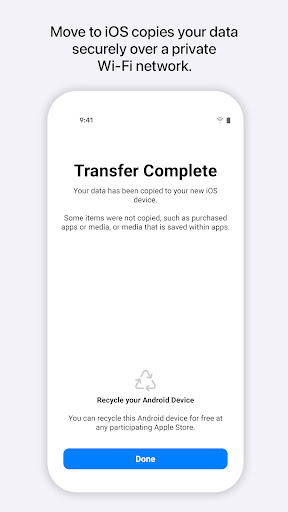
Everything about iOS is designed to be easy. That includes switching to it. With just a few steps, you can migrate your content automatically and securely from your Android device with the Move to iOS app. No need to save your stuff elsewhere before switching from Android. The Move to iOS app securely transfers all kinds of content data for you:
Contacts
Message history
Camera photos and videos
Mail accounts
Calendars
WhatsApp content
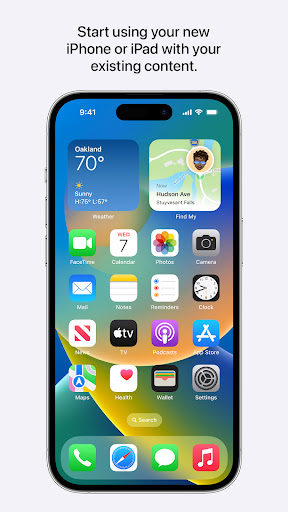
Make sure to keep your devices nearby and connected to power until the transfer is complete. When you choose to migrate your data, your new iPhone or iPad will create a private Wi-Fi network and find your nearby Android device running Move to iOS. After you enter a security code, it will begin transferring your content and put it in the right places. Just like that. Once your content has been transferred, you’re ready to get going. That’s it — you can start using your new iPhone or iPad and experiencing its endless possibilities. Enjoy.
Contacts
Message history
Camera photos and videos
Mail accounts
Calendars
WhatsApp content
Make sure to keep your devices nearby and connected to power until the transfer is complete. When you choose to migrate your data, your new iPhone or iPad will create a private Wi-Fi network and find your nearby Android device running Move to iOS. After you enter a security code, it will begin transferring your content and put it in the right places. Just like that. Once your content has been transferred, you’re ready to get going. That’s it — you can start using your new iPhone or iPad and experiencing its endless possibilities. Enjoy.
What's New
• Faster data migration using a cabled connection between your iPhone and your Android phone (USB-C or USB-C to Lightning)
• Connect over WiFi or Personal Hotspot
• iOS tips are now displayed during migration
• Call history and Dual SIM labels are now migrated
• Voice recordings are now migrated to the Voice Memos app or the Files app depending on the file format
• New languages supported: Bangla, Gujarati, Kannada, Malayalam, Marathi, Odia, Punjabi, Tamil, Telugu, and Urdu
• Connect over WiFi or Personal Hotspot
• iOS tips are now displayed during migration
• Call history and Dual SIM labels are now migrated
• Voice recordings are now migrated to the Voice Memos app or the Files app depending on the file format
• New languages supported: Bangla, Gujarati, Kannada, Malayalam, Marathi, Odia, Punjabi, Tamil, Telugu, and Urdu
App Information
Version Name
3.5.3
Version Code
3031
File Size
6.9 MB
Minimum OS
Android 6.0+
Target SDK
Android 34
Developer
Apple
Contact
Website
Content Rating
Everyone
Package Name
com.apple.movetoiosPermissions Required
This app may request the following permissions:
Recent Reviews

Carrie Saylor
5.0★
Well I'm thinking the people who were successful didn't review because they don't use play store anymore. I was able to download this and activate my new iPhone no problem, whole process was about 25 minutes. You need to have wifi. The bad reviews scared me but after talking to a few different people from Verizon they all said to do it this way. it worked!! I hope it works as good for you as it did me!!

Jenny Aiken
1.0★
This app is garbage. I have done every bit of troubleshooting but it keeps getting stuck at 1 minute left (for 7+hours) until I give up, cancel it, and try again. My WiFi connection is absolutely not the problem, nor is the amount of data being transferred, yet here we are. This is my first iPhone ever and this nightmare of a transfer process has made me seriously question my decision to switch to iOS.

cynthia muaka
1.0★
I am tech support and help clients move to IOS. And let me tell you I have tried using app over 1000+. I have never been able to transfer simple things like photos or important Documents. First of all the estimation are always wrong. The app say 15 minutes until completed . But after an hour. You get an error and have to start all over... waste of time. And it leaves the clients unsatisfied of move to IOS. Especially after such a hype to get an IOS device.

Jeff Staack
1.0★
Biggest POS ever. Apple clearly doesn't want your business, because this is THE WORST piece of software ever. Several years ago, I switched from iPhone to pixel for the photography; plugged in the cable, and 20 min later, my messages, photos, etc were on my new phone easy peasy. Now, trying to go back to iOS, this is the only option; it just plain doesn't work. Looking at reviews, it seems as though it hasn't for years, and 🍎 just doesn't seem to give a damn. Don't waste your time.

Garrett Stephens
1.0★
At this point it's pretty well noted that the app basically doesn't work. What the creaters could probably easily do is allow transfer of small amounts of data at a time, so when it inevitably fails, you can pick back up where you left off--whether it be transferring photos, contacts, etc. At the moment it forces an all or nothing strategy, which pretty clearly explains its current rating. Very sad that there aren't better options.

Rourke Buechel
1.0★
Horrible, I can't get it to work. I've tried restarting both phones, turning on wifi only and turning everything else off including mobile data and Bluetooth and other background apps. It gets hung up at "1 minute remaining". I even let it sit like that overnight for about 7 hours and still nothing. This is why I was afraid to switch to apple and I'm tempted to take the phone back at this point.
Ad slot: In-Content