

Overlays - Floating Launcher
com.applay.overlay
by Illuzion Apps
Screenshots
Ad slot: Top Leaderboard
About this app
Notice: Overlays does NOT support Freeform or window mode for real applications. See list of supported floating Windows below. Please contact me regarding any suggestion or bug.
Overlays - your Floating Launcher!
Launch multiple floating windows on top of any other application to increase your productivity and enjoy true multitasking!
Overlays is a launcher that floats above your launcher.
Unlike your home launcher, it is accessible from anywhere at any time without leaving your current app.
It is packed with features and is fully customizable so explore it well!
Multitasking made easy
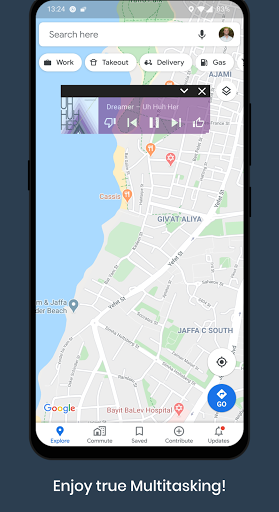
- Listen to music while using other apps
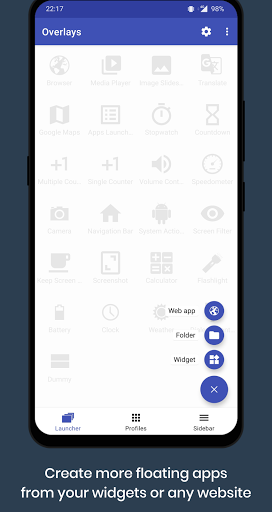
- Multitask with your widgets outside your home launcher
- Turn any website to a floating app
- Minimize your floating windows to floating bubbles
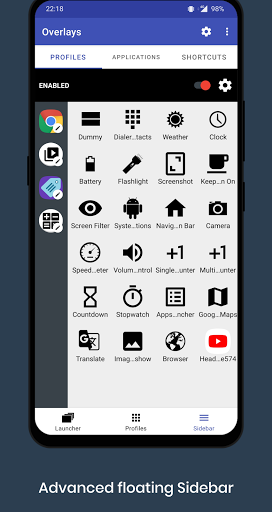
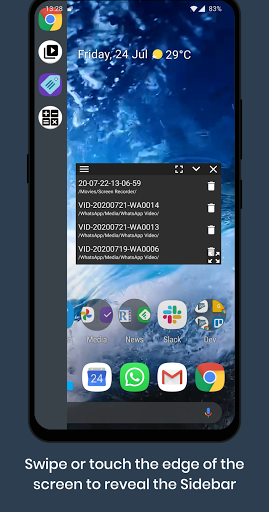
- Use the Sidebar to access your floating windows from anywhere
- Float a screen filter to reduce screen brightness even more!
- Translate text without leaving the current application
- Multitask on your secondary screen (supports Samsung Dex)
- The options are endless!
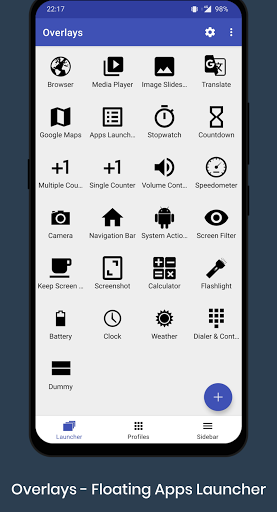
Included Floating Windows
- Floating Widgets
- Floating Shortcuts
- Floating Browser
- Floating Launcher
- Floating Notification History
- Floating Player Controller
- Floating Volume Control
- Floating Sidebar
- Floating Maps
- Floating Image Slideshow (Overlays Pro)
- Floating Media Player for Video & Audio (Overlays Pro)
- Floating Multiple Tally Counter (Overlays Pro)
- Floating Camera, Translate, Stock details, Calculator, Dialer and Contacts, Timer, Stopwatch, Weather, Clock, Battery, Flashlight, Navigation Bar (Assistive touch), Screenshot button (Android 9.0+), Screen Filter, Clipboard (Android 9 and below), Simple Text and more!
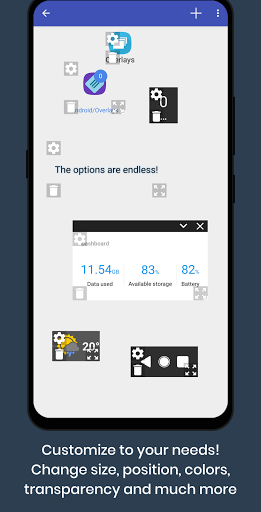
Customize your experience
- Different size and position per screen orientation
- Colors and transparency
- Click through
- Different move options
- Hide on orientation change
- Sticky grid for pixel perfect alignment
- Z-Order: Sort overlays in layers (Overlays Pro)
- Many other options to fully customize your experience!
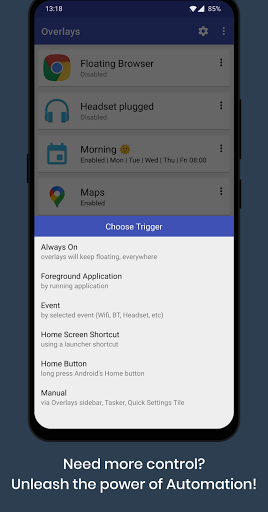
Ready for more? Unleash the power of Automation with Overlays Triggers!
- Show your music widget when you plug in your headset
- Float important shortcuts when in your car
- Switch profiles when connected to your home WiFi
- Launch a floating window only when a specific application is running
- Not enough? Automate everything with Tasker (Overlays Pro)
Automation and AccessibilityService API
If you choose to create a 'Foreground application' trigger or use the Blacklist option, Overlays will require you to enable the AccessibilityService permission in order to identify which application is running in the foreground. Beyond that temporary identification, no data is collected or shared.
Translations
Overlays is fully translated to Hungarian (Thanks to Egyed Ferenc), Spanish, Arabic, Russian, Portuguese and is partially translated to other languages. Please contact me if you want to help and translate it to your language.
Overlays - your Floating Launcher!
Launch multiple floating windows on top of any other application to increase your productivity and enjoy true multitasking!
Overlays is a launcher that floats above your launcher.
Unlike your home launcher, it is accessible from anywhere at any time without leaving your current app.
It is packed with features and is fully customizable so explore it well!
Multitasking made easy
- Listen to music while using other apps
- Multitask with your widgets outside your home launcher
- Turn any website to a floating app
- Minimize your floating windows to floating bubbles
- Use the Sidebar to access your floating windows from anywhere
- Float a screen filter to reduce screen brightness even more!
- Translate text without leaving the current application
- Multitask on your secondary screen (supports Samsung Dex)
- The options are endless!
Included Floating Windows
- Floating Widgets
- Floating Shortcuts
- Floating Browser
- Floating Launcher
- Floating Notification History
- Floating Player Controller
- Floating Volume Control
- Floating Sidebar
- Floating Maps
- Floating Image Slideshow (Overlays Pro)
- Floating Media Player for Video & Audio (Overlays Pro)
- Floating Multiple Tally Counter (Overlays Pro)
- Floating Camera, Translate, Stock details, Calculator, Dialer and Contacts, Timer, Stopwatch, Weather, Clock, Battery, Flashlight, Navigation Bar (Assistive touch), Screenshot button (Android 9.0+), Screen Filter, Clipboard (Android 9 and below), Simple Text and more!
Customize your experience
- Different size and position per screen orientation
- Colors and transparency
- Click through
- Different move options
- Hide on orientation change
- Sticky grid for pixel perfect alignment
- Z-Order: Sort overlays in layers (Overlays Pro)
- Many other options to fully customize your experience!
Ready for more? Unleash the power of Automation with Overlays Triggers!
- Show your music widget when you plug in your headset
- Float important shortcuts when in your car
- Switch profiles when connected to your home WiFi
- Launch a floating window only when a specific application is running
- Not enough? Automate everything with Tasker (Overlays Pro)
Automation and AccessibilityService API
If you choose to create a 'Foreground application' trigger or use the Blacklist option, Overlays will require you to enable the AccessibilityService permission in order to identify which application is running in the foreground. Beyond that temporary identification, no data is collected or shared.
Translations
Overlays is fully translated to Hungarian (Thanks to Egyed Ferenc), Spanish, Arabic, Russian, Portuguese and is partially translated to other languages. Please contact me if you want to help and translate it to your language.
What's New
9.1:
* Added overlays search on Apps tab
* Fixed Toggle Overlay tile crash
* Fixed app crashing on first time start
* Calculator style updated
9.0:
* Android 14+ and Material3 theme support
* Browser overlay now supports Bookmarks
* New overlays menu design
* New overlay: Brightness control
* Fixed long press on overlay in Apps tab not showing options
* Fixed BT and Airplane mode trigger events
* Fixed Google Maps overlay
* Other bug fixes and optimizations
* Added overlays search on Apps tab
* Fixed Toggle Overlay tile crash
* Fixed app crashing on first time start
* Calculator style updated
9.0:
* Android 14+ and Material3 theme support
* Browser overlay now supports Bookmarks
* New overlays menu design
* New overlay: Brightness control
* Fixed long press on overlay in Apps tab not showing options
* Fixed BT and Airplane mode trigger events
* Fixed Google Maps overlay
* Other bug fixes and optimizations
App Information
Version Name
2.5.2
Version Code
59
File Size
3.4 MB
Minimum OS
Android 7.1+
Target SDK
Android 22
Developer
Illuzion Apps
Contact
Website
Content Rating
Everyone
Package Name
com.applay.overlayPermissions Required
This app may request the following permissions:
Recent Reviews

Andraleia Buch (Andi)
2.0★
Major bugs & feature-limitations on a Galaxy S24 Ultra OneUI 6.1 Android 14 Bug: "Long press" is broken, so settings for modules cannot be access. Most modules therefore have no accessible settings. Those with initial-config windows — like choosing an image for the Image module — require the app be uninstalled to change. Issue: GIFs do not animate in the image module. If you purchase the video module, they can't be opened.

Justin Roth
3.0★
2 issues with this app right off the top. When you import anything, all of the preset launchers disappear that you may have edited and saved. Secondly, once you crest a new "folder", it's always there. You cannot remove it. I use it only because there is a striking lack of overlay apps that let me put something across the screen similar to a read ruler. I only give it 3 stars due to this otherwise it would be a 2 star app.

A Google user
5.0★
Great app. The free version has so many features and configurations. Even though I get a high battery usage notification, it doesn't really seem to put too much drain on my battery after extended use. The developer updates and adds features constantly. The app is also easy to turn off if you are really running low on battery so it inst very intrusive. One of my favorite configurations is using a 4x1 music player widget (with some transparency) over google maps, so I can listen to tunes and change tracks while navigating.

Soyer Teje
5.0★
Great idea, exactly what I needed. I own a fold phone made for floating apps, but this is something else. I can add a widget as a small overlay always visible. The sidebar is a nice touch. Triggers on specific events has a lot of potential although they lack some customisation, like Bluetooth connectivity by device to be able to choose if it triggers when connected or in the other way around. Anyway, now I can see what I need at all times. Thank you!

Sammy Be
5.0★
This is a great app! I use an app all the time that has the title in one spot and it burned into my screen on my last phone. This is exactly the app I needed to put a black box over that part to avoid burn in. But now I am excited to find other uses for this. I bought the pro version just cuz I like it so much, even tho I don't need pro features.
A Google user
5.0★
Great app. Easy to use and enables you to add lots of extra to your android device. I can tell the developer really cares about the app as they are quick to respond to whatever issues you contact them about. They were able to find the issue I was having before and are already on their way to fix it. In summary: Great app, and great support. 5 stars.
Ad slot: In-Content