

Full Screen Caller ID
com.androminigsm.fscifree
by Christophe Nys EURL
Screenshots
Ad slot: Top Leaderboard
About this app
📱 Full Screen Caller ID – The Original and Best Caller Screen for Android
Join over 5 million users and 50,000+ premium supporters who have already customized their calling experience!
Thank you all for your incredible support ❤️
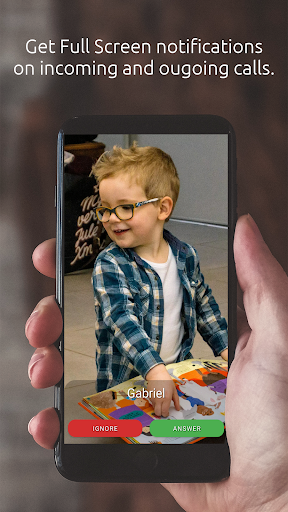
Full Screen Caller ID replaces your default Android call screen with a fully customizable, full-screen experience for incoming, outgoing, and missed calls.
🌟 Features
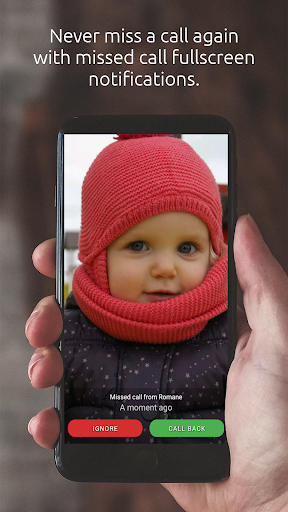
🔹Full-screen notifications for incoming, outgoing, and missed calls
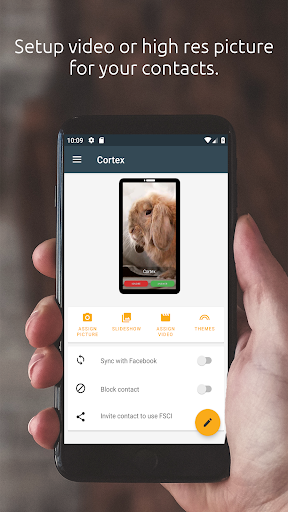
🔹Customizable ringtones for your contacts
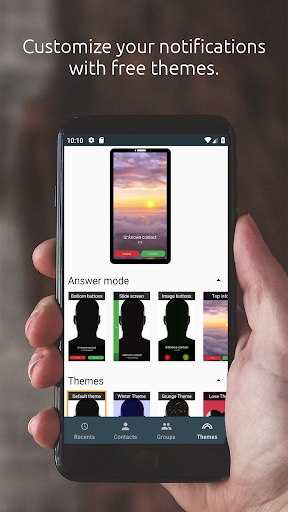
🔹Customizable buttons, fonts, and colors – make it your own
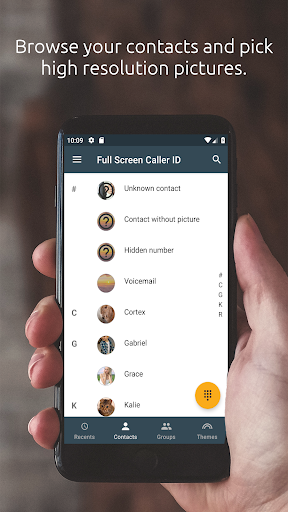
🔹Use photos or videos from your camera, gallery, or online sources
🔹Simple setup – works instantly after installation
🔹HD photo and video caller ID
🔹Contact blocking to stop unwanted calls
💡 Tips
To enjoy full HD photos, make sure to assign pictures from the Full Screen Caller ID app, not from your phone’s default Contacts app.
🛠️ Support
I’m a solo developer, passionate about making your Android experience better.
If you encounter a bug or have a feature request, please contact me with your device model and Android version.
I read every message and continuously improve the app thanks to your feedback!
🚀 Download Now – It’s Free!
Personalize your call screen and make every call stand out.
Get Full Screen Caller ID today on Google Play!
Join over 5 million users and 50,000+ premium supporters who have already customized their calling experience!
Thank you all for your incredible support ❤️
Full Screen Caller ID replaces your default Android call screen with a fully customizable, full-screen experience for incoming, outgoing, and missed calls.
🌟 Features
🔹Full-screen notifications for incoming, outgoing, and missed calls
🔹Customizable ringtones for your contacts
🔹Customizable buttons, fonts, and colors – make it your own
🔹Use photos or videos from your camera, gallery, or online sources
🔹Simple setup – works instantly after installation
🔹HD photo and video caller ID
🔹Contact blocking to stop unwanted calls
💡 Tips
To enjoy full HD photos, make sure to assign pictures from the Full Screen Caller ID app, not from your phone’s default Contacts app.
🛠️ Support
I’m a solo developer, passionate about making your Android experience better.
If you encounter a bug or have a feature request, please contact me with your device model and Android version.
I read every message and continuously improve the app thanks to your feedback!
🚀 Download Now – It’s Free!
Personalize your call screen and make every call stand out.
Get Full Screen Caller ID today on Google Play!
App Information
Version Name
16.1.5
Version Code
692
File Size
20.8 MB
Minimum OS
Android 8.0+
Target SDK
Android 33
Developer
Christophe Nys EURL
Contact
Website
Content Rating
Everyone
Package Name
com.androminigsm.fscifreePermissions Required
This app may request the following permissions:
Recent Reviews

Prophetess Veleta Porter
5.0★
THANK YOU AGAIN FOR THIS UPDATE!! Because of the previous update, I purchased the lifetime ad free! I was not aware of this new version until I saw that after a regular system update, on or about September 28th, this nnewest version of FSCI was uploaded. It took a minute but I'm finally getting the hang of it. However, the minimize option no longer there. the other thing is how can I change the time format from military to 12 hour format❤️❤️❤️❤️

Eddie Zubieta
5.0★
Update: I've been using this app for years, but stopped once Samsung was able to do it natively. I'm back because I've moved over to the OnePlus 13. it only gives a little contact picture. The full screen pictures are beautiful now. The only problem I'm having now is that I don't see a "dialer" icon. I've been using it for years. The app just became the dialer and I cant access video calls. I cant make or receive them. I also used to use the ID for text messages. No longer available.

A Google user
5.0★
I'm VERY happy with this app. It has been much improved. It works flawlessly on my Galaxy Note 9. I love Samsung, but they really need to incorporate this feature into the native calling app instead of customers having to download 3rd party apps. Anyway, I customized my pictures, colors, fonts and other options just the way I wanted. As I have vision problems, finally having a full HD picture to see who is calling instead of the small circle is fantastic. Best of all, NO ADS!! 💛❤🧡

Julianna Di Miceli
4.0★
I really like this app overall. There's 2 things that I hope they fix. 1) There is no way for me to copy and paste a number into the app, or to edit a number without backspacing to the part I need to change. 2) I cannot recreate this problem, so I don't know what causes it. I have an LG ThinQ and sometimes when I am in a call I lose the call screen completely including the little bubble icon and the notification in my drop down menu. If I figure out how to recreate the problem I'll pass it on.

Bee Cameron
3.0★
I like the app but it's slow moving through contacts, it doesn't give an end button to hang up the call, it's got a circle picture on my home screen that won't go away, I'd like to see my favorites on the dial pad instead of phone book, I would also like to see an option to delete the special contacts and either allow me to put something there or make that the full favorites, this app has potential and I would pay for the lifetime if it had these changes. Give more options too choose from.

Martin “smartinks” Wilson
1.0★
Was 5 stars, but the update crashes my Note 20 Ultra after EVERY call. As soon as the call is finished, the screen goes white, & I have to restart the phone. The interface looks like something that is for 5 year olds. It is awful to use. The buttons are too small to touch when you have large fingers, and I can barely see them now. Please give me the original apk to install before the latest update, and I will turn off updates if I can. It's currently uninstalled after years of hassle free use.
Ad slot: In-Content