

KeePassDroid
com.android.keepass
by Brian Pellin
Screenshots
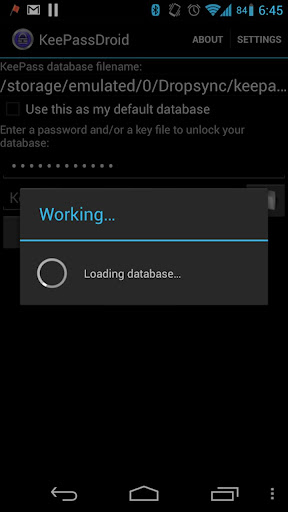

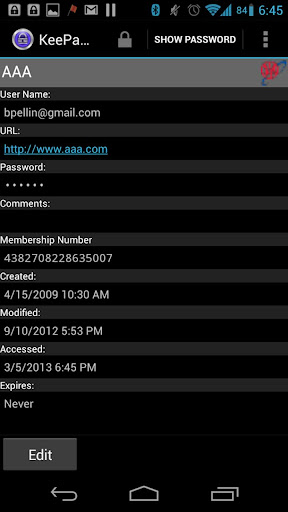

Ad slot: Top Leaderboard
About this app
KeePassDroid is an implementation of the KeePass Password Safe for Android.
Read/write support for .kdb and KeePass 1.x.
Read/write support for .kdbx and KeePass 2.x.
This application does not have access to the Android internet permission for your safety.
Please report issues at https://github.com/bpellin/keepassdroid/issues so I can follow up.
Read/write support for .kdb and KeePass 1.x.
Read/write support for .kdbx and KeePass 2.x.
This application does not have access to the Android internet permission for your safety.
Please report issues at https://github.com/bpellin/keepassdroid/issues so I can follow up.
What's New
Bug fixes
App Information
Version Name
2.0.4
Version Code
138
File Size
1.8 MB
Min SDK
Android 3+
Target SDK
Android 12
Developer
Brian Pellin
Contact
Website
Content Rating
Everyone
Package Name
com.android.keepassPermissions Required
This app may request the following permissions:
Recent Reviews

Dean Osre
5.0★
11/20/20 I'm updating my review to positive. I have used KeyPass for years, was frustrated with losing access to my files. KeepssDroid hsd some oddity where, after using their file/link a certain amount of times, the file will no longer open, the file needed to change, rendering the original file inaccessible. I use it for my Phone, Tablet and PC with Dropsync to sync all with dropbox. 1/17/2020 I'm updating my review after several weeks of annoyance with the Droid app not able to open my files! Very frustrating. It appears that I've lost my latest passwords. I used to recommend this app but until this is fixed.... I can't even use it.

Rob Thedon
2.0★
This app *was* a great example of a no-fuss way to manage passwords. Something appears to have changed in the way it opens database files from Drive. I've had to constantly re-open the file from the file selection screen (remembered location fails to open file). After manually opening, the app fails to store and/or open after biometric auth. I must manually open and type password each time I want to retrieve a password. Convenience has dropped significantly. Please fix!

A Google user
5.0★
The absolute best Password Vault for security, versatility, customizability, personalization, and ease of use! Trust me, I tried LastPass, Dashlane & TruKey before giving KeePass a try and I work I had tried it much earlier. I'm in the cyber security industry, so I know how important it is to actively maintain login credentials, but I'm human so I also know how easy it is to forget to regularly update passwords, and how difficult it is to remember different passwords for every subscription, membership and account. An encrypted Password Vault is not only a convenience in the 21st century, it's a necessity...and as a professional, I recommend KeePass for yours.

Josiah Luscher
5.0★
Fantastic! KeePass is excellent, if you understand what it is and what it isn't. KeePass isn't 'cloud' software. It's a really good local password manager, you're responsible for backing up your password database files. --- There is no 'cloud', it's just someone elses computer! --- If you want security you can depend on, the details matter. KeePass is a powerful tool towards achieving security and convienence.
A Google user
1.0★
What happened to clearing the clipboard? I have my timeouts for clipboard and to lock the app at 1 minute. However I have noticed that recently after accessing some account information, that the username and password in the notification area never go away unless I manually dismiss them. And even when I do manually dismiss the notifications, the password remains in my clipboard for hours at the very least, if not longer, Hours later I can paste, and there's my super secret username and password still there. In fact I took a look in the clipboard and every username and password I have accessed for quite a while is in there. Including my bank account. I am not a happy camper and am busy trying to find a different solution. This is not acceptable.
A Google user
1.0★
I've used this app for years, across probably a dozen devices from phones and tablets to laptops and desktops. It felt like my right hand. Last week, I used it one morning and it was fine. Later that morning, I couldn't log in through my phone. I tried my laptop. Still no luck. Followed the instructions in the error notification; no luck. I have always used just my master password, never biometrics or key file, and I KNOW I didn't forget my password in just over an hour. DON'T TRUST THIS APP!
Ad slot: In-Content