

My APK
com.andatsoft.myapk.fwa
by Andatsoft
Screenshots
Ad slot: Top Leaderboard
About this app
My APK helps you backup your installed apps. List and install regular APK files, split APKs: .apks, .aspk, .apkm, .xapk
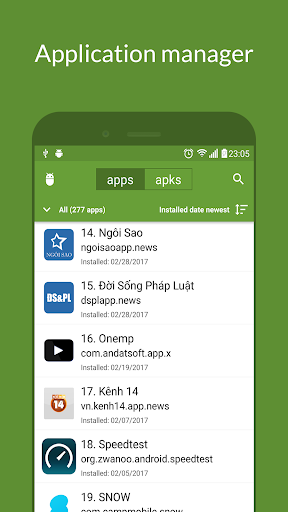
My APK can be used as an app manager.
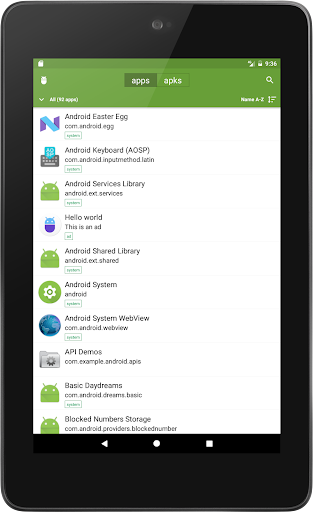
- List all of your apps.
- Filter apps by: system apps, user apps, bundle apps and disable apps.
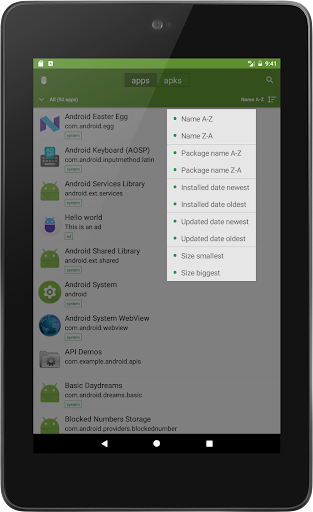
- Sort apps by name, package name, installed and updated date, app size (ascending or descending).
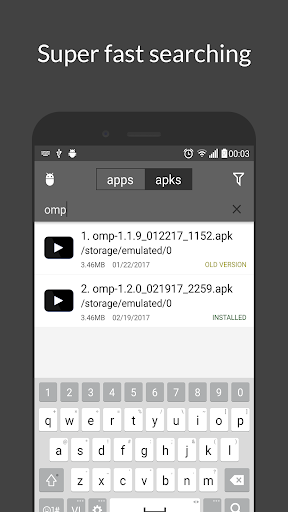
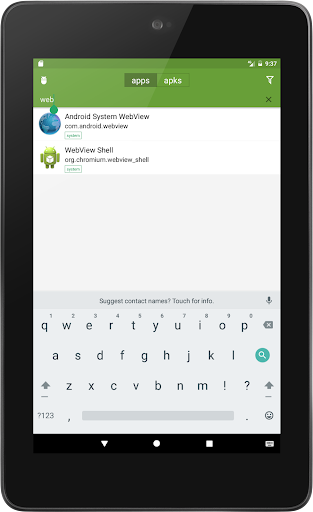
- Search apps quickly by enter its name or package name.
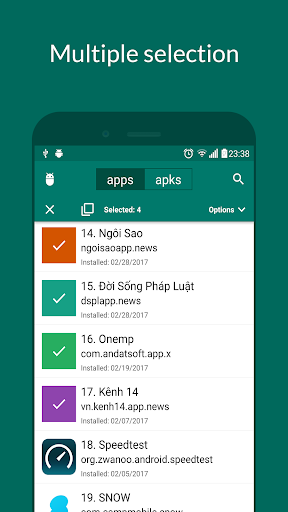
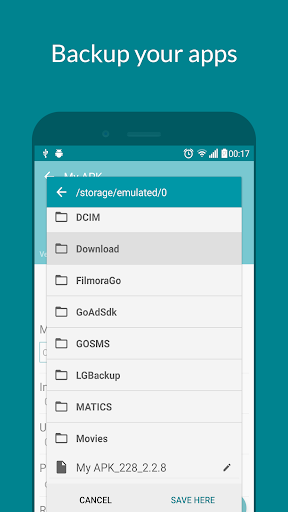
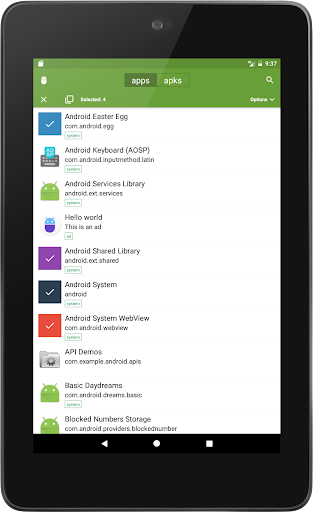
- Extract apps (support batch processing and compress to zip file before saving) to APK or split APKs. It is super fast for even many heavy apps and games.
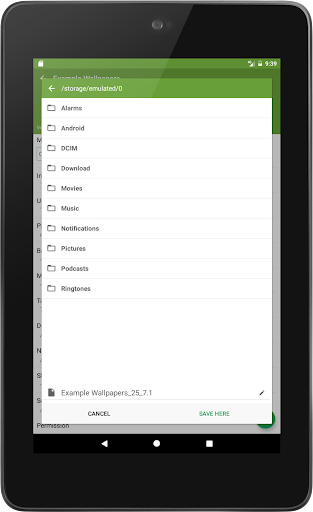
- Save APK to SD card/storage easily with a built in File explorer (You can create new folder here if needed).
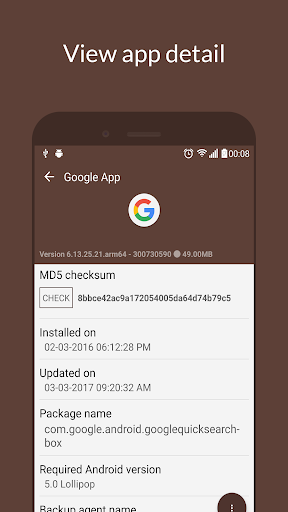
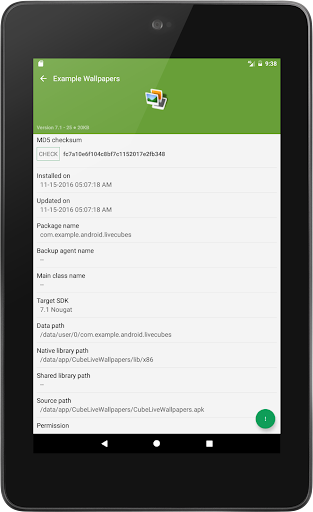
- Check third party app info in a very detail level. It lists all of activities, services, APK permissions, signature, min SDK version,... used in an app.
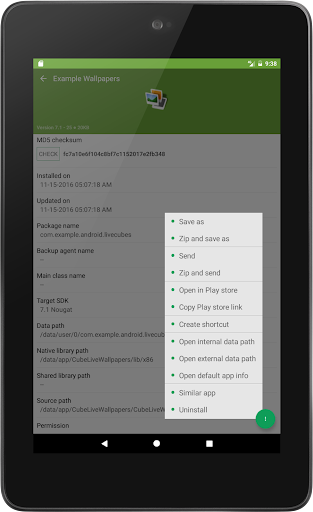
- Share apps via Bluetooth, social network.
- Get link games on Play store (support multiple apps) easily.
- Create shortcut for app (depends on your launcher, the behavior may be different).
- Uninstall apps.
- Search similar apps on Play store.
- Browse app internal and external data folder (works on some file explorers: esfile explorer, etc).
- Extract app icon for your own purpose.
- Support backup for applications installed by the Android App Bundle source (split APKs).
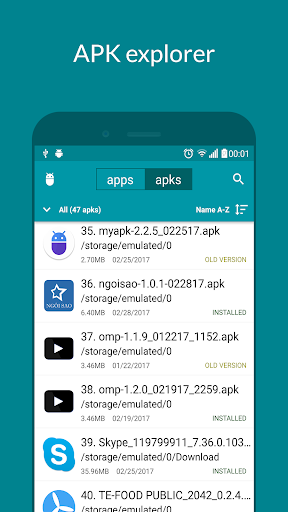
My APK can be used as an APK manager.
- List all of your APK/Split APKs on your device.
- Filter APKs by date (today, yesterday, last 7 days, last 14 days and last 30 days).
- Filter APKs by extension (apks, aspk, xapk and apkm).
- Filter APKs by version status (newer version, older version).
- Sort APKs by name, folder, APK size, modified date, target SDK, version code (ascending or descending). No more third party File explorer to lookup your APK.
- Search APK by name or package name.
- Extract APK detail information (APK permissions, APK signatures and other APK information) before installing.
- Hash Checker: verify APK by checking its md5/sha-1/sha-256 to make sure your copy version of APK is safe to install.
- Install regular APK (universal APK).
- Install split APKs: .aspk, .apks, .xapk, .apkm
- Identify APK installation problems.
- Share APK files or just play store link.
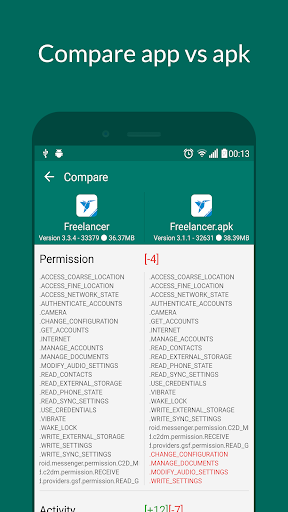
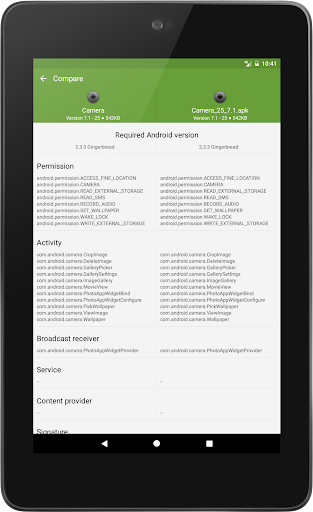
- Compare APK/APP or APK/APK so that you have a chance to know what changed in the newer/older version.
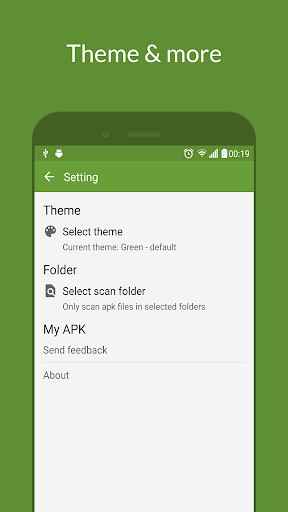
- Be able to select APK scan folders to optimize scanning process.
- Rename multiple APK files (with advanced options)..
- Delete multiple APK files.
- Sign APK with v1 and v2 scheme.
My APK could be used as a simple security scanner tool to detect apps/apks which has ad, sensitive permissions. This feature is called Advanced search.
Built-in tools:
- Device info: View basic information about your device.
- Deep link tester: Verify your deep link to see if it works when clicking on the link from other apps or browsers.
Want to help in localization?. Contribute here: https://crowdin.com/project/my-apk
This version does not require root permission
APK (not aok) means Android package.
Contact us:
Website: https://www.andatsoft.com
Facebook: https://www.facebook.com/andatsoft
Twitter: https://twitter.com/andatsoft
My APK can be used as an app manager.
- List all of your apps.
- Filter apps by: system apps, user apps, bundle apps and disable apps.
- Sort apps by name, package name, installed and updated date, app size (ascending or descending).
- Search apps quickly by enter its name or package name.
- Extract apps (support batch processing and compress to zip file before saving) to APK or split APKs. It is super fast for even many heavy apps and games.
- Save APK to SD card/storage easily with a built in File explorer (You can create new folder here if needed).
- Check third party app info in a very detail level. It lists all of activities, services, APK permissions, signature, min SDK version,... used in an app.
- Share apps via Bluetooth, social network.
- Get link games on Play store (support multiple apps) easily.
- Create shortcut for app (depends on your launcher, the behavior may be different).
- Uninstall apps.
- Search similar apps on Play store.
- Browse app internal and external data folder (works on some file explorers: esfile explorer, etc).
- Extract app icon for your own purpose.
- Support backup for applications installed by the Android App Bundle source (split APKs).
My APK can be used as an APK manager.
- List all of your APK/Split APKs on your device.
- Filter APKs by date (today, yesterday, last 7 days, last 14 days and last 30 days).
- Filter APKs by extension (apks, aspk, xapk and apkm).
- Filter APKs by version status (newer version, older version).
- Sort APKs by name, folder, APK size, modified date, target SDK, version code (ascending or descending). No more third party File explorer to lookup your APK.
- Search APK by name or package name.
- Extract APK detail information (APK permissions, APK signatures and other APK information) before installing.
- Hash Checker: verify APK by checking its md5/sha-1/sha-256 to make sure your copy version of APK is safe to install.
- Install regular APK (universal APK).
- Install split APKs: .aspk, .apks, .xapk, .apkm
- Identify APK installation problems.
- Share APK files or just play store link.
- Compare APK/APP or APK/APK so that you have a chance to know what changed in the newer/older version.
- Be able to select APK scan folders to optimize scanning process.
- Rename multiple APK files (with advanced options)..
- Delete multiple APK files.
- Sign APK with v1 and v2 scheme.
My APK could be used as a simple security scanner tool to detect apps/apks which has ad, sensitive permissions. This feature is called Advanced search.
Built-in tools:
- Device info: View basic information about your device.
- Deep link tester: Verify your deep link to see if it works when clicking on the link from other apps or browsers.
Want to help in localization?. Contribute here: https://crowdin.com/project/my-apk
This version does not require root permission
APK (not aok) means Android package.
Contact us:
Website: https://www.andatsoft.com
Facebook: https://www.facebook.com/andatsoft
Twitter: https://twitter.com/andatsoft
What's New
My APK 3.1.1:
- Bug fixes & improvements
- Bug fixes & improvements
App Information
Version Name
2.0.1
Version Code
201
File Size
3.4 MB
Minimum OS
Android 5.0+
Target SDK
Android 24
Developer
Andatsoft
Contact
Website
Content Rating
Everyone
Package Name
com.andatsoft.myapk.fwaPermissions Required
This app may request the following permissions:
Recent Reviews

Steven Switzer
5.0★
I don't rate 5 often. This app is very comprehensive for managing your apps. It works for bundle apps on up to android 14 for backup and restore. The sorting options are top notch and shows what you need to know. No changes are needed, just please keep it working for us. I donated, will donate again when it works for android 15 (I have a reminder set). Nice work dev and much thanks to you.

A Google user
5.0★
I have found this app extremely useful for my purpose of viewing apks in some folders, validating checksum and correcting package names to app names where necessary. I think this is the only app anywhere which will do this in addition to many more tasks I haven't seen or done. I admire it very much. Question: it doesn't rename? Keeps the file name. Hope it can be taken care of. Thanks for a great app.

John Reagan
3.0★
Add to multiselection the options Uninstall, Send and Export package names as txt with optional setting to include Disable or Enable ADB commands. Filter by Unknown Sources, auto check signature up to X size, and show if the app is official from Google play like APK Pure site. Put internet permission at the top of the list. Don't hide icons on multiselection. Install .apks from external file manager. Bug: With bigger font size you can't see update day on the main list.
A Google user
5.0★
There are dozens of APK apps. My APK does everything I need and does it all better than any app I have tested. It is well designed, provides lots of information about APKs and lots of control over them, looks good, and is free. Yes, there are ads, but they are not intrusive and they are a small price to pay for such an excellent app.

Utkrisht Sridhar
3.0★
Good, but very basic... What is NOT present: 1. Auto-Backup feature - to backup updated apps automatically. 2. Multiple filters - for example, there is no way to view non-system AND app bundles. 3. Didn't find the 'Scan' feature as claimed in app description that will list only the sensitive permissions required. 4. No filter to show External apps/ apps installed using Package Manager (those installed from outside Google Play Store) What is also not good is ads in between line items.
A Google user
2.0★
I didn't mind this app. It had some great features. As well as a pleasant look and layout. However, it is no good to me as it does not support APK backup to the SD card and I noticed all the backups I did make had exactly the same name "base". It's not much good if I don't know one backup from the next. (Phone: Sony Xperia XZ Premium)
Ad slot: In-Content