

tinyCam Monitor
com.alexvas.dvr
by Tiny Solutions LLC
Screenshots
Ad slot: Top Leaderboard
About this app
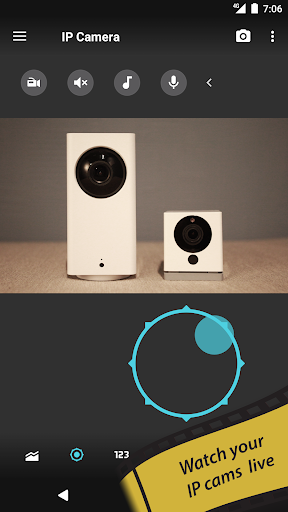
tinyCam Monitor is the best app for remote surveillance, control and digital video recording for your private or public network or IP cameras, video encoders and DVRs.
tinyCam Monitor is the free, ad-supported version of tinyCam Monitor PRO.
Features of tinyCam Monitor:
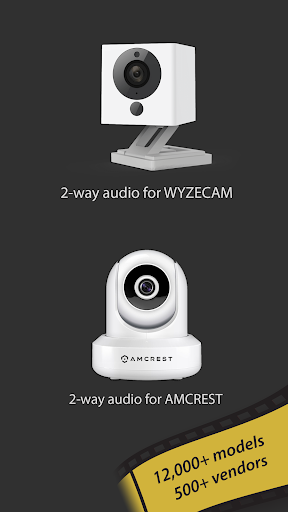
- H.264 codec support for Foscam and Amcrest cameras.
- MPEG4/H264/H265 for many cams via RTSP protocol, e.g. Dahua, FDT, Hikvision, Huisun, Reolink, Sricam.
- ONVIF Profile S IoT devices support, e.g. cheap Chinese cameras.
- P2P support for some models w/ 20 characters UID, e.g. Wyze Cam, Neos SmartCam.
- P2P support for models w/17 characters UID, e.g. CamHi.
- Support for MJPEG based devices of all major vendors, e.g. Axis, DLink.
- 2-way audio (talking and listening).
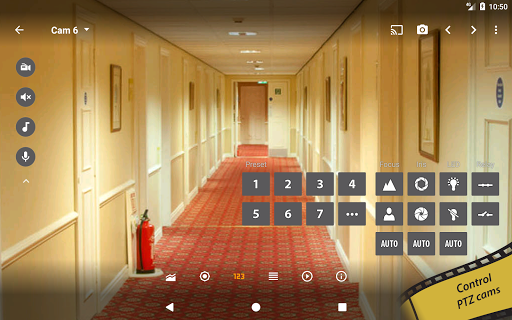
- Control PTZ (Pan/Tilt/Zoom) enabled devices.
- Relay, LED control for some models.
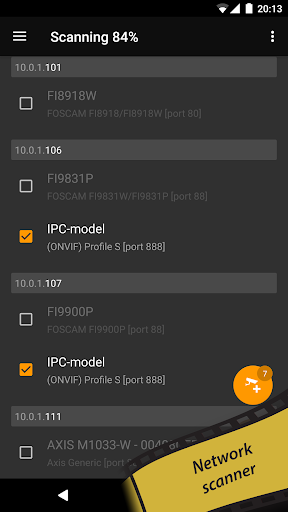
- LAN scanner for automatic cams detection.
- SSL support (HTTPS protocol).
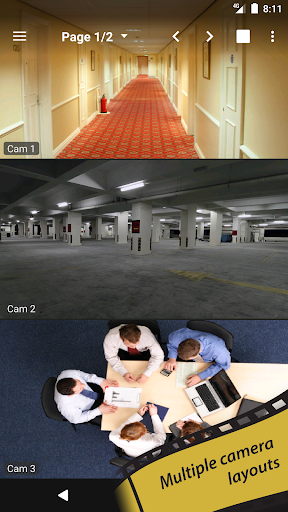
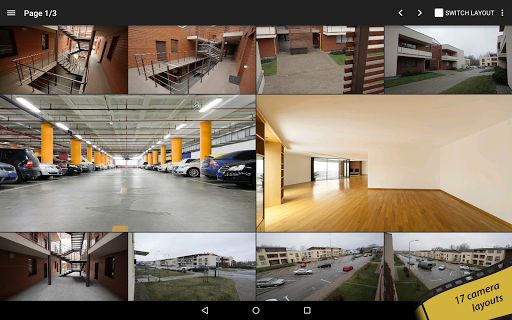
- 17 different layouts with unlimited number of cameras.
- Sequence mode for automatic cameras switching.
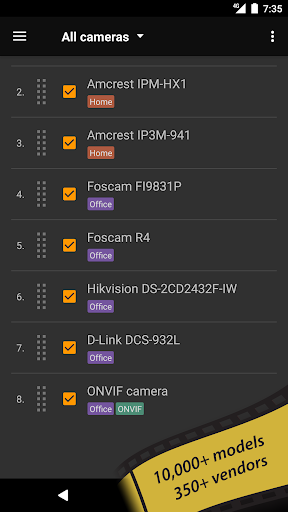
- Group cameras by tags.
- Import/export settings to local storage or cloud services.
- CPU/GPU efficient. HW accelerated video decoding.
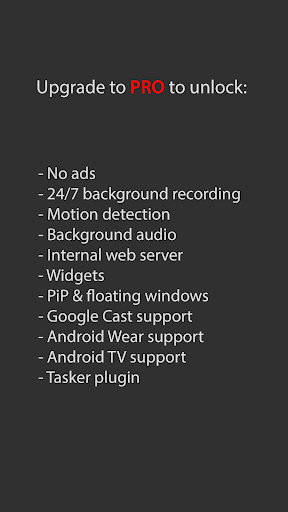
Upgrade to tinyCam Monitor PRO to unlock:
- No ads.
- 24/7 MP4 video recording to local storage, to the cloud (Dropbox, Google Drive, Microsoft OneDrive, ownCloud/NextCloud) and FTP/FTPS server.
- Video player w/ fast/slow archive playback.
- Time-lapse recording.
- Internal web server for remote archive access and live view.
- Support for both in-app and on-camera motion detection (selective models).
- Front/rear Android camera support for use as an IP camera or dashcam. https://goo.gl/5z60mC
- Face detection.
- Audio real-time processing (squelch & alarm) for using it as a baby monitor with audio graph.
- Audio monitoring from multiple cameras at once.
- Melody playback via camera speaker. https://goo.gl/zsWC4z
- Background audio.
- Sensors support (e.g. temperature sensor, humidity, etc.).
- Google Cast™ Ready (Chromecast) support. https://goo.gl/g1d8yz
- Android Wear support. https://goo.gl/eZgaMt
- Widgets, floating windows. https://goo.gl/Eu0jZR
- Android TV interface w/ PiP support on Android TV 7.0+. http://goo.gl/MzZyoc
- Tasker plugin. https://goo.gl/lAvDdC
Check the list of supported manufacturers:
https://tinycammonitor.com/support.html
Want more public webcams? Install Worldscope Webcams free app for integration with tinyCam.
http://goo.gl/c4Ig2Z
Follow us:
Web: https://tinycammonitor.com
Reddit: https://reddit.com/r/tinycam/
Facebook: https://facebook.com/tinycammonitor
YouTube: https://youtube.com/user/tinycammonitor
Twitter: @tinycammonitor
Help the app to be translated!
https://crowdin.net/project/tinycammonitor
All company names and products are trademarks or registered trademarks of their respective companies.
tinyCam Monitor is the free, ad-supported version of tinyCam Monitor PRO.
Features of tinyCam Monitor:
- H.264 codec support for Foscam and Amcrest cameras.
- MPEG4/H264/H265 for many cams via RTSP protocol, e.g. Dahua, FDT, Hikvision, Huisun, Reolink, Sricam.
- ONVIF Profile S IoT devices support, e.g. cheap Chinese cameras.
- P2P support for some models w/ 20 characters UID, e.g. Wyze Cam, Neos SmartCam.
- P2P support for models w/17 characters UID, e.g. CamHi.
- Support for MJPEG based devices of all major vendors, e.g. Axis, DLink.
- 2-way audio (talking and listening).
- Control PTZ (Pan/Tilt/Zoom) enabled devices.
- Relay, LED control for some models.
- LAN scanner for automatic cams detection.
- SSL support (HTTPS protocol).
- 17 different layouts with unlimited number of cameras.
- Sequence mode for automatic cameras switching.
- Group cameras by tags.
- Import/export settings to local storage or cloud services.
- CPU/GPU efficient. HW accelerated video decoding.
Upgrade to tinyCam Monitor PRO to unlock:
- No ads.
- 24/7 MP4 video recording to local storage, to the cloud (Dropbox, Google Drive, Microsoft OneDrive, ownCloud/NextCloud) and FTP/FTPS server.
- Video player w/ fast/slow archive playback.
- Time-lapse recording.
- Internal web server for remote archive access and live view.
- Support for both in-app and on-camera motion detection (selective models).
- Front/rear Android camera support for use as an IP camera or dashcam. https://goo.gl/5z60mC
- Face detection.
- Audio real-time processing (squelch & alarm) for using it as a baby monitor with audio graph.
- Audio monitoring from multiple cameras at once.
- Melody playback via camera speaker. https://goo.gl/zsWC4z
- Background audio.
- Sensors support (e.g. temperature sensor, humidity, etc.).
- Google Cast™ Ready (Chromecast) support. https://goo.gl/g1d8yz
- Android Wear support. https://goo.gl/eZgaMt
- Widgets, floating windows. https://goo.gl/Eu0jZR
- Android TV interface w/ PiP support on Android TV 7.0+. http://goo.gl/MzZyoc
- Tasker plugin. https://goo.gl/lAvDdC
Check the list of supported manufacturers:
https://tinycammonitor.com/support.html
Want more public webcams? Install Worldscope Webcams free app for integration with tinyCam.
http://goo.gl/c4Ig2Z
Follow us:
Web: https://tinycammonitor.com
Reddit: https://reddit.com/r/tinycam/
Facebook: https://facebook.com/tinycammonitor
YouTube: https://youtube.com/user/tinycammonitor
Twitter: @tinycammonitor
Help the app to be translated!
https://crowdin.net/project/tinycammonitor
All company names and products are trademarks or registered trademarks of their respective companies.
What's New
6.7.9
- Smooth scrolling when image digitally zoomed in. https://goo.gl/3IqHnA
- Stability improvements for Foscam HD cameras.
- Android N fix for Foscam cameras.
- Screen flashing fix on HW/HW+ decoder.
- Fixed H.265 HW+ decoder.
- Power safe mode uses Android N sustained performance mode.
6.7.8
- Horizontal 2 cams layout https://goo.gl/KvtS7j
- Preserving image digital zoom on reconnection.
6.7.4
- tinyCam Cloud (BETA) plugin support. Should be installed separately.
https://goo.gl/fQlcv1
- Smooth scrolling when image digitally zoomed in. https://goo.gl/3IqHnA
- Stability improvements for Foscam HD cameras.
- Android N fix for Foscam cameras.
- Screen flashing fix on HW/HW+ decoder.
- Fixed H.265 HW+ decoder.
- Power safe mode uses Android N sustained performance mode.
6.7.8
- Horizontal 2 cams layout https://goo.gl/KvtS7j
- Preserving image digital zoom on reconnection.
6.7.4
- tinyCam Cloud (BETA) plugin support. Should be installed separately.
https://goo.gl/fQlcv1
App Information
Version Name
17.2.1 - Google Play
Version Code
68530
File Size
146.0 MB
Min SDK
Android 24+
Target SDK
Android 33
Developer
Tiny Solutions LLC
Contact
Website
Content Rating
Everyone
Package Name
com.alexvas.dvrPermissions Required
This app may request the following permissions:
Recent Reviews

Bill Boyd
5.0★
What an awesome job the dev has done on this! The free version is not stripped of the useful features, and the pro version really is for the pro users. The interface is clean and well laid out. Most importantly it works with a multitude of cameras. I even set it up in conjunction with ContaCam that's running on a PC in my home, enabling the monitoring of USB cameras! Edit* 7 years later and still the best! Just purchased pro just to say thanks. Thanks!

Jacek Radko
4.0★
Decided to try out the app before I spent some money. I'm definitely surprised by the interface and quality. It was easily able to find the original smart plug wifi spy camera that NO OTHER APP COULD. It was also able to add one of my eufy cameras (2C) without problems. The only reason I didn't give 5 stars is that it said it would add doorbell cameras, but I didn't see any available. The app is far better than the one that was supplied (Camama). If I could add the other eufy, I would buy it

Kwok Hung, Alex Yau
4.0★
In general, the features and settings are pretty good and customizable, almost approaching into perfect. However, the only thing cannot be used, is the 2-way speaking. When i press the mic button in a cam session, the button pressing animation ends in a second. If this can be resolved, then I'll be confident to buy the PRO version.

Peter
1.0★
If this is the best then I wont bother trying anything else. Might as well throw my camera away. Instructions (the ones I could find on the net as the app itself doesn't appear to have any) are terrible and it doesn't work properly. Found the camera ok but wouldn't accept the camera name and password I had just put in. Just kept cycling on the name and password page. Maybe I'm doing something wrong but the instructions are so poor I cant tell. I understand its a free app so wasn't really expecting much but even so, if you are putting something out there at least go to the trouble of putting decent instructions out as well.

Darren Loftin
4.0★
Installed on 3 Sony Google TV's and an Nvidia Shield Pro. Navigating the app can be a little bit of a pain but it's an otherwise functional app to view cameras on the TV. A note to anyone setting up hikvision cameras: when you're ready to throw in the towel and just give up, disable stream encryption and try that rtsp stream one last time direct from the NVR. If you can pull the stream from VLC, it'll work on the TV. PTZ controls work, but they could stand to be refined.

Chris C
3.0★
The free version is better than the paid for version in my opinion. I bought the pro version many many years ago and have used it constantly since but I have now reverted to the free version even though my Pro licence is still valid. For whatever reason the pro version is broken, by this I mean that it is dropping between 98-100% of frames on a 2Mb stream (rendering it useless) whereas the free version is dropping no more than 8% of frames on the same stream.
Ad slot: In-Content