
ai.type Keyboard & Emoji 2022
com.aitype.android.f
by ai.type
Screenshots



Ad slot: Top Leaderboard
About this app
ai.type is the smartest, most personalized keyboard for smartphones and tablets. With over 50 million users worldwide, we transform the messaging experience.
Support new Emoji 12.1 for 2020
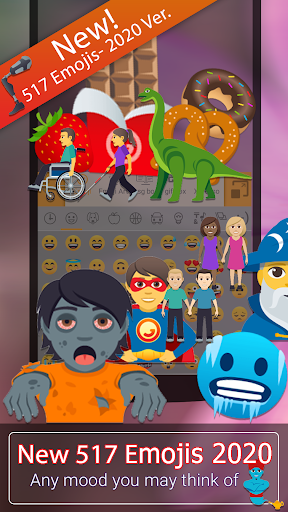
NEW 😍 517 new emojis
New design for all emojis!
Shown for the first time are otter emoji, ringed planet, beverage box, and pinching hand emojis, amongst other
👫 Woman and Man Holding Hands
👭 Women Holding Hands
👬 Men Holding Hands
In total, 23 new gender-neutral emojis have been added to the mix. These include a gender-neutral fire fighter, astronaut, person in wheelchair, judge, and more. With skin-tone support included.
To get the new emojis, You must download latest "ai.type Emoji Keyboard plugin"
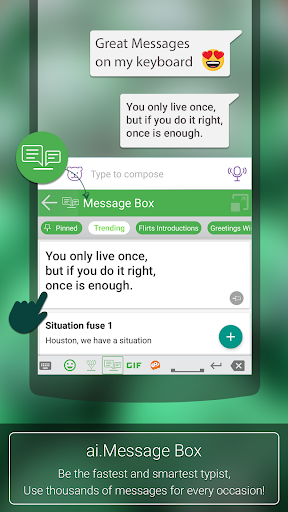
Our app lets you type better and faster by learning your writing style, it allows you to customize and personalize your keyboard the way you like.
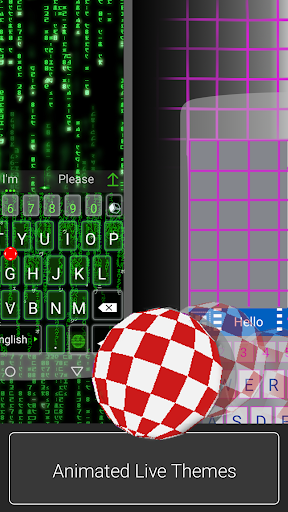
*** Enjoy unlimited premium features, completely ad free experience, animated themes, Plus exclusive themes and more…
Feature-set highlights
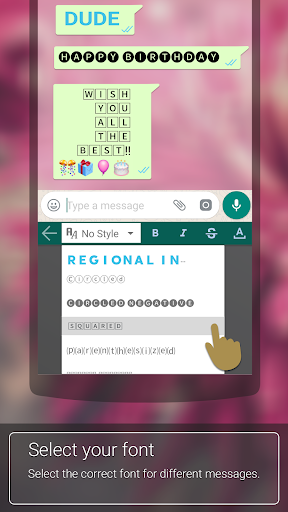
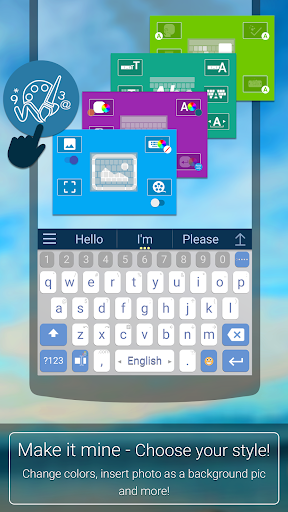
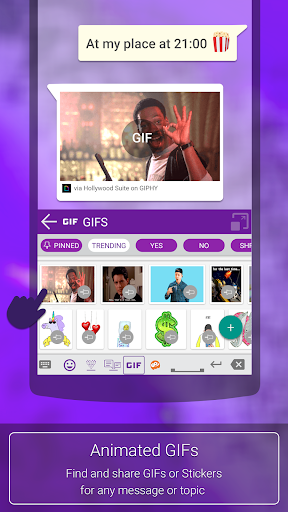
Design keyboard layout, change themes, colors, fonts, use more than 800 emoji, and express yourself exactly the way you want to.
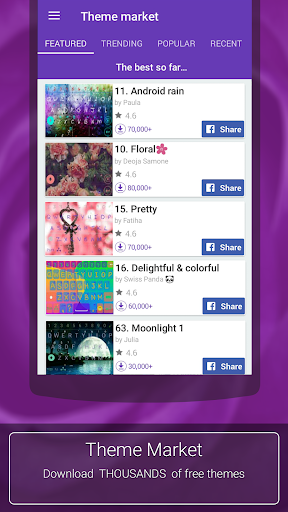
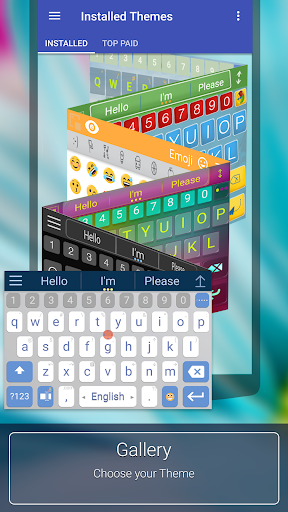
★ Thousands of free themes - Choose any of the free and attractive keyboard themes out of thousands available themes as part of our Theme Market.
★ Design and share your own theme - Design personalized layout (background, colors, fonts…), Share theme with friends and upload theme to our app Theme Market where millions of other users can see, rate and ⬇ download them.
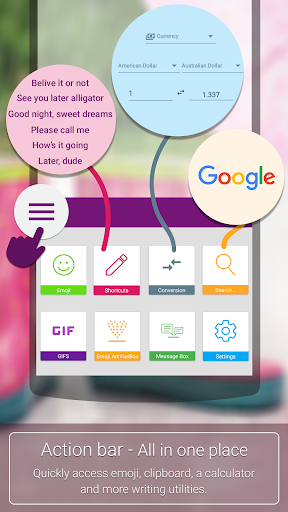
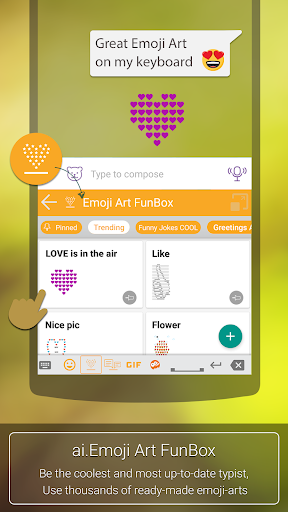
★ Emoji Support - Enjoy our new Emoji scrollable layout helping you to easily navigate through 800 different emoji and more than 1000 graphical chars.
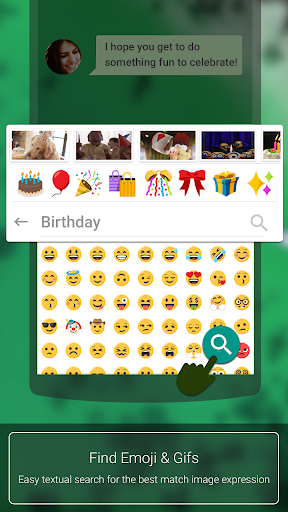
★ Auto suggested Emojis - Let us help and suggest the right 🙏 Emoji 😍 based on the words you use and context 🚄💑 🍩.
★ Next word prediction, completion & auto-correction - Context based next word prediction and auto-correction based on your own unique writing style. Auto prediction, available in more than 50 languages
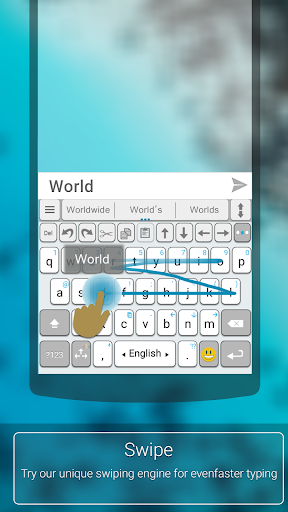
★ Swipe - Write faster by swiping your finger from key to key.
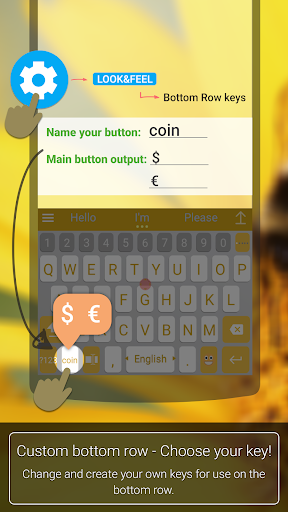
★ Personalize - Select 🔧 your keyboard's look & feel, functionality and create your own custom keys & shortcuts. Set ANY image as your background image
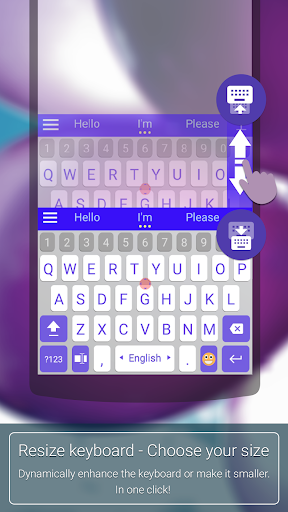
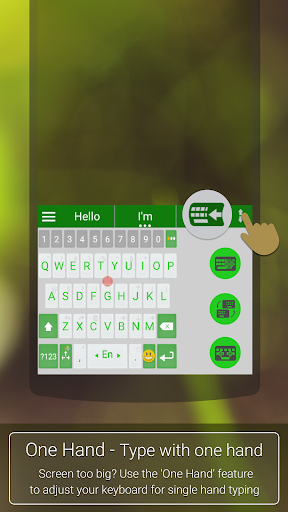
Dynamically resize your keyboard size according to your needs.
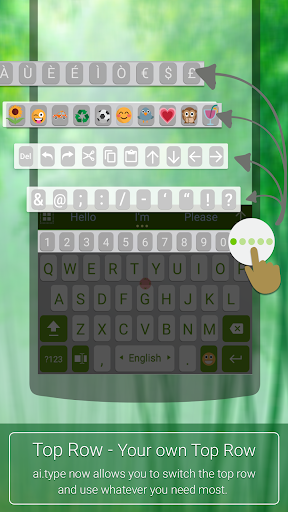
★ Efficient top row.Use our top (5th) row to efficiently add numbers, punctuation and emoji, from within the primary keyboard screen.
★ On-keyboard search 🔎 - to help you find text instantly.
★ Voice Narration - Dictates 🔊 the words as you type them.
★ Privacy - Your privacy is our main concern. We will never share your data or learn from password fields. Text stays encrypted and private.
Language Support
Afrikaans
Albanian-Shqip
Arabic-العربية
Armenian-Հայերեն
Azerbaijani-azərbaycan dili
Belarusian-беларуская мова
Bengali-বাংলা
Bulgarian-български език
Catalan-català
Chinese-中国简化
Croatian-hrvatski jezik
Czech-čeština
Danish-dansk
Dutch-Nederlands
English
Estonian-eesti
Finnish-suomi
French-français
Georgian-ქართული
German-Deutsch
Greek-ελληνικά
Hebrew-עברית
Hindi-हिन्दी, हिंदी
Hungarian-magyar
Indonesian-Bahasa Indonesia
Italian-italiano
Kannada-ಕನ್ನಡ
Korean
Latvian-latviešu valoda
Lithuanian-lietuvių kalba
Macedonian-македонски
Norwegian-Norsk
Persian
Polish-polszczyzna
Portuguese-português
Punjabi
Romanian-limba română
Russian-русский
Serbian-српски језик
Slovak-slovenčina
Slovene-slovenščina
Spanish-español
Swahili-Kiswahili
Swedish-Svenska
Tagalog
Tamil
Telugu
Turkish
Ukrainian
Urdu
Vietnamese
Privacy Note: All information is locally stored on smartphone’s vocabulary.
Support & Questions
Visit our Help & FAQ pages to find videos, answers & tips, and open a support request: http://www.aitype.com/support/
You can also send us an email to [email protected].
Support new Emoji 12.1 for 2020
NEW 😍 517 new emojis
New design for all emojis!
Shown for the first time are otter emoji, ringed planet, beverage box, and pinching hand emojis, amongst other
👫 Woman and Man Holding Hands
👭 Women Holding Hands
👬 Men Holding Hands
In total, 23 new gender-neutral emojis have been added to the mix. These include a gender-neutral fire fighter, astronaut, person in wheelchair, judge, and more. With skin-tone support included.
To get the new emojis, You must download latest "ai.type Emoji Keyboard plugin"
Our app lets you type better and faster by learning your writing style, it allows you to customize and personalize your keyboard the way you like.
*** Enjoy unlimited premium features, completely ad free experience, animated themes, Plus exclusive themes and more…
Feature-set highlights
Design keyboard layout, change themes, colors, fonts, use more than 800 emoji, and express yourself exactly the way you want to.
★ Thousands of free themes - Choose any of the free and attractive keyboard themes out of thousands available themes as part of our Theme Market.
★ Design and share your own theme - Design personalized layout (background, colors, fonts…), Share theme with friends and upload theme to our app Theme Market where millions of other users can see, rate and ⬇ download them.
★ Emoji Support - Enjoy our new Emoji scrollable layout helping you to easily navigate through 800 different emoji and more than 1000 graphical chars.
★ Auto suggested Emojis - Let us help and suggest the right 🙏 Emoji 😍 based on the words you use and context 🚄💑 🍩.
★ Next word prediction, completion & auto-correction - Context based next word prediction and auto-correction based on your own unique writing style. Auto prediction, available in more than 50 languages
★ Swipe - Write faster by swiping your finger from key to key.
★ Personalize - Select 🔧 your keyboard's look & feel, functionality and create your own custom keys & shortcuts. Set ANY image as your background image
Dynamically resize your keyboard size according to your needs.
★ Efficient top row.Use our top (5th) row to efficiently add numbers, punctuation and emoji, from within the primary keyboard screen.
★ On-keyboard search 🔎 - to help you find text instantly.
★ Voice Narration - Dictates 🔊 the words as you type them.
★ Privacy - Your privacy is our main concern. We will never share your data or learn from password fields. Text stays encrypted and private.
Language Support
Afrikaans
Albanian-Shqip
Arabic-العربية
Armenian-Հայերեն
Azerbaijani-azərbaycan dili
Belarusian-беларуская мова
Bengali-বাংলা
Bulgarian-български език
Catalan-català
Chinese-中国简化
Croatian-hrvatski jezik
Czech-čeština
Danish-dansk
Dutch-Nederlands
English
Estonian-eesti
Finnish-suomi
French-français
Georgian-ქართული
German-Deutsch
Greek-ελληνικά
Hebrew-עברית
Hindi-हिन्दी, हिंदी
Hungarian-magyar
Indonesian-Bahasa Indonesia
Italian-italiano
Kannada-ಕನ್ನಡ
Korean
Latvian-latviešu valoda
Lithuanian-lietuvių kalba
Macedonian-македонски
Norwegian-Norsk
Persian
Polish-polszczyzna
Portuguese-português
Punjabi
Romanian-limba română
Russian-русский
Serbian-српски језик
Slovak-slovenčina
Slovene-slovenščina
Spanish-español
Swahili-Kiswahili
Swedish-Svenska
Tagalog
Tamil
Telugu
Turkish
Ukrainian
Urdu
Vietnamese
Privacy Note: All information is locally stored on smartphone’s vocabulary.
Support & Questions
Visit our Help & FAQ pages to find videos, answers & tips, and open a support request: http://www.aitype.com/support/
You can also send us an email to [email protected].
App Information
Version Name
Free-9.7.4.0
Version Code
97800
File Size
42.8 MB
Minimum OS
Android 4.4+
Target SDK
Android 33
Developer
ai.type
Contact
Website
Content Rating
Everyone
Package Name
com.aitype.android.fPermissions Required
This app may request the following permissions:
Recent Reviews

Michael Stenger
2.0★
I had been using for a few years. I purchased the Plus, and used until yesterday, but the app has had an issue since the last O/S update, and would stop working properly after a while, and I'd have to shut it down, then restart every few days. This AM, I had to reinstall, and now won't allow me the features I'd always had, unless I pay again.

Matthew Lemmers
4.0★
It's 2023 and this keyboard has received an update, very curious what they have changed. The paid version of the app hasn't been updated in three years. Can only assume that the company behind this must still be utilizing customer data in inappropriate ways. Of course they'll never add a change log either. Cant imagine many people out there even have this on their device in this day and age. Such a shame though that the company decided to go the way that they did.

Dee C
5.0★
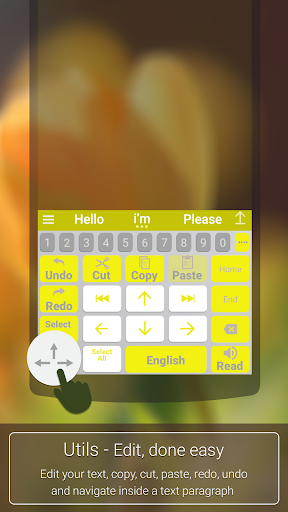
I was looking for a keypad that would help with my hand mobility issues. I found the AI keypad to be useful because it has great navigation features as well as voice to text. I like the little trackball feature as well as the directional arrows. I also like the customizable toolbar at the top that allows me to see symbols, numerals, or navigation arrows. The keypads are customizable. That's one of the best features about this app. Thank you

Brian Schubert
4.0★
My Google board started glitching in an unusable way (and it's not just me apparently) so I've been on the hunt for a new keyboard and so far I absolutely love this one. The customization is everything I want, it seems to be correctly interpreting my swipe, and auto correct is functioning. So far so good… I'm VERY disappointed it has no Japanese language board though.

Amit Nachbar
5.0★
It's a fairly good app (though the prediction and "corrections" are often dumb and unnecessary). That said, and after several years of use, the Plus "lifetime" subscription vanished. All of the back ups with it. The Plus app is no longer in the store and I couldn't get a hold of the publisher for support.

A Google user
3.0★
It would be nice for the develooer to let me know, how to add a separate comma button to the bottom row, not just full stop. It is illogical to have the full stop instead of the comma. You use several commas in a sentence and only one full stop. Secondly please let me know how to COMPLETELY DISABLE ANY form of prediction or dictionary learning. It is the most annoying thing ever. I don't want to see any word suggestions nor the options to add to dictionary. I will increase rating after that.
Ad slot: In-Content