

Tubio - Cast Web Videos to TV
com.aesoftware.tubio
by AE Software Ltd.
Screenshots

Ad slot: Top Leaderboard
About this app
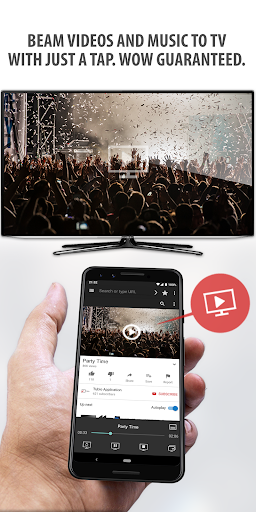
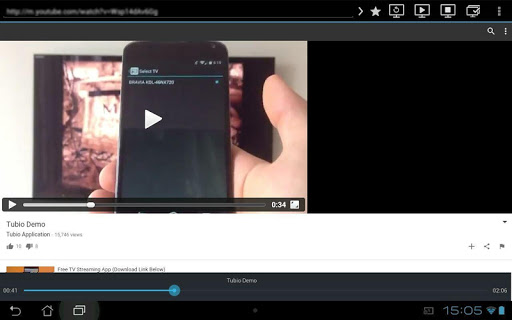
Cast web videos and music from your phone to your TV wirelessly and for FREE.
Use this app to browse your favorite web media to discover online video or audio you'd like to enjoy - then simply tap play. Locally stored videos and photos playback is now supported.
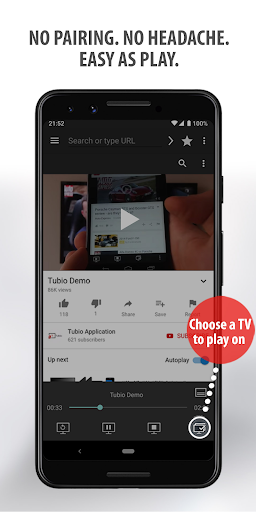
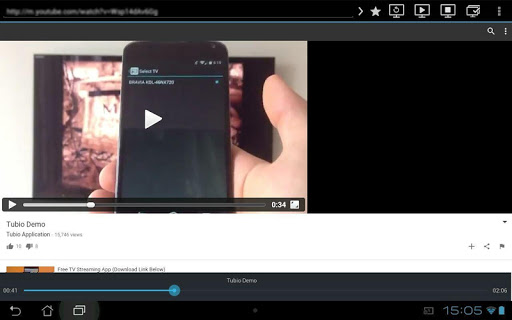
Tubio automatically discovers all connected TVs around (over the same Wi-Fi network) and lets you stream with just your phone.
*Supported players*
• All DLNA/UPnP/AllShare enabled smart TVs by Samsung, Sony, Panasonic, LG, Toshiba, Philips, Pioneer and others which support Mpeg4 over DLNA (mainly from 2010 onwards)
• XBox one, XBox 360
• Apple TV Airplay
• Chromecast, Nexus player, Android TV
• Roku Streaming TV & Media Player
• Amazon Fire TV
*Tubio features*
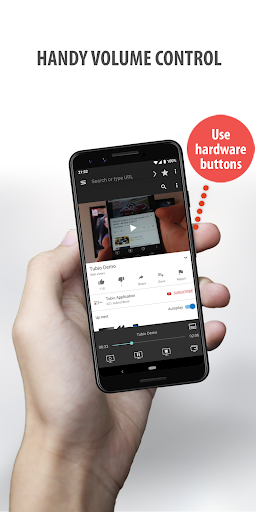
Use Tubio as your TV remote to control the stream - play, pause, stop or seek. You can also adjust volume using the hardware buttons of your Android device.
Now you can enjoy videos from YouTube, Vimeo, Facebook, music from Soundcloud, Mixcloud etc. straight on your TV with just a tap. And what's more, you can also bookmark other websites you like for a quick access every time you enter the app.
While streaming, you can continue using your phone as usual without interrupting the current playback.
*Quick tips to start enjoying Tubio instantly*
• Make sure your phone and TV are connected over the same Wi-Fi network.
• Not sure whether your TV is compatible? Look for the DLNA logo on the box or in the user manual of your TV/receiver set, or simply download this app for free.
*Upgrade to Premium version (available as an in-app purchase)*
Premium version has no ads. It also offers additional HD playback (where available) and unlimited customer support.
Let's get in touch: [email protected]
www.tubioapp.com
Use this app to browse your favorite web media to discover online video or audio you'd like to enjoy - then simply tap play. Locally stored videos and photos playback is now supported.
Tubio automatically discovers all connected TVs around (over the same Wi-Fi network) and lets you stream with just your phone.
*Supported players*
• All DLNA/UPnP/AllShare enabled smart TVs by Samsung, Sony, Panasonic, LG, Toshiba, Philips, Pioneer and others which support Mpeg4 over DLNA (mainly from 2010 onwards)
• XBox one, XBox 360
• Apple TV Airplay
• Chromecast, Nexus player, Android TV
• Roku Streaming TV & Media Player
• Amazon Fire TV
*Tubio features*
Use Tubio as your TV remote to control the stream - play, pause, stop or seek. You can also adjust volume using the hardware buttons of your Android device.
Now you can enjoy videos from YouTube, Vimeo, Facebook, music from Soundcloud, Mixcloud etc. straight on your TV with just a tap. And what's more, you can also bookmark other websites you like for a quick access every time you enter the app.
While streaming, you can continue using your phone as usual without interrupting the current playback.
*Quick tips to start enjoying Tubio instantly*
• Make sure your phone and TV are connected over the same Wi-Fi network.
• Not sure whether your TV is compatible? Look for the DLNA logo on the box or in the user manual of your TV/receiver set, or simply download this app for free.
*Upgrade to Premium version (available as an in-app purchase)*
Premium version has no ads. It also offers additional HD playback (where available) and unlimited customer support.
Let's get in touch: [email protected]
www.tubioapp.com
What's New
v3.66
• Stability and performance improvements
• Updated libraries
v3.30
• Apple tvOS v16+ and Roku OS v11.5+ compatibility
v3.00
• Updated Ad Blocker
v2.63
• Turkish localization
• HLS with alternate audio support
v2.31
• Material Design to change the look and feel of your UI
v2.05
• Seek supported by finite HLS videos
• Subtitles are now supported on DLNA, Chromecast. Android TV and Amazon Fire TV
• Web page subtitles detected and supported
• Stability and performance improvements
• Updated libraries
v3.30
• Apple tvOS v16+ and Roku OS v11.5+ compatibility
v3.00
• Updated Ad Blocker
v2.63
• Turkish localization
• HLS with alternate audio support
v2.31
• Material Design to change the look and feel of your UI
v2.05
• Seek supported by finite HLS videos
• Subtitles are now supported on DLNA, Chromecast. Android TV and Amazon Fire TV
• Web page subtitles detected and supported
App Information
Version Name
3.39
Version Code
339
File Size
73.0 MB
Minimum OS
Android 6.0+
Target SDK
Android 33
Developer
AE Software Ltd.
Contact
Website
Content Rating
Mature 17+
Package Name
com.aesoftware.tubioPermissions Required
This app may request the following permissions:
Recent Reviews

Ollie Otter Pop
2.0★
What the heck?? This app worked fine (aside from the annoying part where it wouldn't auto play the next video, you'd have to open the app to change it) to cast YouTube onto my TV for a couple days, but now it won't stop playing ads every 3 seconds. I'm not exaggerating, I couldn't even tap anything, it was nonstop ad pop-ups. I tried closing the app and other things, nothing made it stop. I have no idea why this is happening, but it's breaking the app, and obviously, I wouldn't want to use it.

Li F
4.0★
This is the only app that has worked for me. It does hiccup from time to time, requiring a relaunch to find my Chromecast again. Youtube streams seem slower than when playing directly on a browser so it takes a few seconds to buffer. Overall, it works fine for what I need. For those who say it often closes/crashes, turn off battery optimization for Tubio in your App settings, and also long-press & lock the app so it stays in active memory. It will then run in the background without trouble.

The Immortal “DrPhill” Dr Phill
1.0★
after using the app for years, I've finally uninstalled. ad blocks no longer work, pop up blocker works when it wants to. I don't know what you guys have done but it's unusable.

Lara
3.0★
My main issue is the difficultly in identifying local media files when choosing a video file to play. There are just thumbnails without the file names, and no alternative view options like a list view etc. This is especially annoying when I want to watch an episode of a series because all thumbnails are the same and I can't see the title of the episode. Also, the app has no user settings. A useful one would be the ability to change the browser user-agent.

James Freeman
3.0★
( 1 star ). I paid for the full version. To be add free, its a lies. Still hetying the adds. On the paid version. I should not getting adds As I did on the free version, so no point in paying for the full version of this app. As you still get adverts when you ate not supposed to, my advice don't buy the full version. Unless you got money to wast. I found out at my own cost. So you don't have to.

Lee Wadey
3.0★
Works like a charm. But the ads force close the steams and if your watching a long twitch video you then have to start again from scratch, find the video, remember what time you got to and load it up again... And there's alot of ads randomly placed. The pro version (at a cost) claims to disable the ads which would be cool. The free version sucks ass I'm affaid! Can't watch 5minutes without an ad and a complete reset. UNUSABLE.
Ad slot: In-Content