
Diary with lock
com.adpog.diary
by WriteDiary.com
Screenshots
Ad slot: Top Leaderboard
About this app
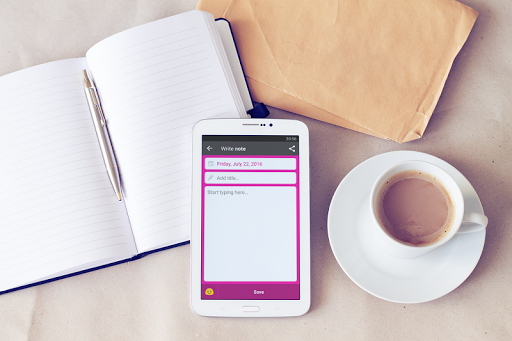
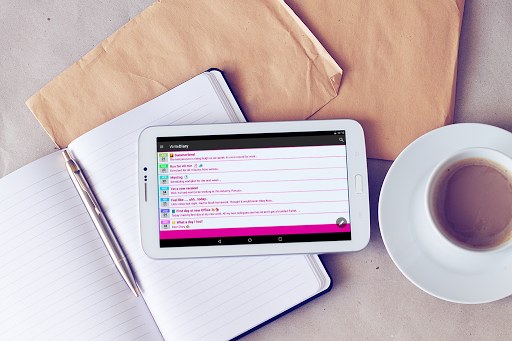
Use this diary app to make your own personal notes of daily events, appointments, secrets and feelings.
FEATURES:
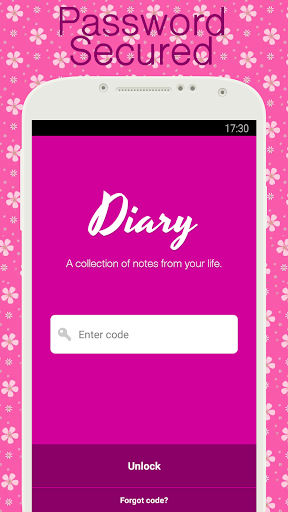
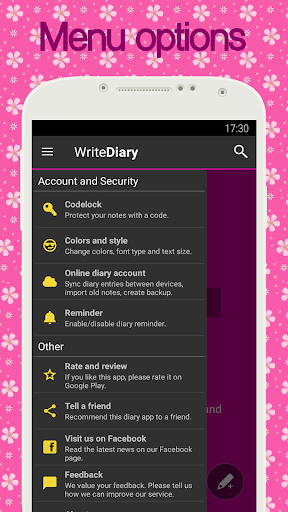
• Pin code protection
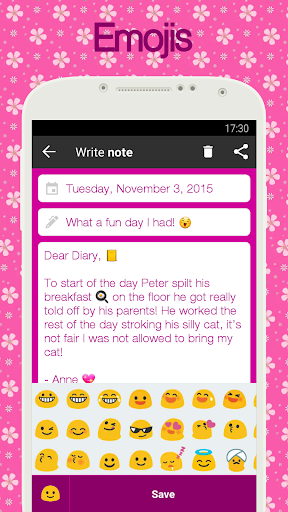
• Emojis via Quick access keyboard (requires Android 4.1 or higher)
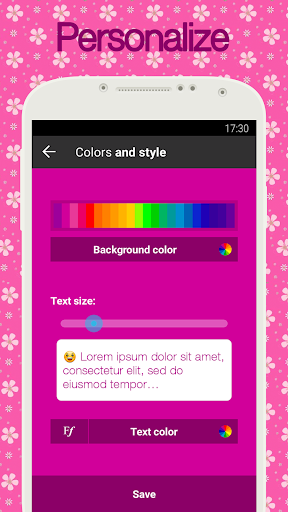
• Personalize background color (Pink, Purple, Blue, ++)
• Change text-size and font-style
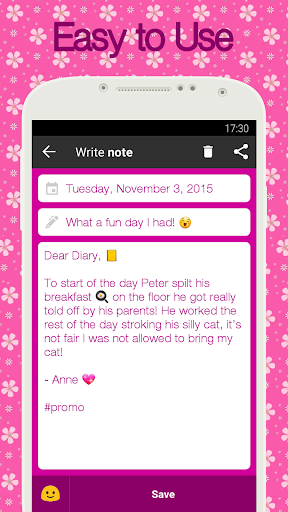
• Easy to use
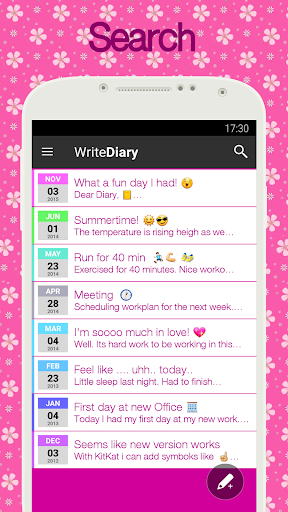
• Search
• The most downloaded diary app on Google Play!
Built from the ground up to be simple and user friendly, the user interface is designed to allow you to enter new notes quickly and easily. With this Diary you can write all your private notes and secure them with a pin code.
Track and write about your daily activities
Make it a habit to quickly write one or more mini-notes during your day. Simply leave a few words about your workout session, what happened at school or in the office during your day. In weekends, you can write about all the fun you had walking your dog, meeting with friends, or being social with your family. This can be the daily activity log you always have wanted. Make it your personal journal and have fun reading it over in few year, and share a few laughs with your friends. As this app is pure textual, and contains no images or photos, it runs ultra fast and smooth on any Android device, and consumes minimal of available memory and disk-space!
Emojis
If your Android phone support it, you can use emojis in all entries. Decorate diary notes with beautiful heart and love emojis, or popular sport or emotional face smileys.
Bring your diary in your pocket!
Today it is simple for everybody to become a lifetime diarist. Follow millions of people, join this popular diary trend.
This diary is perfect to use as:
Write your own Autobiography
This diary app can easily fit the purpose of a writing down your memoir or chronicle. Keep a log or logbook to record history. Make a habit of doing daily records, document your life in your own daybook.
Protect all personal notes by adding a pin code when it starts up. Never worry about losing memories again.
FEATURES:
• Pin code protection
• Emojis via Quick access keyboard (requires Android 4.1 or higher)
• Personalize background color (Pink, Purple, Blue, ++)
• Change text-size and font-style
• Easy to use
• Search
• The most downloaded diary app on Google Play!
Built from the ground up to be simple and user friendly, the user interface is designed to allow you to enter new notes quickly and easily. With this Diary you can write all your private notes and secure them with a pin code.
Track and write about your daily activities
Make it a habit to quickly write one or more mini-notes during your day. Simply leave a few words about your workout session, what happened at school or in the office during your day. In weekends, you can write about all the fun you had walking your dog, meeting with friends, or being social with your family. This can be the daily activity log you always have wanted. Make it your personal journal and have fun reading it over in few year, and share a few laughs with your friends. As this app is pure textual, and contains no images or photos, it runs ultra fast and smooth on any Android device, and consumes minimal of available memory and disk-space!
Emojis
If your Android phone support it, you can use emojis in all entries. Decorate diary notes with beautiful heart and love emojis, or popular sport or emotional face smileys.
Bring your diary in your pocket!
Today it is simple for everybody to become a lifetime diarist. Follow millions of people, join this popular diary trend.
This diary is perfect to use as:
Write your own Autobiography
This diary app can easily fit the purpose of a writing down your memoir or chronicle. Keep a log or logbook to record history. Make a habit of doing daily records, document your life in your own daybook.
Protect all personal notes by adding a pin code when it starts up. Never worry about losing memories again.
What's New
- Added translation to more languages.
- Updated privacy policy and terms of service
- Fixed create new note button for Android 15
- Better accessebillty support.
- A few design tweaks
- Updated privacy policy and terms of service
- Fixed create new note button for Android 15
- Better accessebillty support.
- A few design tweaks
App Information
Version Name
4.96
Version Code
80
File Size
5.1 MB
Minimum OS
Android 6.0+
Target SDK
Android 33
Developer
WriteDiary.com
Contact
Website
Content Rating
Everyone
Package Name
com.adpog.diaryPermissions Required
This app may request the following permissions:
Recent Reviews

Deborah Inabinet
1.0★
I had this app for years and didn't mind an ad or two before I wrote, but the ads got worse and yesterday, the ads would just stay on the screen and allowed no way of exiting out to get to the diary. I closed out and then tried again. This time, some kind of weird " Data Breach"ad or warning displayed, and again, I was unable to exit out. I ended up deleting this app, and I went with another, and I am so much happier with the other diary app. I do not recommend downloading this app.

Melissa Hughes
5.0★
This journal app is great! I've tried a bunch of the diary apps available on the Play store & this one is my hands down favorite. First, it's very easy to use & navigate. Second, though it does have a reasonably priced premium version available, the freebie offers plenty of different fonts, backgrounds, insert options & colors, so you won't be disappointed. Lastly, the diary offers a password-protected home screen so that you can keep your innermost thoughts to your innermost self.

Emily Allred
4.0★
Love it! Easy place for me to jot down my thoughts quickly, easy to use. The only thing I'd like to see changed is some sort of auto-save feature you could enable?! Sometimes I'll be in the middle of writing and need to do something else on my phone but when I come back to finish writing, everything I'd already written has been deleted cuz I forgot to hit the save button. Other than that, great app!

samantha ulibarri
3.0★
I've just started using this but so far just like it pretty well. Creating a account was so quick and simple. I wish every app was that easy. My only thing is in the apps description it says you can change the font but I didn't see anywhere in the app settings or on my keyboard to change the font. Just the color of it. Maybe it only meant color and I misunderstood or just can't find the option. Idk but other than that it serves its purpose well.

A Google user
4.0★
I like it a lot! I like how you can customize the app to your own personal liking and write your secrets knowing people can't find out, like a normal (Pencil & Paper Diary) someone can just grab it and go looking! But on a phone you have a password, then you have ANOTHER password you have to go through just to get on the particular app. But I'd like it a lot more if there were a lot more options when it comes to locking the diary, like a series of swipe, or face reconization. But great job! (↑ω↑)

Bird Squad3
5.0★
Great app, I've been using it since 2018. I love how basic it is. It's my first diary app and it's nice. From reading some reviews some don't know how to change the font. Thought I'd just share how to do so. You go to the 3 lines in the top left corner, and you'll see an option on the side that says colors and style. You click on that and you should see something like this "𝙵𝘧". Click on the f's and it'll show a list of fonts. There aren't much options, but that's how you do it!
Ad slot: In-Content