

Lightroom Photo & Video Editor
com.adobe.lrmobile
by Adobe
Screenshots


Ad slot: Top Leaderboard
About this app
Adobe Lightroom — meet a smarter photo editor. Make any photo special with our easy, yet powerful picture editor. Lightroom is here to help you get shareworthy photos in seconds — to capture sunsets, family moments, or your latest foodie find. Retouch photos with our state of the art photo editor tools that allow you to fix pictures, enhance photo quality, and edit videos.
Whether you’re curating a social feed or snapping a photograph — retouch photos with editing tools in your pocket with this photo editor. Lightroom is here to help you create photos you’re proud to share.
WHY YOU SHOULD TRY LIGHTROOM:
TOUCH UP YOUR PHOTOS WITH OUR PHOTO EDITOR
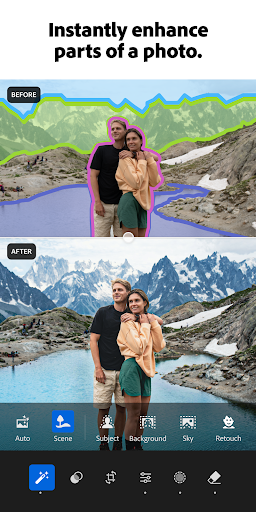
- Photo retouch: In a few taps, make a photograph brighter, soften a background, or touch out blemishes.
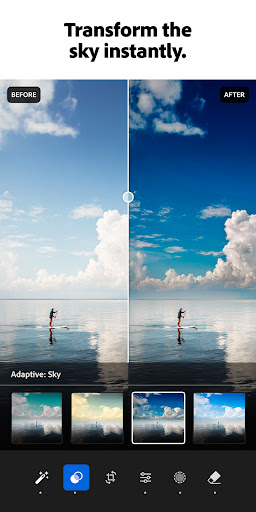
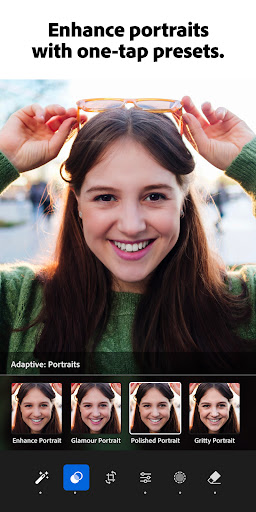
- One-tap features: Retouch with Quick Actions and Adaptive Presets that let you enhance photo quality in seconds.
- Presets for photos: Discover filters or make your own signature look.
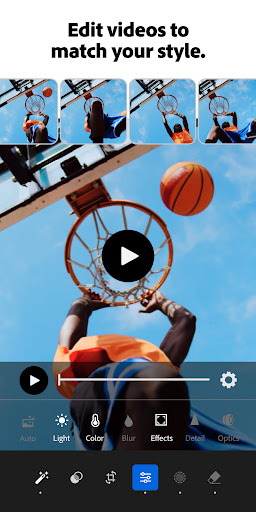
- Video Editing: Touch up videos with tools for light, color, and presets.
REMOVE DISTRACTIONS AND BLUR THE BACKGROUND
- Picture editor tools that give professional results.
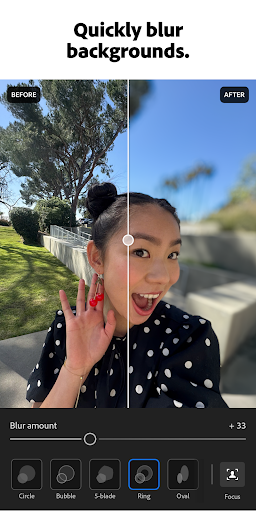
- Touch up photos and blur the photo background for a polished look.
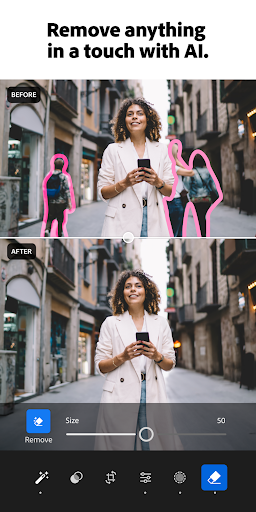
- Adjust the finer details, or use Generative Remove to remove objects and erase people from a photo.
STATE OF THE ART PHOTO EDITOR
- Take control of light with tools to tweak exposure, highlights, and shadows.
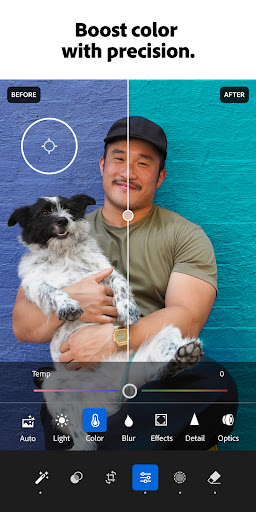
- Photo retouch, play with presets, HD photo effects, color grading, hue, saturation and add a blur or bokeh effect.
- AI photo editor: These tools suggest the best edits for your images. Touch up photos quickly or add your unique style to an HD photo, no experience required.
FIND COMMUNITY INSPIRATION
- Browse photo filters and presets shared by photo enthusiasts around the world.
- Match your aesthetic with inspiration from the community: Whether they’re bold edits with an AI photo editor or subtle tweaks for a polished portrait edit, find a look that matches your style — or create your own.
EDIT ONCE, APPLY IT TO MULTIPLE PHOTOS
- Photo editing that is quick, easy, and effortless.
- Batch edit photos: Create consistent editing across a group of photos when you copy and paste your edits across multiple photos.
- Save your favorites and make every photo feel like you.
Download Lightroom today.
Terms & Conditions:
Your use of this application is governed by the Adobe General Terms of Use http://www.adobe.com/go/terms_en and the Adobe Privacy Policy http://www.adobe.com/go/privacy_policy_en
Do not sell or share my personal information www.adobe.com/go/ca-rights
Whether you’re curating a social feed or snapping a photograph — retouch photos with editing tools in your pocket with this photo editor. Lightroom is here to help you create photos you’re proud to share.
WHY YOU SHOULD TRY LIGHTROOM:
TOUCH UP YOUR PHOTOS WITH OUR PHOTO EDITOR
- Photo retouch: In a few taps, make a photograph brighter, soften a background, or touch out blemishes.
- One-tap features: Retouch with Quick Actions and Adaptive Presets that let you enhance photo quality in seconds.
- Presets for photos: Discover filters or make your own signature look.
- Video Editing: Touch up videos with tools for light, color, and presets.
REMOVE DISTRACTIONS AND BLUR THE BACKGROUND
- Picture editor tools that give professional results.
- Touch up photos and blur the photo background for a polished look.
- Adjust the finer details, or use Generative Remove to remove objects and erase people from a photo.
STATE OF THE ART PHOTO EDITOR
- Take control of light with tools to tweak exposure, highlights, and shadows.
- Photo retouch, play with presets, HD photo effects, color grading, hue, saturation and add a blur or bokeh effect.
- AI photo editor: These tools suggest the best edits for your images. Touch up photos quickly or add your unique style to an HD photo, no experience required.
FIND COMMUNITY INSPIRATION
- Browse photo filters and presets shared by photo enthusiasts around the world.
- Match your aesthetic with inspiration from the community: Whether they’re bold edits with an AI photo editor or subtle tweaks for a polished portrait edit, find a look that matches your style — or create your own.
EDIT ONCE, APPLY IT TO MULTIPLE PHOTOS
- Photo editing that is quick, easy, and effortless.
- Batch edit photos: Create consistent editing across a group of photos when you copy and paste your edits across multiple photos.
- Save your favorites and make every photo feel like you.
Download Lightroom today.
Terms & Conditions:
Your use of this application is governed by the Adobe General Terms of Use http://www.adobe.com/go/terms_en and the Adobe Privacy Policy http://www.adobe.com/go/privacy_policy_en
Do not sell or share my personal information www.adobe.com/go/ca-rights
What's New
- Generative Remove is better than ever with an updated AI model and workflow that makes removals faster and more seamless
- Export multiple photos with a border
- Support for Android 15
- New camera & lens support (adobe.com/go/cameras)
- Bug fixes, stability & performance improvements
- Export multiple photos with a border
- Support for Android 15
- New camera & lens support (adobe.com/go/cameras)
- Bug fixes, stability & performance improvements
App Information
Version Name
9.3.0
Version Code
710903001
File Size
71.9 MB
Minimum OS
Android 8.0+
Target SDK
Android 34
Developer
Adobe
Contact
Website
Content Rating
Everyone
Package Name
com.adobe.lrmobilePermissions Required
This app may request the following permissions:
Recent Reviews

Jessica Rauseo
3.0★
I have used this app for years and pay for it. Never had any issues with the mobile version which is what I use most. Gave 5 stars. At some point in the last month or two, the app is acting really strangely. When I choose a photo to edit, the image itself changes as if glitching before I've even done anything to it. Recently, after doing a bunch of edits and downloading to my phone, it downloads the original image, without edits. I don't know what changed but it is almost unusable at this point.

Philip Mayer
4.0★
The recent update to Google Photos made it nearly unusable, so I decided to give this one a shot. Overall, the results are great. However, the sliders have such a small touch area that it takes multiple attempts to grab them. Also the area selection is really frustrating because it constantly gets confused between zoom/pan and selection. once you do get in selection mode, the finger brush is really inaccurate and hard to brush around edges.

Andy King
1.0★
Warning: Removing objects from photos costs money. I downloaded this because the ad I saw showed that you can use it to easily remove objects from photos, so you can imagine how disappointed I was when I discovered that the removal feature costs money. All of the "free" features are things you can do on your device without the need for any special software. Needless to say, I uninstalled it immediately since it's useless.

Shanna M
1.0★
Most useless app ever! I have a paid subscription and I can't save edits, can't export photos, the app crashes repeatedly. I've tried everything to make it work again. Bugs have always existed, but this is beyond ridiculous. Historically, the more updates, features and "bug fixes," the less Lightroom actually functions. What is the point when I can't perform any actions? I can't even see the photos in my library..they're just black boxes. You owe me a refund.

Cesar Orellana
1.0★
Useless app. As always, you have to pay just to make even the smallest change to your images. There’s nothing you can actually do with this app without paying. There are plenty of free software. Photopea, for example, offers quality editing without costing a single penny. Adobe used to be an awesome company back in the day. I’ve not been buying Adobe in the last 10 years since they started charging a monthly service. There are thousands of users like me who don't support Adobe anymore.

Ashley Blytt
1.0★
It's seemingly impossible to cancel the subscription/premium version. PLEASE cancel my subscription. Adobe isn't helping, Samsung isn't helping, and I can't get anyone to respond to my inquiries. The app itself is okay, I enjoy tinkering with all of the editing options, though the quality after editing could certainly be better. I just don't want to continue paying for premium when I rarely use it.
Ad slot: In-Content