

Simeji Japanese keyboard+Emoji
com.adamrocker.android.input.simeji
by バイドゥ株式会社
Screenshots
Ad slot: Top Leaderboard
About this app
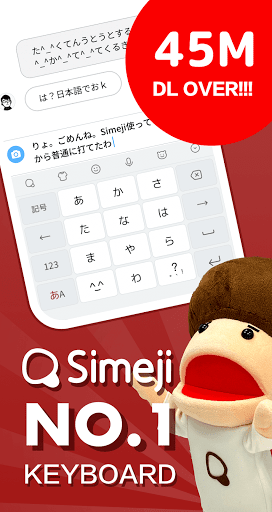
Simeji is a free Japanese input keyboard that has reached over 45M downloads! It comes with a skinnable keyboard, cute emoticons, emoji, and more!
This is the most popular keyboard app in Japan! Try it today!
Simeji is a keyboard with these features!
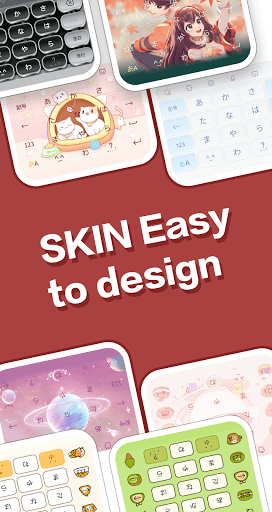
◆ Skinnable keyboard
- Add a wallpaper to your keyboard using a photo, image and video.
- Chock-full of keyboard themes!
- Also lots of features to change your text color and decorate your flick keyboard.
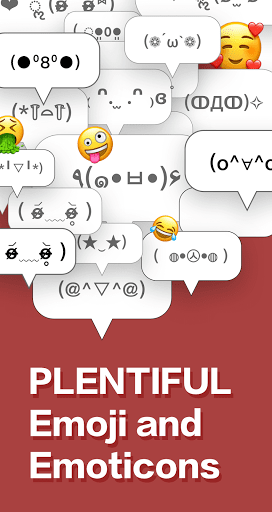
◆ Use cute emoticons and emoji
- See the emoticon and emoji rankings to find the most popular ones!
- Popular emoticons can be inserted immediately and let you add some spice to your chats on LINE, Twitter, and Facebook!
◆ Robust Japanese input and conversion features
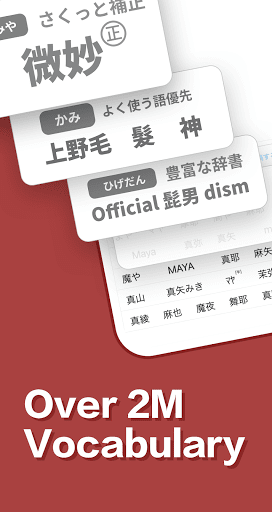
- The cloud-based dictionary contains 2M entries, covering everything from anime slang to the latest buzzwords
- Lots of preset phrases you can use for Nico Nico, in-game chat, telling someone you're late, and more
- As requested by users, the "Fun conversion" feature has now been added! There's also the "Everyone's Dictionary" feature, which lets you share cute emoticons with others.
◆ Easy keyboard input
- Rapidly switch from the top of the keyboard to select emoticons, emoji, numerals, and special characters
◆ Popular Simeji stickers
- Comes with the popular set of Simeji stickers
New fun stickers are being uploaded by users every day! These cool stickers are free to use!
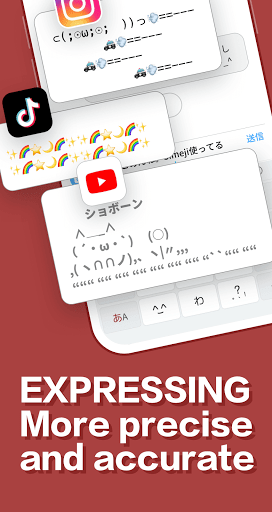
◆ ASCII art and mushroom function
- Easily insert from a range of over 500 ASCII art designs and emoji
- Long tap on the あ/A button to set your own text expansion dictionary
[Simeij VIP]
1) Simeji VIP monthly 400 yen / month
2) Simeji VIP 12 month 200 yen / month (2,400 yen per year) 50% OFF every year
[About automatic renewal and cancellation]
Free trial is only available when you register for VIP for the first time in the Google Play.
After the free trial, you will be automatically charged 400 yen per month.
A monthly fee will be charged within 24 hours before the end of the subscription period.
Unless canceled at least 24 hours before the end of the subscription period, your subscription will automatically continue.
Payment will be charged to Apple ID account.
Deleting an app does not cancel your subscription.
Cancellation procedure cannot be performed on the Simeji App side. Please manage or cancel your subscription in your Google Play account settings.
VIP exclusive theme
Unlimited use VIP special theme
-Unlimited use of luxury keyboard custom parts
theme and deco parts are upgraded for VIP only
-Unlimited photo theme settings
No need to organize when you create a new photo theme
VIP backup
-Easy backup of user user dictionary
-Real-time translation function available.
Remove ads
-Smooth input operations!
[The information desk]
・ Customer Support ([email protected])
Business hours: Monday to Friday 10: 00-18: 00 (excluding Saturdays, Sundays and holidays, and our designated holidays)
* The contract for this service is automatically renewed. You will be automatically charged for renewal on a service-provided basis until the customer is suspended on the Google Play.
* If the service is in the free trial period, the free period ends when you apply for the service.
- Terms of use https://simeji.me/termofuse/
- Privacy Policy https://simeji.me/privacy/
- Display based on the Specified Commercial Transaction Law https://stat.ime.baidu.jp/page/terms/ios/premium/index.html
This is the most popular keyboard app in Japan! Try it today!
Simeji is a keyboard with these features!
◆ Skinnable keyboard
- Add a wallpaper to your keyboard using a photo, image and video.
- Chock-full of keyboard themes!
- Also lots of features to change your text color and decorate your flick keyboard.
◆ Use cute emoticons and emoji
- See the emoticon and emoji rankings to find the most popular ones!
- Popular emoticons can be inserted immediately and let you add some spice to your chats on LINE, Twitter, and Facebook!
◆ Robust Japanese input and conversion features
- The cloud-based dictionary contains 2M entries, covering everything from anime slang to the latest buzzwords
- Lots of preset phrases you can use for Nico Nico, in-game chat, telling someone you're late, and more
- As requested by users, the "Fun conversion" feature has now been added! There's also the "Everyone's Dictionary" feature, which lets you share cute emoticons with others.
◆ Easy keyboard input
- Rapidly switch from the top of the keyboard to select emoticons, emoji, numerals, and special characters
◆ Popular Simeji stickers
- Comes with the popular set of Simeji stickers
New fun stickers are being uploaded by users every day! These cool stickers are free to use!
◆ ASCII art and mushroom function
- Easily insert from a range of over 500 ASCII art designs and emoji
- Long tap on the あ/A button to set your own text expansion dictionary
[Simeij VIP]
1) Simeji VIP monthly 400 yen / month
2) Simeji VIP 12 month 200 yen / month (2,400 yen per year) 50% OFF every year
[About automatic renewal and cancellation]
Free trial is only available when you register for VIP for the first time in the Google Play.
After the free trial, you will be automatically charged 400 yen per month.
A monthly fee will be charged within 24 hours before the end of the subscription period.
Unless canceled at least 24 hours before the end of the subscription period, your subscription will automatically continue.
Payment will be charged to Apple ID account.
Deleting an app does not cancel your subscription.
Cancellation procedure cannot be performed on the Simeji App side. Please manage or cancel your subscription in your Google Play account settings.
VIP exclusive theme
Unlimited use VIP special theme
-Unlimited use of luxury keyboard custom parts
theme and deco parts are upgraded for VIP only
-Unlimited photo theme settings
No need to organize when you create a new photo theme
VIP backup
-Easy backup of user user dictionary
-Real-time translation function available.
Remove ads
-Smooth input operations!
[The information desk]
・ Customer Support ([email protected])
Business hours: Monday to Friday 10: 00-18: 00 (excluding Saturdays, Sundays and holidays, and our designated holidays)
* The contract for this service is automatically renewed. You will be automatically charged for renewal on a service-provided basis until the customer is suspended on the Google Play.
* If the service is in the free trial period, the free period ends when you apply for the service.
- Terms of use https://simeji.me/termofuse/
- Privacy Policy https://simeji.me/privacy/
- Display based on the Specified Commercial Transaction Law https://stat.ime.baidu.jp/page/terms/ios/premium/index.html
What's New
1、“The moments” feature for friends is now available! Images shared with friends can be displayed as keyboard skins to share every moment with the people who matter! You can also view “the moments” sent by your friends by adding a homepage widget ~
2、Too slow to deal with online conversation? Simeji 's new function Bullet Reply is comming.
2、Too slow to deal with online conversation? Simeji 's new function Bullet Reply is comming.
App Information
Version Name
20.4.1
Version Code
888
File Size
115.3 MB
Minimum OS
Android 6.0+
Target SDK
Android 33
Developer
バイドゥ株式会社
Contact
Website
Content Rating
Everyone
Package Name
com.adamrocker.android.input.simejiPermissions Required
This app may request the following permissions:
Recent Reviews

Rayhan Zanzabila
5.0★
I've been using this for years, and it has been mostly good experience so far. But I noticed that in the Japanese keyboard, if you tap on the right arrow quickly after typing a character it would convert to previously entered word instead (which often resulted in what I typed on English keyboard even though I'm currently using the Japanese). And I'd appreciate for each language to have their own conversion preferences, especially for word prediction since I only need it for Japanese keyboard.

Dahlia Rennebohm
5.0★
I don't use it as an English keyboard, but its the best keyboard for Japanese I've found. It actually has the hiragana and accurate Kanji recommendations for you. And doesn't make you type in the romanji to type, its super good if your still trying to remember kana. And keyboard themes are very easy to find. (The app gets easier to navigate when your understanding of Japanese gets better, though still easy enough to navigate with a limited understanding)

Yamaguchi Erica
4.0★
Today I found Simeji doesn't perform very well. It can't hear everything spoken by speakers.

Brooke Fincher
2.0★
I've used this app for years, it's the best Japanese keyboard out there. HOWEVER I noticed some of the keyboard themes use AI art. It'd be so easy for Simeji to continue to support & pay artists, but now they're using AI trash for their keyboard themes. It's honestly incredibly disappointing after using this app for so long. Time to find a new keyboard.

A Google user
3.0★
The keyboard has great functions and all. Although, I find they Qwerty option for English kinda frustrating to use. The buttons on the bottom of the screen are counter intuitive to press, and the random apostrophe mark on the right of the keyboard besides the L is super annoying. But that's the only problem I have. I just wish you can customize the button placements for the qwerty keyboard a bit more.

Rana Gamal
2.0★
The keyboard was nice at first but I started seeing some issues such as : the words being arranged poorly so I end up misspelling multiple different words ,the wallpapers are cool but they should also have a lock screen only option , it's difficult to find the kaomoji , and it's impossible to change the settings I accidentally set the language of the app to korean and I can't change it back to English ,and I do wish there were more language options
Ad slot: In-Content