

AppMgr Pro III (App 2 SD)
com.a0soft.gphone.app2sd.pro
by AZSoft Technology Inc.
Screenshots

Ad slot: Top Leaderboard
About this app
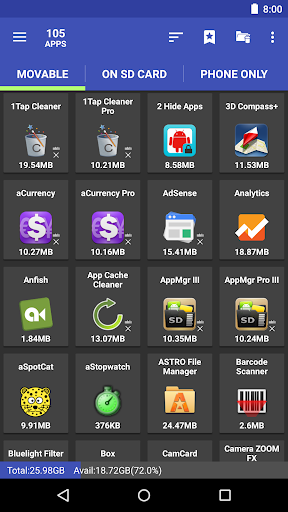
AppMgr (also known as App 2 SD) is a new design app that provides the following components:
★ Archive apps: archive apps to save storage on your Android device. Android 15+ only
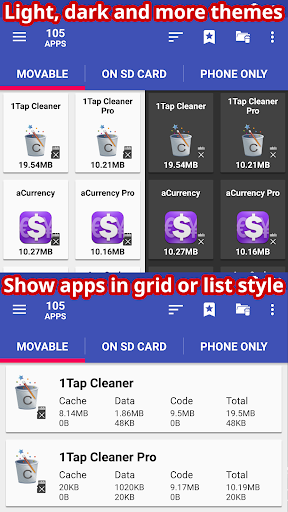
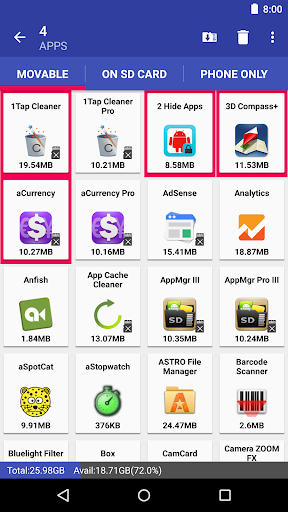
★ Move apps: moves apps to either internal or external storage to get more available app storage
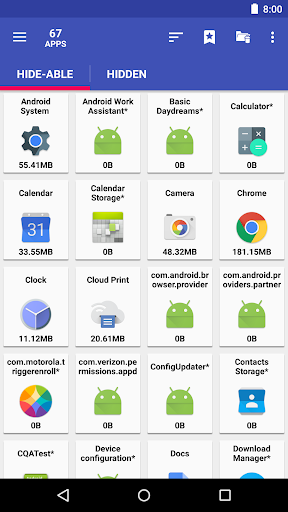
★ Hide apps: hides system (built-in) apps from the app drawer
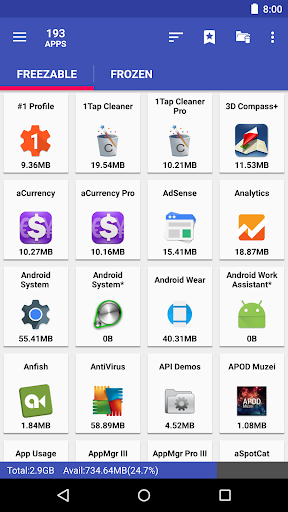
★ Freeze apps: freeze apps so they won't use any CPU or memory resources
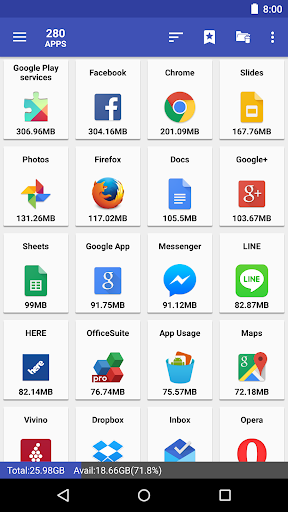
★ App manager: manages apps for batch uninstalling, moving apps, or sharing apps with friends
Support app 2 sd for Android 6+, read http://bit.ly/2CtZHb2 if you don't see the Change button. Some devices may not be supported, visit AppMgr > Settings > About > FAQ for details.
Features:
★ up-to-date UI style, themes
★ batch archive or restore apps (Android 15+ only)
★ batch uninstall apps
★ batch move apps to external storage
★ notify when movable apps installed
★ hide apps from the app drawer
★ freeze apps to a stop state
★ 1-tap to clear all cache
★ batch clear apps cache or data
★ export/import the app list
★ sort apps by name, size, or installation time
★ share customized app list with friends
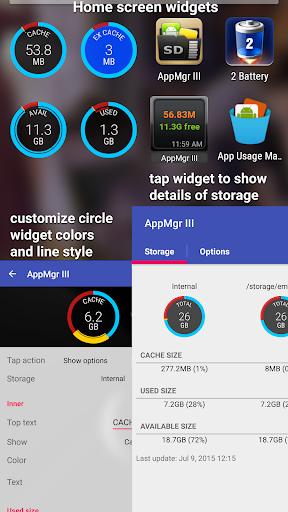
★ support home screen widgets
Functions for rooted device
★ Root uninstaller, Root freeze, Root cache cleaner
★ Root app mover
Move apps:
Are you running out of application storage? Do you hate having to check each and every app if it supports moving to the SD card? Do you want an app that automatically does this for you and can notify you when an app can be moved? This component streamlines the movement of apps to your device's external or internal storage through your device's Settings. With this, you'll have more control over your ever expanding collection of apps. This is crucial to anyone who has memory management issues.
Hide apps
Don't you care about all the apps your carrier adds to Android? Well, now you can get rid of them! This component lets you hide system (built-in) apps from the app drawer.
Freeze apps
You can freeze apps so they won't use any CPU or memory resources and consume zero battery. It's good for you to freeze apps that you would like to keep in the device, but don't want them to run or be uninstalled.
Permissions
• WRITE/READ_EXTERNAL_STORAGE: use to export/import the apps list
• GET_PACKAGE_SIZE, PACKAGE_USAGE_STATS: get the size information of apps
• BIND_ACCESSIBILITY_SERVICE: this app uses Accessibility services to automate the function (e.g. clear cache, move apps), optional. It helps those who have difficulty tapping and complete the task easier
• WRITE_SETTINGS: prevent the screen rotation during the automatic function
• SYSTEM_ALERT_WINDOW: draw a wait screen above other apps during the automatic function
We have been selected as a Google I/O 2011 Developer Sandbox partner, for its innovative design and advanced technology.
If you are interested in helping us to translate this app into your native language, please let me know. Thanks.
★ Archive apps: archive apps to save storage on your Android device. Android 15+ only
★ Move apps: moves apps to either internal or external storage to get more available app storage
★ Hide apps: hides system (built-in) apps from the app drawer
★ Freeze apps: freeze apps so they won't use any CPU or memory resources
★ App manager: manages apps for batch uninstalling, moving apps, or sharing apps with friends
Support app 2 sd for Android 6+, read http://bit.ly/2CtZHb2 if you don't see the Change button. Some devices may not be supported, visit AppMgr > Settings > About > FAQ for details.
Features:
★ up-to-date UI style, themes
★ batch archive or restore apps (Android 15+ only)
★ batch uninstall apps
★ batch move apps to external storage
★ notify when movable apps installed
★ hide apps from the app drawer
★ freeze apps to a stop state
★ 1-tap to clear all cache
★ batch clear apps cache or data
★ export/import the app list
★ sort apps by name, size, or installation time
★ share customized app list with friends
★ support home screen widgets
Functions for rooted device
★ Root uninstaller, Root freeze, Root cache cleaner
★ Root app mover
Move apps:
Are you running out of application storage? Do you hate having to check each and every app if it supports moving to the SD card? Do you want an app that automatically does this for you and can notify you when an app can be moved? This component streamlines the movement of apps to your device's external or internal storage through your device's Settings. With this, you'll have more control over your ever expanding collection of apps. This is crucial to anyone who has memory management issues.
Hide apps
Don't you care about all the apps your carrier adds to Android? Well, now you can get rid of them! This component lets you hide system (built-in) apps from the app drawer.
Freeze apps
You can freeze apps so they won't use any CPU or memory resources and consume zero battery. It's good for you to freeze apps that you would like to keep in the device, but don't want them to run or be uninstalled.
Permissions
• WRITE/READ_EXTERNAL_STORAGE: use to export/import the apps list
• GET_PACKAGE_SIZE, PACKAGE_USAGE_STATS: get the size information of apps
• BIND_ACCESSIBILITY_SERVICE: this app uses Accessibility services to automate the function (e.g. clear cache, move apps), optional. It helps those who have difficulty tapping and complete the task easier
• WRITE_SETTINGS: prevent the screen rotation during the automatic function
• SYSTEM_ALERT_WINDOW: draw a wait screen above other apps during the automatic function
We have been selected as a Google I/O 2011 Developer Sandbox partner, for its innovative design and advanced technology.
If you are interested in helping us to translate this app into your native language, please let me know. Thanks.
What's New
v6.04
★ add Health Connect, Ad Privacy, Cell Broadcast Service apps to the default clear cache ignored list
★ fixed: failed to clear the cache on some Android 15 devices
★ see FAQ #20 if the clear cache function fails to start or complete
★ send me an email if you'd like to help with the translation
★ bugs fixed and optimizations
v6.03
★ new "Color contrast" setting, Android 14+ only
★ fixed: failed to clear the cache on some Android 15, and Lenovo with Android 16 devices
★ add Health Connect, Ad Privacy, Cell Broadcast Service apps to the default clear cache ignored list
★ fixed: failed to clear the cache on some Android 15 devices
★ see FAQ #20 if the clear cache function fails to start or complete
★ send me an email if you'd like to help with the translation
★ bugs fixed and optimizations
v6.03
★ new "Color contrast" setting, Android 14+ only
★ fixed: failed to clear the cache on some Android 15, and Lenovo with Android 16 devices
App Information
Version Name
3.89
Version Code
90003899
File Size
4.6 MB
Minimum OS
Android 6.0+
Target SDK
Android 15
Developer
AZSoft Technology Inc.
Contact
Website
Content Rating
Everyone
Package Name
com.a0soft.gphone.app2sd.proPermissions Required
This app may request the following permissions:
Recent Reviews

Megan Rolloos
4.0★
I've been using the pro version for several years and it works really well. One thing, which is why I didn't do 5 stars... I don't love that it automatically turns off each app's permissions every time I clear the cache using the accessibility access (auto clean) feature. I have to go back in to turn on so many permissions on apps I use frequently. I'd love to have a setting to turn that permission manager off. Otherwise, it works great and keeps my phone from running out of memory.

Samantha Jaramillo
5.0★
I love this so much!!! It’s always one of the first apps I install when needing to set up a phone. Not only does it make it easy to move apps to the SD CARD while showing which ones will go on there and which ones won't, but it can also freeze apps and the cache cleaner is awesome! I usually have to run it a couple times to get it all, but it works better than most that I tried and I tried a lot of them. Just remember close apps before running or the cache will come right back. : )

A Google user
5.0★
Exceptional App. I have used it on both my phone & tablet for several years now to manage my apps: move them from the internal to external memory, their deletion, manage individual permissions of apps, change the status of an app, choose whether to hide an app from the drawer or sight, etc. It's by far, the best app manager I have used. If you have rooted your device, it affords you even more power. Thanks Devs for a truly useful program. I still recommend it highly.

squidcat widzunas
4.0★
not a bad app at all, at least in it's performance behavior, for freeing up RAM and Internal Storage space and great for storing apps on removable SD cards and for Freezing apps, so you can keep multiple apps (used together for certain uses) uninstalled or just Frozen from using CPU and RAM resources, keeping your device from bogging down and becoming less usable for more intensive calculations. It's worth paying a couple bucks for the Pro version. Enjoy!

Jerry George
4.0★
It has very useful features built in, but I'm very disappointed that as I've bought phones that are more advanced, (Android 9),the dev is not able to develop a work around for moving apps from internal storage to SD card. Currently, my SD card is configured as internal storage, rather than external, because of certain factors involving access to certain apps. Otherwise, great app! 😎

Robert Cregger
5.0★
I've been using this app quite awhile now it really works to clean the cache junk files, and moves apps to the sd card I could move them myself without it but it saves me a lot of time by showing me which ones are ready to move so I don't have to go thru them one at a time, I don't know about ad's because I have the pro version which is well worth the price, my phone is not an easy one to keep organized as I have over 20k photos and over 200 apps.
Ad slot: In-Content